2-in-1 Laptops vs Tablets – Which One Makes More Sense?
Disclosure: This post contains affiliate links. LaptopVoyager.com participates in the Amazon Associates Program and may earn commissions on qualifying purchases, at no extra cost to you.
Last Updated: January 2026
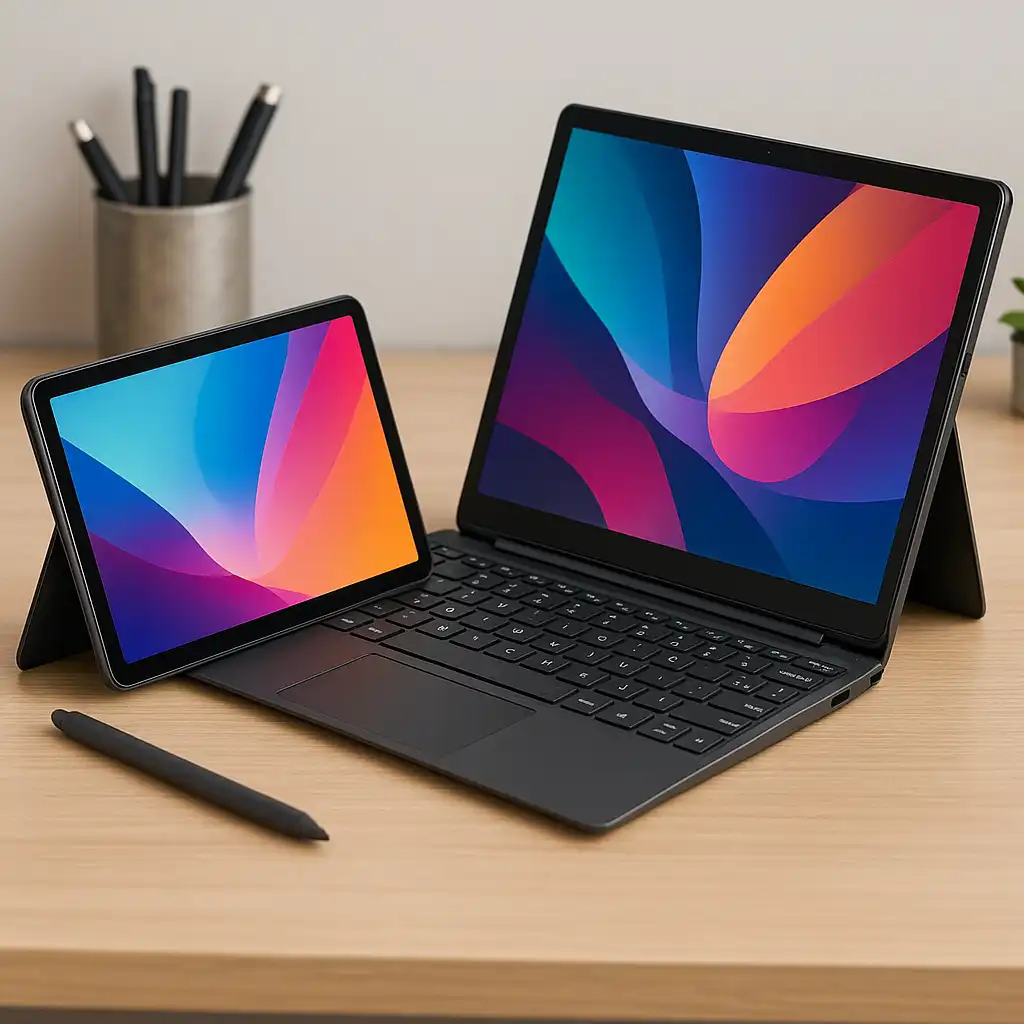
At first glance, 2-in-1 laptops and tablets can look very similar. Both offer touchscreens, portable designs, and app-based workflows. In everyday use, though, they’re built for very different types of work.
A 2-in-1 laptop is designed to replace a traditional laptop while adding flexibility. A tablet is designed around touch-first interaction and lightweight portability. Understanding where those differences matter helps avoid choosing a device that feels limiting after the novelty wears off.
👉 If you’re still comparing flexible devices, this overview of the best 2-in-1 laptops explains how convertibles fit into the broader laptop category.
Let’s break down how 2-in-1 laptops and tablets differ in real-world use—and which one fits different workflows best.
🔍 What a 2-in-1 Laptop Is Designed For
A 2-in-1 laptop is built to function as a full computer first.
It runs a desktop operating system, includes a keyboard and trackpad, and supports traditional laptop software. Touch and tablet modes are added to expand how the device can be used, not to replace the laptop experience.
2-in-1 laptops work best for users who need full productivity software but also want flexibility for note-taking, presentations, or casual tablet use.
🔍 What a Tablet Is Designed For
A tablet is built around simplicity and touch-first interaction.
Tablets prioritize lightweight design, instant responsiveness, and app-based workflows. While keyboards and styluses can be added, they’re accessories rather than core components.
Tablets are best suited for media consumption, reading, browsing, note-taking, and light creative tasks rather than sustained productivity.
🔍 Software and App Compatibility
This is one of the biggest differences.
2-in-1 laptops run full desktop applications, making them suitable for tasks like document creation, coding, spreadsheets, and professional software. Tablets rely more heavily on mobile or touch-optimized apps, which can feel limiting for complex work.
If your workflow depends on desktop software, a 2-in-1 offers far fewer compromises.
🔍 Performance and Multitasking
2-in-1 laptops are generally more capable multitaskers.
They’re built with laptop-class processors, memory, and storage, allowing them to handle multiple applications at once more smoothly. Tablets are optimized for efficiency and responsiveness but may struggle with heavier multitasking.
For extended work sessions, a 2-in-1 usually feels more stable and predictable.
🔍 Portability and Battery Life
Tablets have the advantage in pure portability.
They’re lighter, thinner, and easier to hold for long periods. Battery life can also feel longer in casual use because tablets are optimized for low-power tasks.
2-in-1 laptops are still portable, but their added hardware and larger screens make them better suited for backpacks and desk use rather than one-handed operation.
🔍 Input Options and Ergonomics
Both devices support touch and pen input, but ergonomics differ.
2-in-1 laptops offer proper keyboards and trackpads, making long typing sessions more comfortable. Tablets rely more on on-screen keyboards or attachable accessories, which can feel cramped for extended work.
If typing is a major part of your day, a 2-in-1 has a clear advantage.
🔍 Which One Is Better for Different Users?
The better choice depends on how much work you expect to do.
If your device is your primary computer, a 2-in-1 is usually the better fit. If you want a lightweight companion for reading, browsing, and light tasks, a tablet often feels more natural.
Some users use both—a tablet for casual use and a laptop or 2-in-1 for work.
📌 Key Takeaways
- 2-in-1 laptops are built to replace traditional laptops
- Tablets focus on touch-first, lightweight use
- Desktop software works better on 2-in-1 laptops
- Tablets are more portable and easier to hold
- Typing and multitasking are easier on 2-in-1 laptops
- The right choice depends on whether work or convenience comes first
🟢 FAQs
Q: Can a tablet replace a laptop completely?
For light tasks, yes. For full productivity, most users still prefer a laptop or 2-in-1.
Q: Are 2-in-1 laptops heavier than tablets?
Yes. They include more hardware, which adds weight and size.
Q: Do tablets support keyboards and pens?
Yes, but they’re usually accessories rather than built-in components.
Q: Which is better for students?
It depends on workload. Tablets suit note-taking and reading, while 2-in-1 laptops handle assignments and multitasking better.
✅ Conclusion
2-in-1 laptops and tablets may look similar, but they’re designed for different priorities. Tablets focus on simplicity and portability, while 2-in-1 laptops focus on flexibility without giving up full computer functionality.
If your device needs to handle real work alongside casual use, a 2-in-1 laptop is usually the better choice. If convenience and portability matter most, a tablet may be all you need.