HP Spectre x360 14 OLED Review – Best Premium 2-in-1 Configurations Explained
Disclosure: This post contains affiliate links. LaptopVoyager.com participates in the Amazon Associates Program and may earn commissions on qualifying purchases, at no extra cost to you.
Last Updated: March 2026
The HP Spectre x360 14 OLED is a premium 2-in-1 laptop designed for users who want high-end build quality, advanced display technology, and strong multitasking performance. Based on specifications, this model combines Intel Core Ultra processors with OLED display panels and convertible flexibility.
HP positions the Spectre lineup as its flagship consumer series, focusing on design, display quality, and premium features.
👉 To explore how this model fits into the full lineup, see our guide to the best HP laptops.
This review compares three HP Spectre x360 14 OLED configurations to show how memory and storage options affect performance and usability.
💰 Check Price & Availability
View on Amazon – HP Spectre x360 14 OLED (Core Ultra 7 155H, 32GB RAM, 4TB SSD, 120Hz OLED)
View on Amazon – HP Spectre x360 14 OLED (Core Ultra 7 155H, 16GB RAM, 2TB SSD, 120Hz OLED)
View on Amazon – HP Spectre x360 14 OLED (Core Ultra 7 155H, 16GB RAM, 1TB SSD, 120Hz OLED)
📋 Quick-View Comparison List
Best High-End Configuration: Spectre x360 14 OLED (32GB RAM, 4TB SSD) – heavy multitasking and storage
Best Balanced Option: Spectre x360 14 OLED (16GB RAM, 2TB SSD) – performance and capacity
Best Entry Premium Option: Spectre x360 14 OLED (16GB RAM, 1TB SSD) – OLED experience and portability
🔍 What Makes the HP Spectre x360 14 OLED Different
The Spectre x360 14 OLED is designed as a premium convertible laptop with a strong focus on display quality and build design.
Key features include:
- 14-inch 2880×1800 OLED touchscreen
- 120Hz refresh rate
- 360-degree hinge for convertible use
Compared to Pavilion or Essential laptops, Spectre models are built with higher-end materials and additional features designed for premium users.
🔍 Performance and Hardware
All configurations use the Intel Core Ultra 7 155H processor. According to Intel platform specifications, these processors are designed for improved efficiency, multitasking, and support for modern workloads.
Differences between configurations come from:
- RAM (16GB vs 32GB)
- Storage (1TB to 4TB SSD)
Higher RAM capacity allows smoother multitasking, especially when running multiple applications simultaneously. Larger SSD storage provides more space for files, applications, and creative projects.
👉 For a comparison with other premium laptops, see the HP Spectre vs Dell XPS guide.
🔍 OLED Display and Visual Experience
The OLED display is one of the defining features of this laptop.
According to manufacturer specifications, OLED panels provide:
- Higher contrast ratios
- Deeper blacks
- More vibrant colors
The 120Hz refresh rate is designed to improve smoothness during scrolling and interaction, making the laptop suitable for both productivity and media use.
🔍 Design and Convertible Flexibility
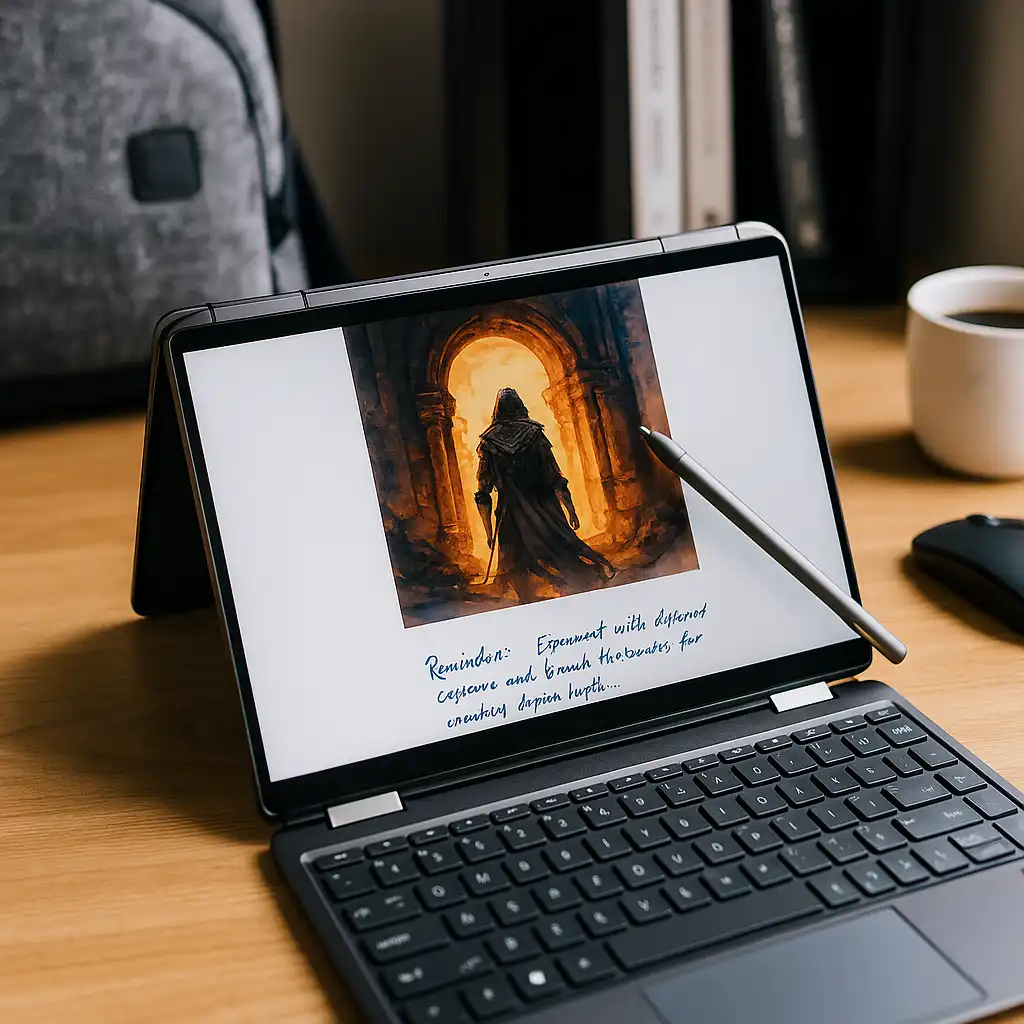
The Spectre x360 includes a 360-degree hinge, allowing it to switch between laptop, tablet, tent, and presentation modes.
This design is intended for users who want flexibility in how they use their device, especially for tasks like note-taking, presentations, and media consumption.
The premium chassis is built with attention to design and portability, making it suitable for professionals and students who need a high-end device.
📦 Spectre x360 14 OLED (32GB RAM, 4TB SSD)
This configuration represents the highest-end option.
With 32GB RAM and a large 4TB SSD, it is designed for heavy multitasking, large file storage, and demanding workflows such as content creation or professional use.
📦 Spectre x360 14 OLED (16GB RAM, 2TB SSD)
This configuration offers a balance between performance and storage.
The 16GB RAM supports multitasking for most users, while the 2TB SSD provides significant storage capacity for files and applications.
📦 Spectre x360 14 OLED (16GB RAM, 1TB SSD)
This version is the most accessible entry into the Spectre lineup.
It retains the same premium design, OLED display, and processor, while offering a more standard storage configuration suitable for everyday productivity.
🔍 Which Configuration Should You Choose
Choosing the right configuration depends on your workload.
- Heavy multitasking and large projects → 32GB RAM model
- Balanced productivity and storage → 16GB RAM + 2TB SSD
- Everyday premium use → 16GB RAM + 1TB SSD
For most users, the 16GB RAM configuration provides sufficient performance for daily tasks.
📌 Key Takeaways
- HP Spectre x360 14 OLED is a premium 2-in-1 laptop series
- OLED display provides high contrast and color quality
- Core Ultra processors support modern workloads
- RAM and storage determine multitasking capability
- Convertible design adds flexibility for different use cases
🟢 FAQs
Q: Is the HP Spectre x360 14 OLED good for everyday use?
Based on specifications, it is designed for productivity, media use, and multitasking.
Q: Is 16GB RAM enough for this laptop?
Yes, 16GB RAM supports most everyday and professional workloads, while 32GB is better for heavier multitasking.
Q: What makes OLED better than standard displays?
OLED panels provide higher contrast and more vibrant colors compared to traditional LCD displays.
✅ Conclusion
The HP Spectre x360 14 OLED is designed as a premium convertible laptop that combines high-end display technology with modern performance. Based on specifications, it offers flexible configurations that suit a range of users, from everyday productivity to more demanding workloads.