Alienware 38 Curved Gaming Monitor AW3821DW Review – Ultrawide Immersion for Gaming and Work
Disclosure: This post contains affiliate links. LaptopVoyager.com participates in the Amazon Associates Program and may earn commissions on qualifying purchases, at no extra cost to you.
Last Updated: March 2026
The Alienware AW3821DW is a 38-inch ultrawide curved gaming monitor designed for users who want more screen space alongside smooth performance. It targets gamers and professionals who benefit from wider aspect ratios and immersive visuals.
According to Dell specifications, this model features a WQHD+ resolution, IPS panel, and high refresh rate support, aiming to balance gaming performance with productivity use.
👉 If you’re comparing display options, see our guide to best gaming monitors
This review explores display quality, gaming features, and where this ultrawide monitor fits best.
💰 Check Price & Availability
View on Amazon – Alienware 38″ Curved Gaming Monitor AW3821DW
📌 Key Takeaways
- 38-inch ultrawide display expands workspace and field of view
- WQHD+ resolution offers a balance between clarity and performance
- IPS panel is designed for color consistency and viewing angles
- High refresh rate supports smoother gameplay
- Suitable for both gaming and multitasking setups
🔍 Design and Build Quality
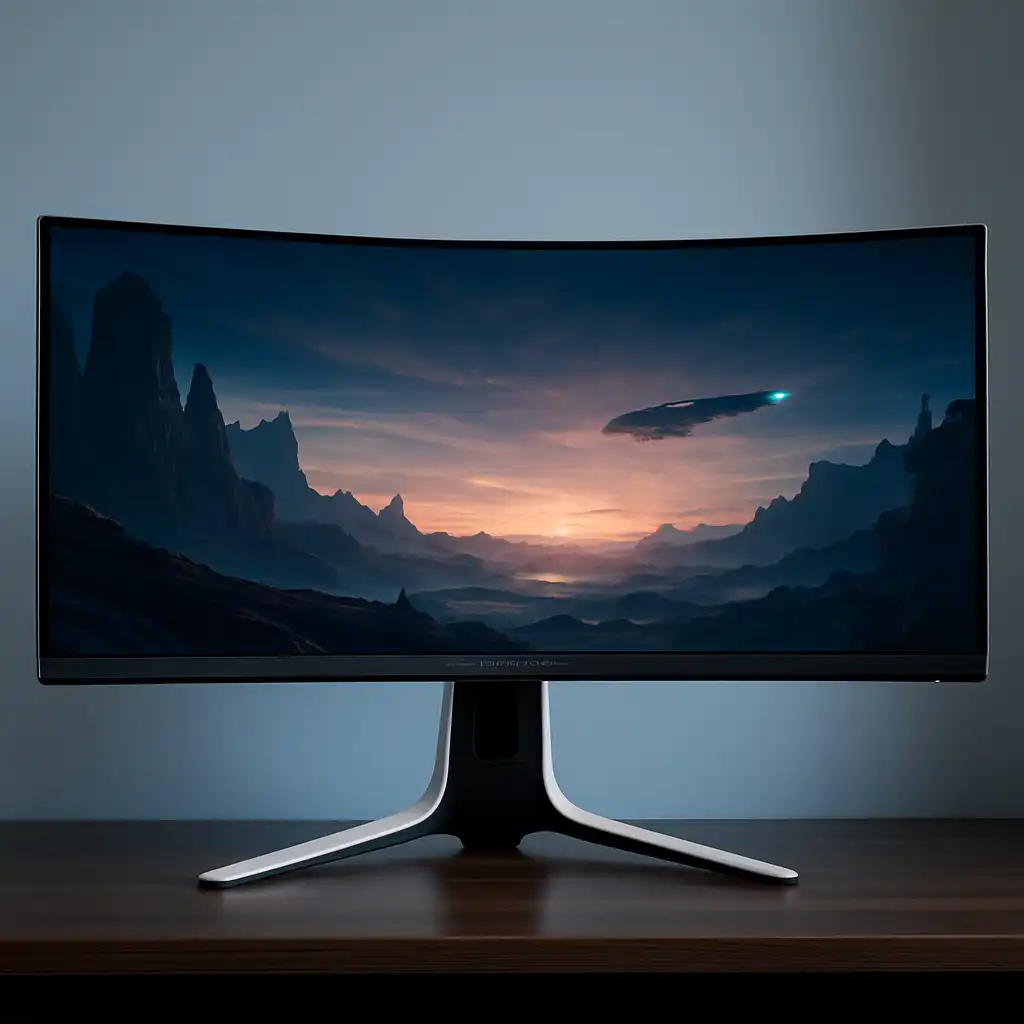
The AW3821DW features Alienware’s premium design with a curved ultrawide panel and a solid stand. It’s built to support larger desk setups, offering stability even with its wide footprint.
The curvature is designed to enhance immersion by wrapping the display slightly around your field of view. This is especially useful in ultrawide formats where peripheral vision plays a role.
🔍 Display and Panel Performance
This monitor uses a 38-inch IPS panel with WQHD+ resolution (3840×1600), which provides more horizontal space than standard 16:9 displays.
Based on manufacturer specifications:
- IPS panel supports consistent colors and wide viewing angles
- Ultrawide resolution increases workspace for multitasking
- HDR support improves contrast and brightness range
👉 For another high-end display option, see asus rog swift 32 4k oled gaming monitor pg32ucdm review
This type of panel is commonly used in setups where both gaming and productivity matter.
🔍 Gaming Performance and Refresh Rate
The AW3821DW includes a higher refresh rate compared to standard monitors, which is designed to improve motion clarity.
According to specifications and published benchmarks:
- Higher refresh rates reduce motion blur
- Adaptive sync support minimizes screen tearing
- Low response time helps maintain clarity in fast scenes
👉 If you’re comparing curved options, see best 1440p curved gaming monitor
This makes it suitable for immersive gaming, especially in genres like racing, RPGs, and simulation games.
🔍 Connectivity and Features
The monitor includes connectivity options designed for gaming PCs and productivity setups.
Typical features based on specifications:
- DisplayPort and HDMI inputs
- USB hub for peripherals
- Adaptive sync compatibility
- Built-in display customization settings
These features allow it to integrate into both gaming and work environments.
🔍 Who This Monitor Is For
The Alienware AW3821DW is designed for users who want a wide, immersive display with strong multitasking capabilities.
Best suited for:
- Gamers who prefer ultrawide immersion
- Users working with multiple windows or timelines
- Hybrid gaming and productivity setups
Less suited for:
- Users with limited desk space
- Competitive gamers focused on smaller, high-refresh displays
This model is positioned as a premium ultrawide option rather than a traditional 16:9 gaming monitor.
🟢 FAQs
Q: Is the Alienware AW3821DW good for gaming?
Based on specifications, it offers a high refresh rate, ultrawide resolution, and adaptive sync support, making it suitable for immersive gaming.
Q: What resolution does this monitor use?
It uses WQHD+ (3840×1600), which provides more horizontal space than standard 1440p.
Q: Is ultrawide better for gaming?
Ultrawide monitors are designed to enhance immersion and provide a wider field of view, especially in supported games.
Q: Is this monitor good for work?
Yes. The wider screen space supports multitasking and productivity workflows.
✅ Conclusion
The Alienware 38-inch curved gaming monitor AW3821DW is designed to deliver an ultrawide experience with balanced performance and visual quality. Based on specifications, it suits users who want both immersive gaming and expanded workspace.
For those building a high-end setup, it offers a combination of size, resolution, and refresh rate that supports both gaming and productivity.