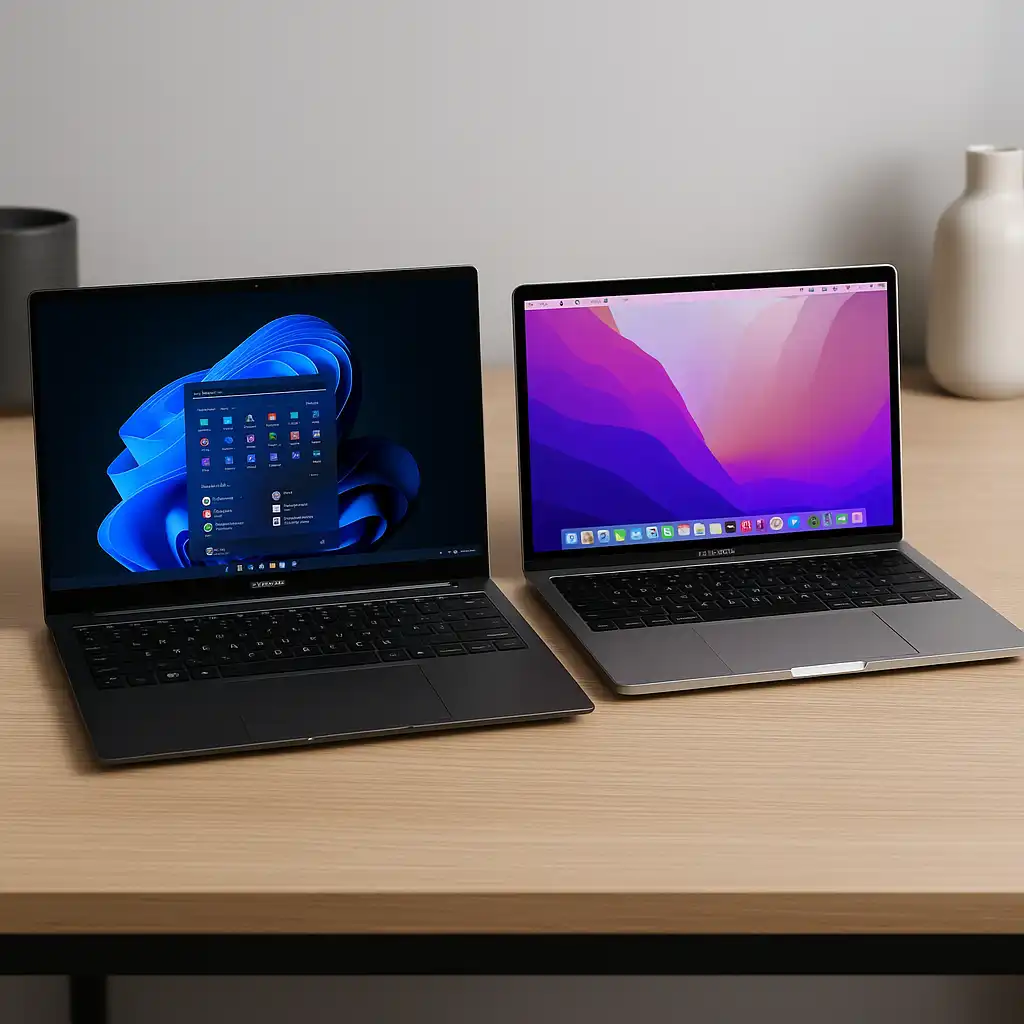
Samsung Galaxy Book 4 Ultra vs MacBook Pro – Performance, Display, and Value Compared
Disclosure: This post contains affiliate links. LaptopVoyager.com participates in the Amazon Associates Program and may earn commissions on qualifying purchases, at no extra cost to you.
Last Updated: January 2026
Choosing between the Samsung Galaxy Book 4 Ultra and the MacBook Pro (M4 Max) comes down to how you work day to day. Both are premium 16-inch laptops designed for professional users, but they approach productivity from very different angles.
This comparison looks at design, performance, display technology, battery expectations, and ecosystem features based on specifications, manufacturer claims, and professional review patterns—not hands-on testing.
👉 If you’re comparing premium laptops across brands, this guide on best brand laptop computers breaks down how Apple, Samsung, Dell, Lenovo, and ASUS rank at the high end.
💰 Check Price & Availability
View on Amazon – Samsung Galaxy Book 4 Ultra / Pro 360 (16″, Intel Ultra 7, AMOLED)
View on Amazon – Apple MacBook Pro 16″ (M4 Max, 2024)
📋 Quick-View Comparison List
Best for flexibility & touch workflows: Samsung Galaxy Book 4 Ultra — 2-in-1 design with AMOLED touchscreen and S Pen support
Best for raw performance: MacBook Pro 16″ (M4 Max) — higher CPU and GPU headroom for demanding professional workloads
Best display for HDR & color-critical work: MacBook Pro 16″ — Liquid Retina XDR with high peak brightness
Best for ecosystem integration: Samsung Galaxy Book 4 Ultra for Galaxy users, MacBook Pro for Apple users
Best battery efficiency under sustained load: MacBook Pro 16″ — Apple silicon power efficiency advantage
🔍 Design & Portability
The Samsung Galaxy Book 4 Ultra is designed as a convertible 2-in-1 with a 360-degree hinge. Weighing around 3.66 lbs, it remains relatively light for a 16-inch device, especially considering its touchscreen and S Pen support. This format suits users who annotate documents, sketch ideas, or shift between laptop and tablet modes.
The MacBook Pro 16″ weighs approximately 4.7 lbs and follows a traditional clamshell design. Apple prioritizes rigidity, cooling capacity, and long-term durability, making this model better suited for desk-based professional workflows.
🔍 Display Technology
Samsung equips the Galaxy Book 4 Ultra with a 16-inch Dynamic AMOLED 2X display at 2880×1800 resolution and a 120Hz refresh rate. AMOLED technology emphasizes deep blacks and high contrast, while touch and pen input add creative flexibility.
Apple’s 16.2-inch Liquid Retina XDR display uses mini-LED backlighting with up to 1600 nits peak brightness and ProMotion support. According to Apple specifications and professional reviews, this panel is designed for HDR video work, brightness consistency, and accurate color reproduction.
🔍 Performance & Hardware
Performance is one of the clearest differentiators between these models.
The Samsung Galaxy Book 4 Ultra features an Intel Core Ultra 7 155H, paired with 16GB DDR5 memory and Intel Arc integrated graphics. This configuration is designed for productivity workloads, multitasking, and moderate creative tasks such as photo editing and light video work.
The MacBook Pro 16″ with M4 Max uses a 16-core CPU and up to a 40-core GPU, combined with 64GB unified memory. Published benchmarks and professional reviews consistently place this hardware among the strongest mobile platforms for sustained creative workloads, including advanced video editing, 3D work, and software development.
🔍 Battery Life & Efficiency
Samsung positions the Galaxy Book 4 Ultra as a long-lasting productivity laptop, with efficiency gains from Intel’s Core Ultra architecture. Actual battery longevity varies depending on touchscreen use, brightness levels, and workload intensity.
Apple specifies up to 21 hours of battery life for the MacBook Pro 16″ with M4 Max. Apple silicon’s power efficiency is widely documented in reviews, making this model especially suitable for professionals who need high performance without frequent charging.
🔍 Ecosystem & Special Features
Samsung’s laptop integrates closely with the Galaxy ecosystem, supporting features such as cross-device file sharing, phone integration, and continuity tools. The S Pen, touchscreen input, and convertible form factor add versatility for note-taking and creative workflows.
Apple’s MacBook Pro benefits from deep macOS ecosystem integration, working seamlessly with iPhone, iPad, and Apple services. Features like Thunderbolt 5 support and Apple Intelligence are designed to support advanced external setups and professional workflows.
📌 Key Takeaways
- The Samsung Galaxy Book 4 Ultra focuses on flexibility, touch input, and lightweight 2-in-1 design.
- The MacBook Pro 16″ (M4 Max) prioritizes sustained performance, efficiency, and display accuracy.
- Users with demanding creative workloads may benefit more from Apple’s hardware headroom.
- Galaxy users who value pen input and convertible design may prefer Samsung’s approach.
🟢 FAQs
Q: Is the Samsung Galaxy Book 4 Ultra suitable for creative work?
A: Based on specifications, it supports design tasks, photo editing, and general creative workflows, especially with touch and pen input.
Q: How does M4 Max performance compare to Intel Core Ultra processors?
A: Published benchmarks indicate the M4 Max delivers significantly higher CPU and GPU performance, particularly in sustained professional workloads.
Q: Which laptop fits business or productivity users better?
A: Samsung’s model suits users who value flexibility and note-taking, while Apple’s MacBook Pro targets power users and creative professionals.
✅ Conclusion
The Samsung Galaxy Book 4 Ultra vs MacBook Pro comparison highlights two different priorities. Samsung emphasizes versatility, touchscreen interaction, and Galaxy ecosystem features, while Apple focuses on maximum performance, efficiency, and display quality. The better choice depends on whether flexibility or raw computing power matters more for your workflow.