Best USB Headset With Mic for Laptop – Wired and Low-Latency Options Compared
Disclosure: This post contains affiliate links. LaptopVoyager.com participates in the Amazon Associates Program and may earn commissions on qualifying purchases, at no extra cost to you.
Last Updated: July 2026
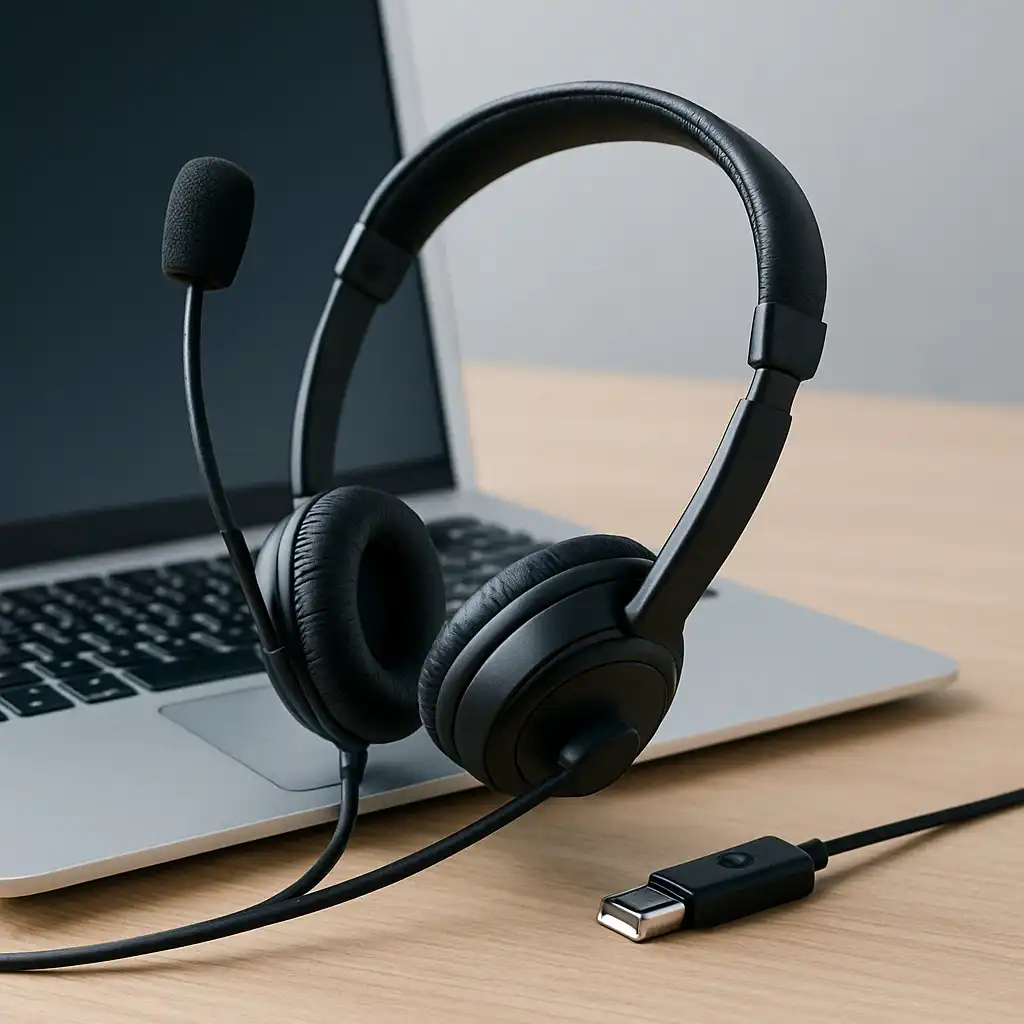
A USB headset with mic connects directly to your laptop and often includes built-in sound processing for audio handling. Unlike standard 3.5mm headsets, USB models can provide more consistent microphone and speaker performance.
This guide compares three strong options based on connection type, microphone design, and intended use.
👉 For a broader look at compatible audio devices and accessories, see our guide to best laptop audio gear.
💰 Check Price & Availability
View on Amazon – LEVN USB Noise-Canceling Headset with Mic
View on Amazon – Jabra Evolve 20 SE USB-A/USB-C Wired Headset
View on Amazon – Logitech G PRO X 2 Lightspeed Wireless Gaming Headset
📋 Quick-View Comparison List
Best Budget USB Option: LEVN USB Noise-Canceling Headset
Best Business-Focused Wired Choice: Jabra Evolve 20 SE
Best Premium Low-Latency Alternative: Logitech G PRO X 2 Lightspeed
🔍 Why Choose a USB Headset for Laptop Use?
USB headsets connect directly through a USB-A or USB-C port. Many models include integrated digital audio processing, which can provide more consistent microphone and speaker performance compared to analog 3.5mm connections.
USB headsets are often preferred for:
- Video conferencing
- Remote work
- Online classes
- Streaming or light content creation
If you’re comparing connection types more broadly, you may also want to read our guide to wired vs wireless headset for laptop.
📦 LEVN USB Noise-Canceling Headset – Affordable Call Clarity
The LEVN USB headset is designed for everyday call use. According to product details, it includes microphone noise reduction technology designed to help minimize background audio.
Its wired USB connection eliminates battery concerns and pairing steps. This makes it suitable for office setups or shared environments where reliability is a priority.
📦 Jabra Evolve 20 SE – Business-Oriented USB Performance
The Jabra Evolve 20 SE connects via USB-A or USB-C depending on configuration. Jabra positions this model for professional environments, with a focus on voice clarity and platform compatibility.
Many business-focused headsets prioritize microphone directionality and simple inline controls. This model suits users who attend frequent video meetings.
📦 Logitech G PRO X 2 Lightspeed – Wireless with USB Receiver
The Logitech G PRO X 2 Lightspeed uses a low-latency USB wireless receiver rather than a standard wired connection. While not a traditional USB-wired headset, it connects through a USB dongle for stable performance.
Designed primarily for gaming, it includes advanced audio features and a detachable microphone. It can serve as a versatile option for users who want one headset for both gaming and meetings.
🔍 Wired USB vs USB Wireless Receiver
Wired USB headsets offer simple, direct connections and no battery management.
Wireless USB receiver models provide freedom of movement while maintaining lower latency than standard Bluetooth. However, they require charging.
Choosing between them depends on whether mobility or simplicity is more important in your workflow.
📌 Key Takeaways
- USB headsets provide stable plug-and-play laptop connectivity
- Wired USB models eliminate charging and pairing
- Business-oriented models emphasize microphone clarity
- USB wireless receivers offer mobility with low latency
- Match headset design to your primary use (calls vs gaming)
🟢 FAQs
Q: Is USB better than 3.5mm for laptop headsets?
USB headsets often provide more consistent audio processing, depending on the laptop’s onboard audio hardware.
Q: Do USB headsets work without drivers?
Most are plug-and-play with Windows and macOS.
Q: Can I use a gaming USB headset for meetings?
Yes. Many gaming headsets include detachable or high-quality microphones suitable for calls.
Q: Do USB headsets reduce background noise?
Some models include noise-reduction microphone designs, though performance varies by product.
✅ Conclusion
The best USB headset with mic for laptop use depends on how you work. Wired USB models like LEVN and Jabra prioritize simplicity and call clarity, while wireless USB receiver options like Logitech offer flexibility for gaming and meetings.
Matching connection type and microphone focus to your daily tasks ensures reliable performance and long-term usability.