Best SSD Drive for Video Editing – High-Speed NVMe Picks for Large Projects
Disclosure: This post contains affiliate links. LaptopVoyager.com participates in the Amazon Associates Program and may earn commissions on qualifying purchases, at no extra cost to you.
Last Updated: February 2026
Choosing the best SSD drive for video editing is critical when working with large 4K or 8K footage, RAW files, and multi-layer timelines. Video editing workflows rely heavily on fast read and write speeds to handle large file transfers and real-time playback.
This guide compares three high-performance NVMe SSDs based on manufacturer specifications, rated speeds, interface generation, and suitability for demanding creative workloads.
👉 If you’re planning a full upgrade, see our complete guide to the best laptop ssd upgrade.
💰 Check Price & Availability
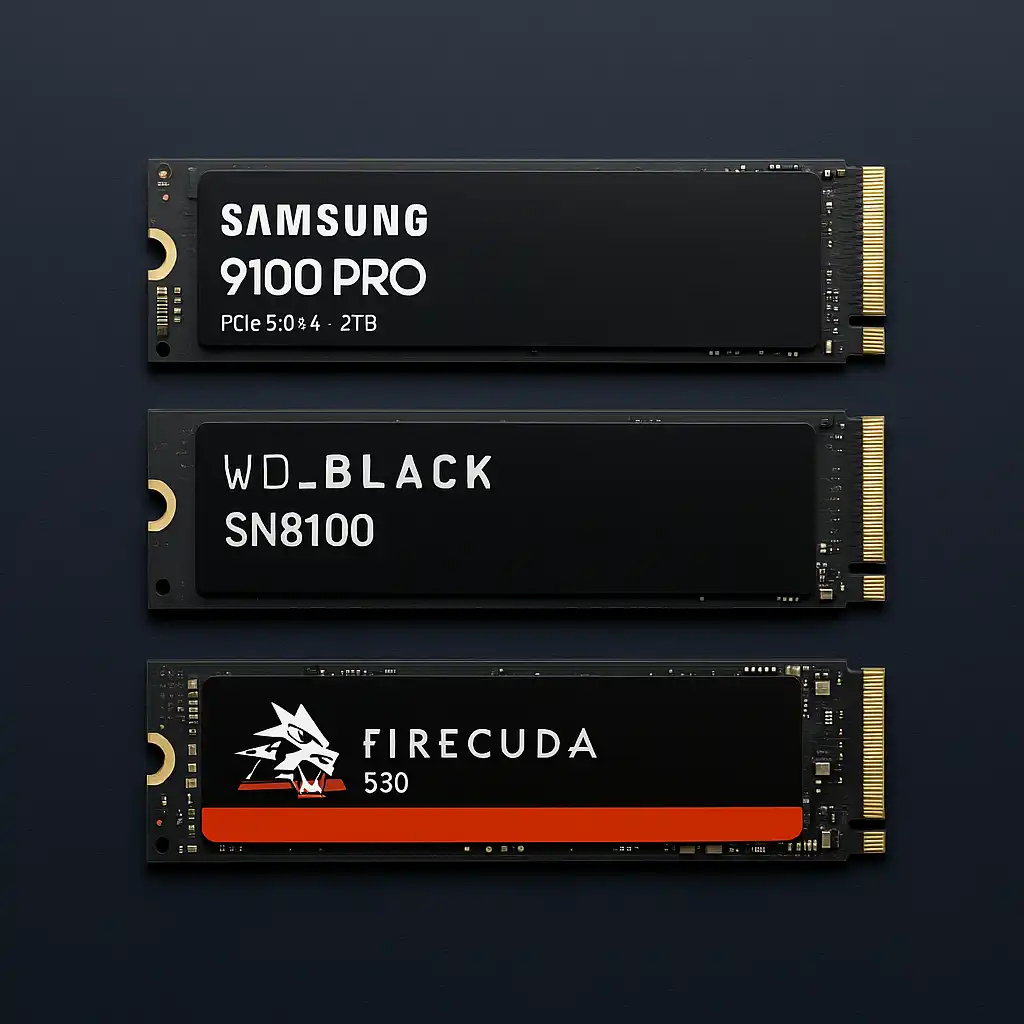
View on Amazon – Samsung SSD 9100 PRO 2TB (PCIe 5.0×4, 14,700 MB/s, advanced thermal control)
View on Amazon – WD_BLACK SN8100 2TB (PCIe 5.0, 14,900 MB/s, creator-focused tuning)
View on Amazon – Seagate FireCuda 530 2TB (PCIe Gen4, 7,300 MB/s, heatsink + recovery service)
📋 Quick-View Comparison List
Fastest Rated Speeds: WD_BLACK SN8100 2TB (up to 14,900 MB/s)
Best Gen5 Performance Option: Samsung 9100 PRO 2TB (PCIe 5.0×4 support)
Best Proven Gen4 Alternative: Seagate FireCuda 530 2TB (7,300 MB/s with heatsink option)
🔍 What Makes an SSD Good for Video Editing?
Video editing places sustained load on storage, especially when working with high-bitrate footage. SSDs with high sequential read and write speeds reduce transfer times and improve media caching performance.
PCIe Gen5 drives offer substantially higher theoretical bandwidth compared to Gen4 models. However, compatibility depends on your laptop or motherboard’s PCIe support.
Capacity is equally important. Large video files and project archives can quickly consume storage, making 2TB a practical baseline for many editors.
If you’re unsure how SSD durability compares to traditional storage, our guide on are ssd drives more reliable than hdd explains the long-term reliability differences.
🔍 Is PCIe 5.0 Necessary for Video Editing?
PCIe 5.0 SSDs offer significantly higher rated speeds according to manufacturer specifications, often exceeding 14,000 MB/s.
For editors working with high-resolution RAW footage, heavy color grading, or multi-stream timelines, higher bandwidth may reduce bottlenecks in supported systems.
However, PCIe 4.0 SSDs remain highly capable for 4K workflows and most professional editing environments. System compatibility should always be verified before selecting a Gen5 drive.
📦 Samsung SSD 9100 PRO 2TB – Advanced Gen5 Throughput
The Samsung SSD 9100 PRO 2TB is rated up to 14,700 MB/s read speeds according to manufacturer specifications. It uses PCIe 5.0×4 and includes advanced thermal control features.
This level of throughput supports rapid file transfers and intensive media workflows in compatible systems. The 2TB capacity provides space for large editing projects and media libraries.
This model suits creators building high-end editing systems with PCIe 5.0 support.
📦 WD_BLACK SN8100 2TB – Highest Rated Speeds in This Group
The WD_BLACK SN8100 2TB is rated up to 14,900 MB/s read speeds based on manufacturer data. WD positions this drive toward performance users and creators.
High sequential speeds may benefit editors handling large 8K files or working with high frame-rate footage in supported systems.
This option aligns well with professional editing environments prioritizing maximum throughput.
📦 Seagate FireCuda 530 2TB – Reliable Gen4 Performance
The Seagate FireCuda 530 2TB is rated up to 7,300 MB/s read speeds according to manufacturer specifications. It uses PCIe Gen4 and offers a heatsink option for improved thermal stability.
Although its rated speeds are lower than Gen5 drives, it remains within high-end Gen4 territory. This makes it suitable for most 4K video editing workflows and professional creative use.
For users without PCIe 5.0 support, this drive provides strong performance within Gen4 limits.
📌 Key Takeaways
- Video editing benefits from high sequential read and write speeds
- PCIe 5.0 drives offer significantly higher rated bandwidth
- 2TB capacity provides practical headroom for large projects
- Gen4 SSDs remain suitable for most 4K editing workflows
- Always verify PCIe compatibility before upgrading
🟢 FAQs
Q: Is 2TB enough for video editing?
For many editors, 2TB provides balanced capacity for active projects and software. Larger archives may require additional storage solutions.
Q: Do I need PCIe 5.0 for 4K editing?
Not necessarily. PCIe 4.0 SSDs are capable of handling most 4K workflows, depending on bitrate and system configuration.
Q: Will a faster SSD improve rendering speed?
Storage primarily affects file transfer, caching, and loading times. Rendering performance also depends on CPU and GPU capability.
Q: Can laptops support PCIe 5.0 SSDs?
Only systems with PCIe 5.0-compatible M.2 slots can utilize Gen5 speeds. Always confirm manufacturer specifications.
✅ Conclusion
The best SSD drive for video editing depends on your system compatibility and workflow intensity. The WD_BLACK SN8100 offers the highest rated Gen5 speeds, the Samsung 9100 PRO provides advanced thermal management with Gen5 support, and the Seagate FireCuda 530 delivers strong Gen4 performance for most 4K projects.
Matching interface support, capacity, and rated throughput to your editing demands ensures smoother project handling and reduced transfer times.