ASUS Chromebook Plus CX34 Laptop Review – Specs, Features & Alternatives Compared
Disclosure: This post contains affiliate links. LaptopVoyager.com participates in the Amazon Associates Program and may earn commissions on qualifying purchases, at no extra cost to you.
Last Updated: September 2026
The ASUS Chromebook Plus CX34 is designed to bring stronger hardware and Google’s newer AI features to the lightweight ChromeOS experience. With configurations offering Intel Core processors, 8GB of memory, 256GB storage, and modern wireless connectivity, it sits above many entry-level Chromebooks.
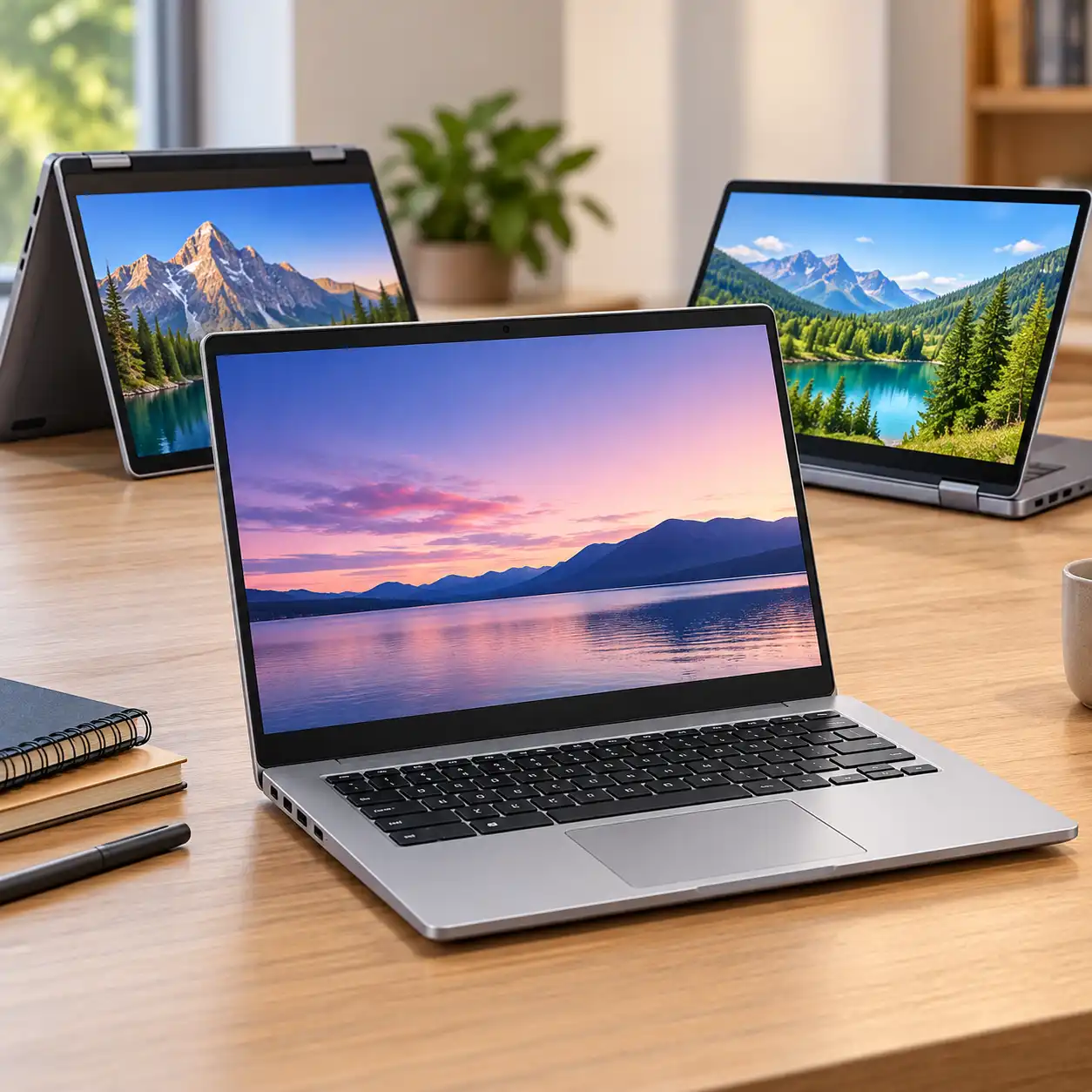
This review compares the ASUS Chromebook Plus CX34 with two notable alternatives: the Acer Chromebook Plus Spin 714 and Lenovo IdeaPad Flex 5i Chromebook Plus. The comparison focuses on specifications, design, portability, and the type of student or everyday user each model is designed for.
👉 For a broader look at laptops for different ages, majors, and academic workloads, see Best Laptops for Students.
💰 Check Price & Availability
View on Amazon – ASUS Chromebook Plus CX34 (Intel Core processor, 8GB RAM, 256GB)
View on Amazon – Acer Chromebook Plus Spin 714 (2-in-1 touchscreen, Intel Core Ultra 5)
View on Amazon – Lenovo IdeaPad Flex 5i Chromebook Plus (2-in-1 touchscreen, 360° hinge)
📋 Quick-View Comparison List
Best Traditional Chromebook: ASUS Chromebook Plus CX34 – straightforward clamshell design with capable hardware and Chromebook Plus features
Best Premium 2-in-1: Acer Chromebook Plus Spin 714 – convertible touchscreen design with higher-end connectivity and display features
Best Versatile Alternative: Lenovo IdeaPad Flex 5i Chromebook Plus – flexible 2-in-1 design with touchscreen and stylus support
🔍 What Defines the ASUS Chromebook Plus CX34?
The CX34 belongs to Google’s Chromebook Plus category, which establishes higher hardware requirements than basic Chromebooks and adds access to enhanced Google features.
Depending on the exact configuration, the CX34 is available with Intel Core processors, 8GB of memory, and up to 256GB of storage. These specifications position it for browser-heavy multitasking, Google Workspace, video calls, streaming, and everyday academic work.
The traditional clamshell design also distinguishes the CX34 from convertible competitors such as the Acer Spin 714 and Lenovo Flex 5i.
🔍 Performance and Everyday Multitasking
The ASUS Chromebook Plus CX34 configurations pair Intel Core processors with at least 8GB of memory under the Chromebook Plus platform.
That combination is designed for workloads such as:
- multiple Chrome tabs
- Google Docs and Sheets
- online classes
- video conferencing
- streaming
- Android and web applications
ChromeOS generally has lighter hardware requirements than a conventional Windows installation, making the CX34’s specifications suitable for typical Chromebook workloads.
Students should still consider software compatibility before choosing ChromeOS. Our guide to Is a Chromebook Enough for Students? explains where Chromebooks work well for academic use and where Windows or macOS may be necessary.
🔍 Display and Design
The CX34 uses a 14-inch display and a conventional laptop design rather than a 360-degree convertible hinge.
This approach makes sense for users who primarily work with a keyboard and trackpad. The relatively compact screen also keeps the laptop more portable than larger 15- and 16-inch alternatives.
Some CX34 configurations use a 180-degree hinge, allowing the display to lie flat. However, users who specifically want tablet-style operation may find the convertible Acer and Lenovo alternatives more suitable.
🔍 Chromebook Plus and Google AI Features
One of the main differences between Chromebook Plus devices and basic Chromebooks is access to Google’s expanded software and AI feature set.
Depending on current ChromeOS and Google service availability, Chromebook Plus features can include tools for writing assistance, video calls, image editing, and Gemini integration.
These capabilities are particularly relevant for students and users already working heavily with Google Docs, Gmail, Drive, and other Google services.
AI features can change as Google updates ChromeOS, so availability may depend on the software version, Google account, region, and applicable subscription requirements.
🔍 Ports and Wireless Connectivity
The CX34 provides a broader selection of physical connections than many ultra-thin laptops.
Depending on configuration, connectivity can include:
- USB-C
- USB-A
- HDMI
- headphone/audio connection
- modern Wi-Fi connectivity
- Bluetooth
Having both USB-C and traditional USB-A ports makes it easier to connect existing accessories without relying entirely on adapters or hubs.
🔍 Chromebook vs Windows for Students
The operating system may matter more than small specification differences between these three Chromebooks.
ChromeOS works particularly well with browser-based coursework, Google Classroom, Google Workspace, cloud storage, and web applications. Its relatively simple interface can also reduce maintenance requirements.
The trade-off is software compatibility. Students who need specialized Windows or macOS applications should verify their course requirements before buying.
For students comparing operating systems rather than individual models, Should I Get a Mac or Windows Laptop for Students? covers the broader platform considerations.
📦 ASUS Chromebook Plus CX34 – Best Traditional Chromebook
The ASUS Chromebook Plus CX34 is the straightforward option in this comparison.
Its clamshell design is suited to users who primarily want a laptop for typing, browsing, online classes, streaming, and Google Workspace. Configurations with an Intel Core processor, 8GB RAM, and 256GB storage provide substantially more resources than many basic Chromebook configurations.
The CX34 therefore makes the most sense for someone who wants Chromebook Plus capabilities without specifically needing a convertible touchscreen design.
📦 Acer Chromebook Plus Spin 714 – Best Premium 2-in-1
The Acer Chromebook Plus Spin 714 takes a different approach.
Its 360-degree convertible design allows it to function as both a conventional laptop and a tablet-style device. Configurations with an Intel Core Ultra 5 processor, WUXGA touchscreen, Thunderbolt 4 connectivity, and enhanced audio features place it toward the more feature-rich end of the Chromebook market.
The convertible format is particularly useful for users who value touch interaction, presentations, media viewing, or flexible positioning.
Its additional features may be unnecessary, however, for someone who primarily needs a Chromebook for browser-based schoolwork and typing.
📦 Lenovo IdeaPad Flex 5i Chromebook Plus – Best Versatile Alternative
The Lenovo IdeaPad Flex 5i Chromebook Plus provides another convertible approach.
Its 360-degree hinge and WUXGA IPS touchscreen allow the device to switch between laptop, tent, stand, and tablet-style positions. Stylus support on compatible configurations adds another input option for note-taking and annotation.
This makes the Flex 5i particularly relevant to students who want more flexibility than a conventional clamshell Chromebook provides.
For users who do not need touch or convertible modes, however, the simpler CX34 design may be sufficient.
📌 Key Takeaways
- The ASUS Chromebook Plus CX34 combines stronger Chromebook-class hardware with a traditional clamshell design
- 8GB RAM and 256GB storage provide more headroom than many basic Chromebook configurations
- Chromebook Plus adds access to enhanced Google and AI features
- The Acer Chromebook Plus Spin 714 emphasizes premium 2-in-1 functionality
- The Lenovo IdeaPad Flex 5i Chromebook Plus provides touchscreen and convertible flexibility
- ChromeOS software compatibility should be checked carefully before buying a Chromebook for college or specialized coursework
🟢 FAQs
Q: Is the ASUS Chromebook Plus CX34 good for students?
Based on its specifications, the CX34 is suited to students who primarily use browser-based learning platforms, Google Workspace, video conferencing, and web applications. Students who require specialized Windows or macOS software should check compatibility first.
Q: Does the ASUS Chromebook Plus CX34 have enough RAM?
An 8GB configuration meets the Chromebook Plus memory requirement and is designed for typical ChromeOS multitasking, including multiple browser tabs and web applications.
Q: Is the ASUS Chromebook Plus CX34 a touchscreen laptop?
Touchscreen availability can vary by exact CX34 configuration. Buyers should check the model specifications before purchasing if touch input is important.
Q: What is the difference between a Chromebook and Chromebook Plus?
Chromebook Plus is Google’s higher-specification Chromebook category. Eligible models must meet minimum hardware requirements and receive additional software features beyond those available on basic Chromebooks.
Q: Is the Acer Chromebook Plus Spin 714 better than the ASUS CX34?
The two emphasize different designs. The Spin 714 offers a convertible touchscreen format and more premium features, while the CX34 provides a simpler traditional laptop design. The more suitable configuration depends on whether those 2-in-1 features are useful for the intended workload.
✅ Conclusion
The ASUS Chromebook Plus CX34 is designed for users who want more capability than a basic Chromebook without moving away from the simplicity of ChromeOS. Its Intel-based configurations, 8GB of memory, useful connectivity, and Chromebook Plus features make it suitable for web-based schoolwork, productivity, streaming, and everyday use, while the Acer Chromebook Plus Spin 714 and Lenovo IdeaPad Flex 5i Chromebook Plus provide stronger alternatives for users who prioritize touchscreen and 2-in-1 flexibility.