Best USB-C Hubs for Laptops – Expand Ports and Simplify Your Setup
Disclosure: This post contains affiliate links. LaptopVoyager.com participates in the Amazon Associates Program and may earn commissions on qualifying purchases, at no extra cost to you.
Last Updated: July 2026
Modern laptops are getting thinner, but that often means fewer ports. USB-C hubs are designed to expand connectivity, letting you connect multiple devices through a single port without complicating your setup.
This guide covers the best USB-C hubs based on specifications, port variety, and everyday use cases, helping you choose the right option for work, travel, or productivity setups.
👉 For a complete overview of all accessories, see best laptop accessories
💰 Check Price & Availability
View on Amazon – Herfair USB-C Hub USB Splitter 8-in-1 USB Extender
View on Amazon – Anker USB-C Hub, 4-Port USBC Adapter with 100W PD & 10Gbps Transfer
View on Amazon – Kensington UH1400P 8-in-1 USB-C Hub with 85W PD & 4K HDMI
📋 Quick-View Comparison List
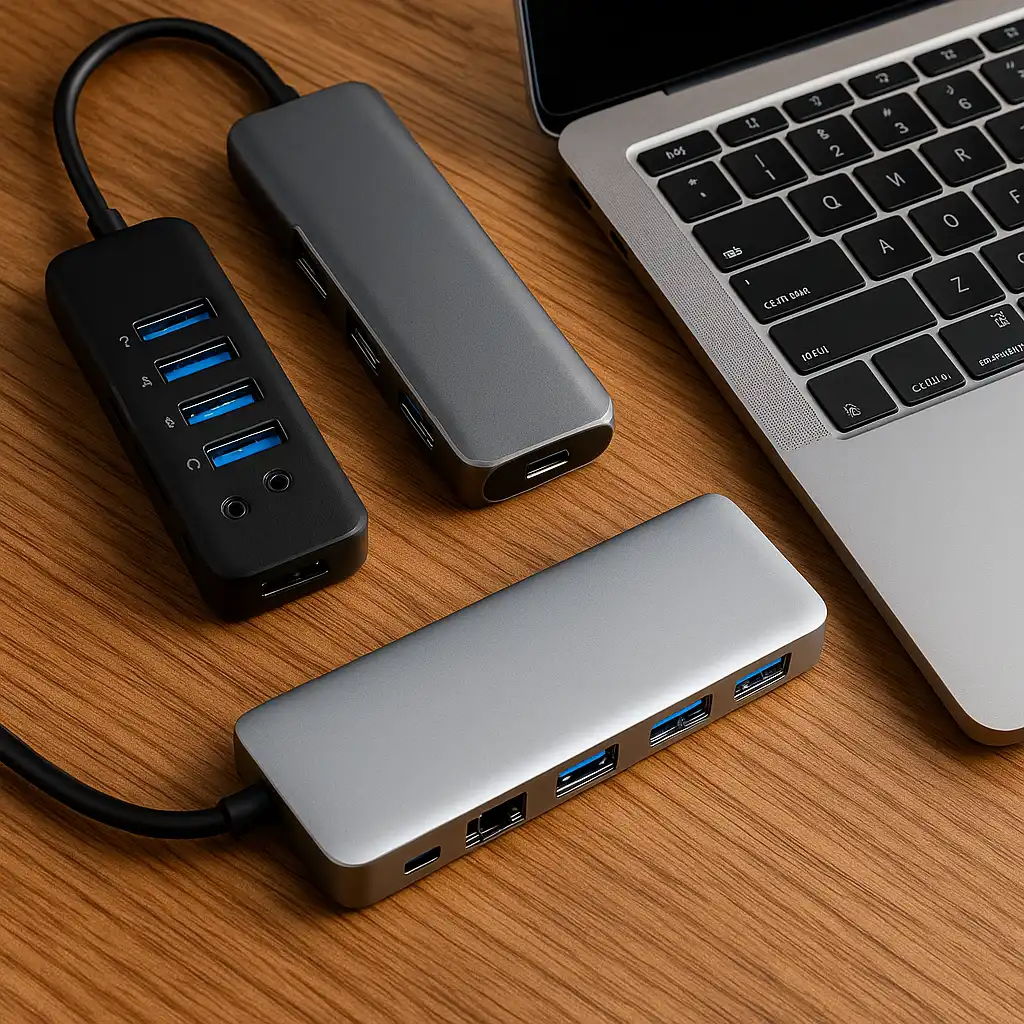
Best Budget USB-C Hub: Herfair 8-in-1 (multiple ports, versatile setup)
Best for Speed and Power: Anker 4-Port Hub (100W PD, fast data transfer)
Best All-in-One Hub: Kensington UH1400P (balanced ports, HDMI output)
🔍 What Does a USB-C Hub Do?
A USB-C hub is designed to expand a single USB-C port into multiple connections. Based on specifications, common ports include:
- USB-A for peripherals
- HDMI for external displays
- power delivery for charging
- SD card slots for storage
This makes hubs useful for users who regularly work with multiple devices that require USB-A connectivity.
🔍 USB-C Hub vs Docking Station
While both expand connectivity, they serve slightly different purposes.
- USB-C hubs are designed for portability and basic expansion
- docking stations offer more ports and higher performance
👉 For a full comparison, see usb-c hub vs docking station
🔍 Power Delivery and Charging
Many USB-C hubs include power delivery (PD), allowing your laptop to
charge while using connected devices.
Based on specifications:
- 60W–100W PD supports charging for most laptops
- Lower wattage may reduce charging speed
- Compatibility depends on your specific laptop’s power requirements
This allows you to maintain connectivity and charging simultaneously during work.
🔍 Data Transfer and Performance
USB-C hubs vary in speed depending on their design.
Based on specifications:
- 5Gbps supports basic peripherals and documents
- 10Gbps improves file transfer speed for external storage
- Higher-end hubs support faster throughput for large file transfers
Higher data transfer speeds are useful for users working with external SSDs,
video files, or large creative projects where transfer speed affects workflow efficiency.
📦 Herfair USB-C Hub – Best Budget Option
The Herfair 8-in-1 hub is designed for versatility at an affordable level. Based on specifications, it includes multiple ports for everyday use, including USB-A, HDMI, and card readers.
This option suits users who need flexible connectivity without a high price.
📦 Anker USB-C Hub – Best for Speed and Reliability
The Anker hub is equipped with high-speed data transfer and 100W power delivery. According to manufacturer specifications, it supports fast charging and efficient performance for connected devices.
This makes it suitable for productivity setups and external storage use.
📦 Kensington UH1400P – Best All-in-One Solution
The Kensington hub is designed to balance connectivity and performance. Based on specifications, it includes multiple ports and supports HDMI output and power delivery.
This option suits users looking for a more complete setup in a single device.
📌 Key Takeaways
- USB-C hubs are designed to expand connectivity and simplify setups
- Power delivery allows charging while using multiple devices
- Data transfer speed affects performance for storage and peripherals
- The best hub depends on your laptop and usage needs
🟢 FAQs
Q: Do USB-C hubs work with all laptops?
They work with laptops that support USB-C with data and display output capabilities.
Q: Can I charge my laptop through a USB-C hub?
Yes, if the hub supports power delivery and matches your laptop’s requirements.
Q: Are USB-C hubs safe to use?
They are designed for safe operation when used within supported specifications.
Q: What is the difference between a hub and a docking station?
Hubs are more portable, while docking stations offer more ports and higher performance.
✅ Conclusion
The best USB-C hub depends on how you use your laptop. The Herfair model offers a versatile budget option, the Anker hub focuses on speed and power, and the Kensington UH1400P provides a balanced all-in-one solution.
Choosing the right hub helps expand your laptop’s connectivity options and supports different usage scenarios.