Best Laptop Cooling Stands – Improve Airflow and Performance
Disclosure: This post contains affiliate links. LaptopVoyager.com participates in the Amazon Associates Program and may earn commissions on qualifying purchases, at no extra cost to you.
Last Updated: June 2026
Laptop temperatures can rise quickly during long work sessions, gaming, or multitasking. Cooling stands are designed to improve airflow underneath your laptop, which helps reduce heat buildup. According to manufacturer specifications, better thermal management can support more stable operation during extended or demanding workloads.
This guide covers the best laptop cooling stands based on manufacturer specifications, airflow design, and intended use cases such as gaming, video editing, and extended multitasking, helping you choose the right option for your setup.
👉 For a complete overview of all accessories, see Best Laptop Accessories
💰 Check Price & Availability
View on Amazon – KeiBn Laptop Cooling Pad (2 Fans, 10–15.6″)
View on Amazon – KLIM Everest Laptop Cooling Pad (4300 RPM Turbo Fan)
View on Amazon – Thermaltake Massive EXTREME Notebook Cooler (up to 18″)
📋 Quick-View Comparison List
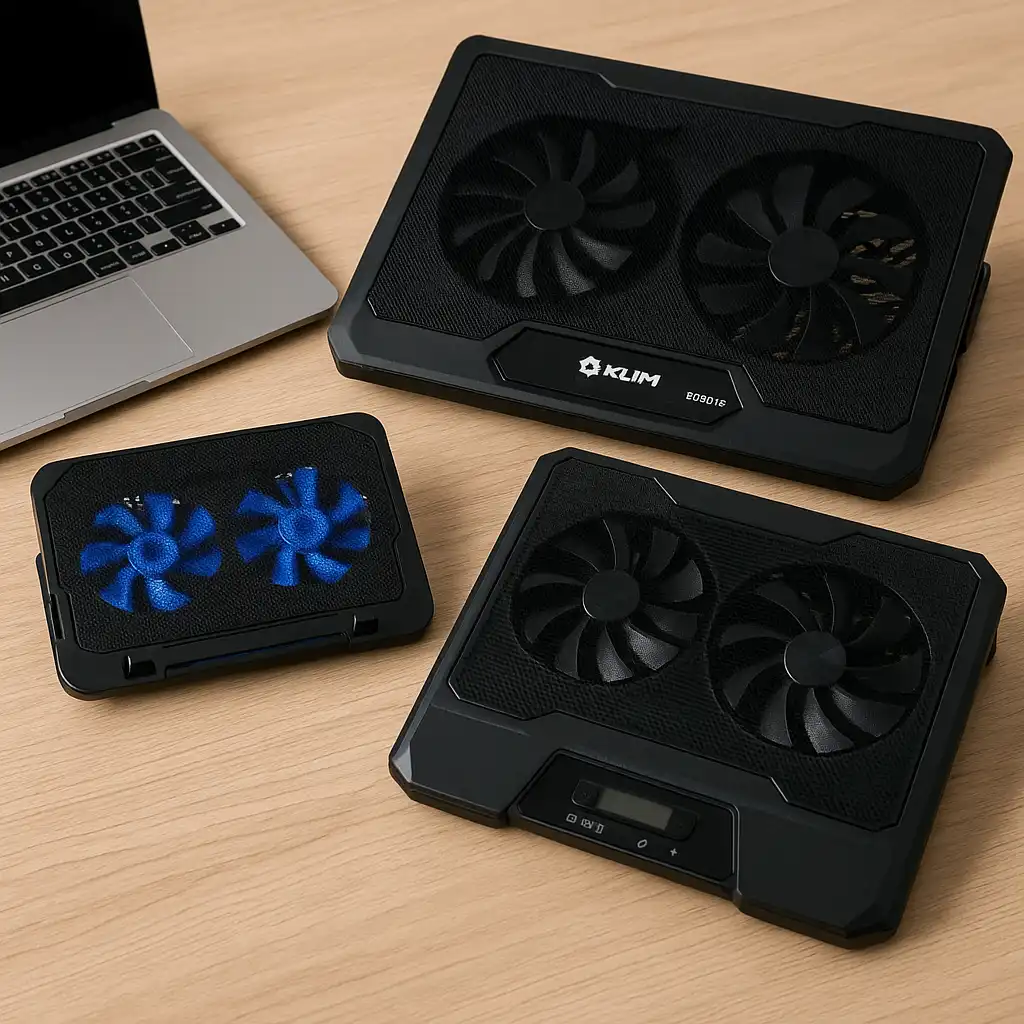
Best Budget Cooling Stand: KeiBn Cooling Pad (dual fans, compact design)
Best for High Airflow: KLIM Everest (high-speed turbo fan, focused cooling)
Best for Large Laptops: Thermaltake Massive EXTREME (wide support, strong airflow)
🔍 Why Cooling Stands Matter
Cooling stands are designed to improve airflow underneath your laptop, which helps dissipate heat more effectively than flat surfaces.
Based on manufacturer specifications, these stands typically include:
- Built-in fans to increase airflow
- Elevated design for better ventilation
- Adjustable angles designed to support comfortable viewing positions according to ergonomic guidelines
👉 For a deeper explanation, see Are Laptop Cooling Pads Worth It
🔍 Cooling Stand vs Passive Elevation
Not all stands are the same. Some rely on airflow alone, while others include active cooling.
Passive stands raise the laptop for natural airflow
Active cooling stands use fans to move heat away faster
Active cooling pads are designed for heavier workloads such as gaming, editing, or extended multitasking.
👉 For a broader comparison, see Laptop Stand vs Cooling Pad
🔍 What to Look for in a Cooling Stand
Choosing the right cooling stand depends on your laptop and usage.
Key factors include:
- Fan speed and airflow design
- Size compatibility with your laptop
- Noise levels during operation
- Adjustable height for proper viewing angles
These features are designed to balance cooling effectiveness, usability, and support for proper viewing angles according to ergonomic guidelines.
📦 KeiBn Laptop Cooling Pad – Best Budget Option
The KeiBn cooling pad is designed for everyday use with a simple dual-fan setup. Based on specifications, it supports laptops up to 15.6 inches and offers basic airflow improvement.
This option suits users looking for a lightweight and affordable cooling solution.
📦 KLIM Everest Laptop Cooling Pad – Best for High Performance
The KLIM Everest is equipped with a high-speed turbo fan designed to deliver focused airflow. According to manufacturer specifications, it operates at higher RPM levels compared to standard cooling pads.
This makes it suitable for gaming laptops and performance-heavy tasks.
📦 Thermaltake Massive EXTREME – Best for Large Laptops
The Thermaltake Massive EXTREME is designed to support larger laptops and deliver strong airflow across a wider surface.
Based on specifications, it is built for stability and high cooling performance, making it suitable for larger or more powerful systems.
📌 Key Takeaways
- Cooling stands are designed to improve airflow and reduce heat buildup
- Active cooling pads are more effective for demanding workloads
- Size compatibility and fan performance are key factors
- The right choice depends on your laptop size and usage
🟢 FAQs
Q: Do laptop cooling stands really work? They are designed to improve airflow, which can help reduce temperatures during extended use.
Q: Are cooling pads necessary for laptops? Not always, but they can help in high-performance or warm environments.
Q: Do cooling stands make noise? Active cooling pads may produce some noise depending on fan speed.
Q: Can cooling stands improve performance? By reducing heat, cooling stands are designed to help laptops maintain stable operation under load. The degree of impact depends on your specific laptop model and workload intensity.
✅ Conclusion
The best laptop cooling stand depends on how you use your laptop and its size. The KeiBn offers a simple and affordable solution for everyday use, the KLIM Everest is designed for gaming and high-performance workloads with stronger airflow, and the Thermaltake Massive EXTREME supports larger systems with higher cooling capacity.
Choosing the right cooling stand helps improve airflow underneath your device, which according to manufacturer specifications supports more stable operation during demanding tasks.