Portable Monitor vs Second Screen Apps – Which Option Is Better?
Disclosure: This post contains affiliate links. LaptopVoyager.com participates in the Amazon Associates Program and may earn commissions on qualifying purchases, at no extra cost to you.
Last Updated: April 2026
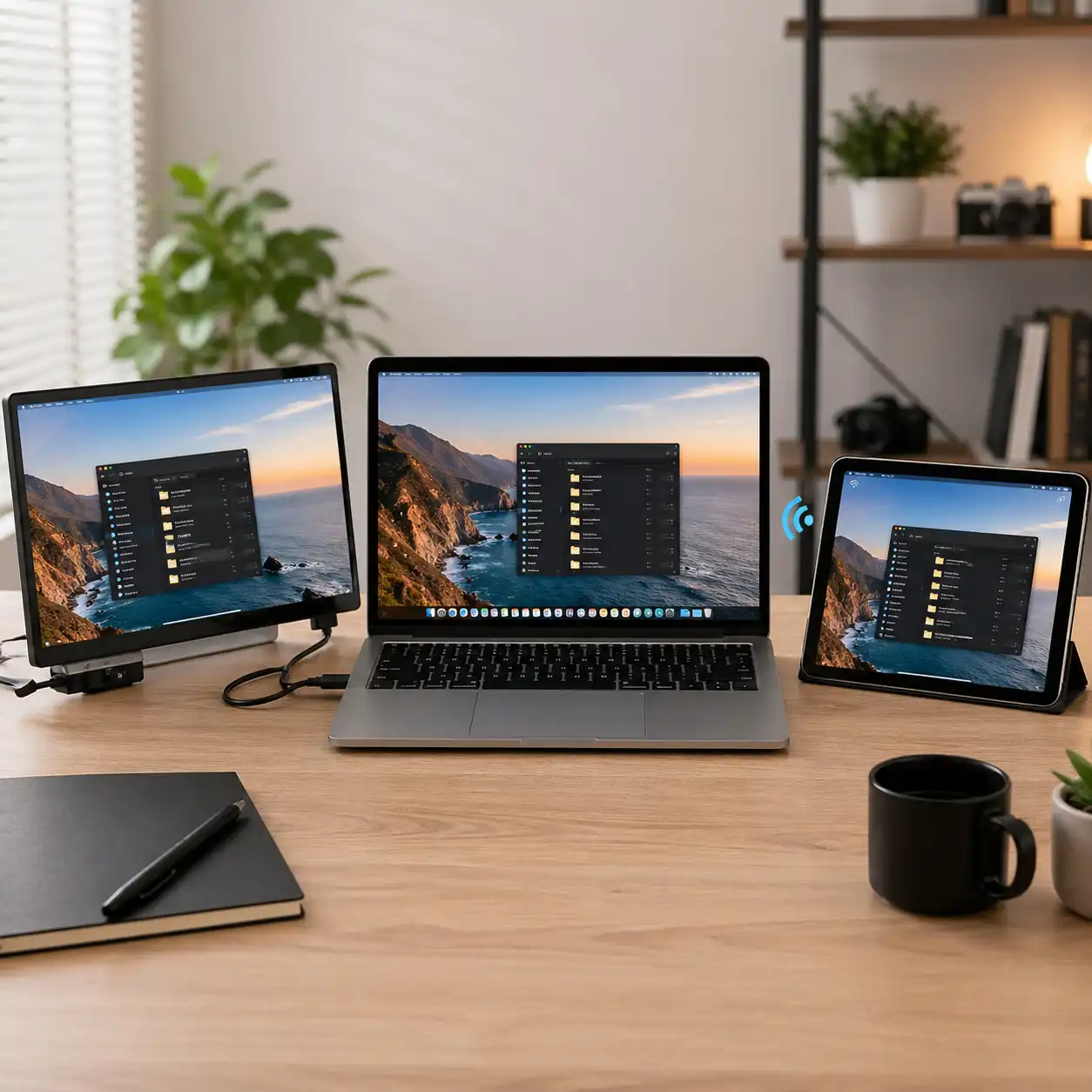
Expanding your laptop screen doesn’t always require extra hardware. While portable monitors provide a physical second display, second screen apps use devices like tablets or phones to extend your workspace wirelessly.
This guide compares portable monitors and second screen apps based on performance, usability, and real-world workflows to help you decide which setup fits your needs.
👉 For a complete overview of all accessories, see best laptop accessories
📌 Key Takeaways
- Portable monitors offer stable performance and better display quality
- Second screen apps are more portable and require no extra hardware
- Wired connections provide lower latency than wireless apps
- The best option depends on your workflow and device setup
🔍 What Is a Portable Monitor?
A portable monitor is an external display that connects to your laptop using USB-C or HDMI. Based on specifications, these displays are designed to provide consistent performance with minimal latency.
They are commonly used in desk setups, travel environments, and productivity workflows that require reliable screen space.
👉 For available models and configurations, see best portable monitor for laptop
🔍 What Are Second Screen Apps?
Second screen apps allow you to use a smartphone or tablet as an additional display. According to platform capabilities, these apps connect via Wi-Fi or USB and mirror or extend your desktop.
This setup eliminates the need for extra hardware, making it useful for lightweight and mobile workflows.
🔍 Performance and Latency
Performance is one of the biggest differences between these two options.
Based on connection type:
- Portable monitors provide direct wired connections
- Second screen apps rely on wireless or USB transmission
- Latency and refresh rate depend on network stability
This makes portable monitors more suitable for tasks requiring precision and responsiveness.
🔍 Display Quality and Size
Portable monitors are designed with larger panels and higher resolutions.
According to manufacturer specifications:
- most support Full HD or higher
- larger displays improve visibility
- consistent brightness and color accuracy
Second screen apps depend on the device being used, which can limit screen size and display consistency.
🔍 Portability and Convenience
Second screen apps are designed for maximum portability.
- no additional hardware required
- quick setup using existing devices
- ideal for travel or temporary setups
Portable monitors require extra space but provide a more stable and dedicated display experience.
👉 For complete workspace setups, see laptop desk setup accessories
🔍 Compatibility and Setup
Compatibility varies between these options.
- portable monitors work with most laptops via USB-C or HDMI
- second screen apps depend on operating system support
- some apps require software installation or subscriptions
This makes portable monitors more universally compatible across devices.
🟢 FAQs
Q: Are second screen apps as good as portable monitors?
They can work for basic tasks, but performance and responsiveness depend on connection quality.
Q: Do portable monitors require external power?
Many models are powered through USB-C, depending on laptop capabilities.
Q: Can I use an iPad as a second screen?
Yes, certain apps and built-in features support this, depending on the device and operating system.
Q: Which option is better for travel?
Second screen apps are more portable, while portable monitors offer better performance.
✅ Conclusion
Portable monitors and second screen apps offer different advantages. Based on specifications and design, portable monitors provide better performance and reliability, while apps offer a lightweight and flexible alternative.
Choosing the right option depends on whether you prioritize performance, portability, or convenience.