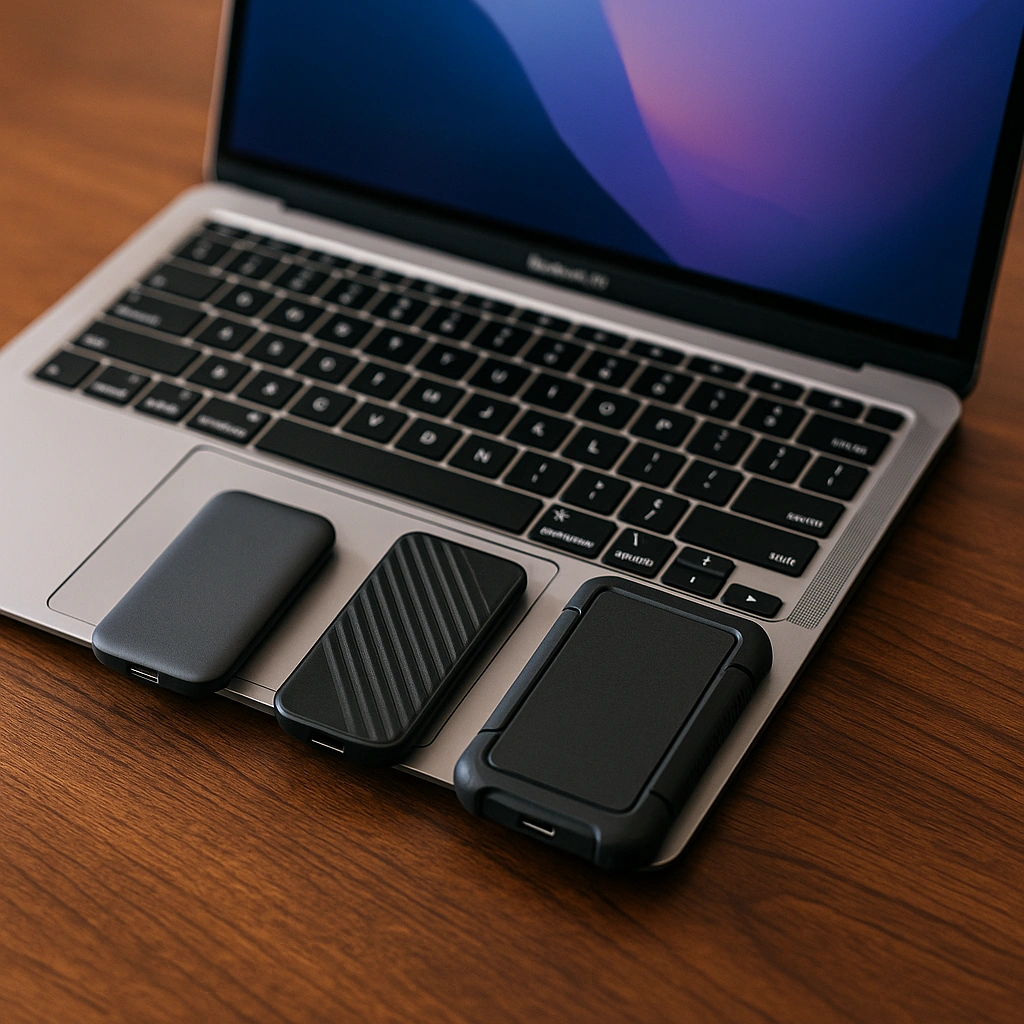
Best External Hard Drive for Apple Laptop: 3 Top Options
Disclosure: This post contains affiliate links. LaptopVoyager.com participates in the Amazon Associates Program and may earn commissions on qualifying purchases, at no extra cost to you.
Last Updated: September 2026
An external drive can expand your Apple laptop’s storage for backups, photos, videos, and large project files. The main choice is between a compact SSD designed for faster transfers and a traditional HDD that prioritizes higher storage capacity.
This guide compares three external drives based on manufacturer specifications, Mac compatibility, transfer performance, portability, capacity, and durability.
👉 To understand the differences between the two storage technologies, see SSD vs HDD External Hard Drives.
💰 Check Price & Availability
View on Amazon – Seagate Ultra Compact 2TB Portable SSD
View on Amazon – SanDisk Professional PRO-G40 4TB SSD
View on Amazon – SanDisk Professional G-Drive ArmorATD 5TB HDD
📋 Quick-View Comparison List
Best Compact Option: Seagate Ultra Compact 2TB Portable SSD
Best for High-Speed Transfers: SanDisk Professional PRO-G40 4TB SSD
Best for High-Capacity Storage: SanDisk Professional G-Drive ArmorATD 5TB HDD
🔍 What Makes a Good External Drive for an Apple Laptop?
Storage capacity, connection type, transfer performance, and portability are some of the main specifications to consider when choosing external storage for a MacBook.
Portable SSDs use flash memory and are well suited to frequent file transfers and mobile use. HDDs use mechanical storage and generally prioritize capacity and value over transfer performance.
USB-C connectivity is particularly useful with modern MacBooks because it can reduce the need for adapters. Thunderbolt support can provide considerably more interface bandwidth for compatible high-performance SSDs.
The three drives in this guide represent different approaches: an ultra-compact SSD, a high-performance Thunderbolt SSD, and a rugged high-capacity HDD.
📦 Seagate Ultra Compact 2TB Portable SSD – Best Compact Option
The Seagate Ultra Compact SSD is designed for users who want portable storage without carrying a conventional external-drive enclosure and cable.
The drive connects directly to a USB-C port and is approximately the size of a USB flash drive. Seagate specifies transfer speeds up to 1,000MB/s and offers the drive in capacities including 2TB.
Its compact design makes it particularly convenient for MacBook users who frequently move between locations. Instead of placing the drive on a desk and connecting it with a separate cable, it can plug directly into a compatible USB-C port.
Seagate also specifies IP54 dust and rain resistance and protection against drops of up to three meters. A rubber sleeve provides additional grip and protection during portable use.
Compatibility extends to Mac and Windows computers as well as supported mobile devices, although Seagate notes that reformatting may be required for Mac use.
For students, travelers, and everyday MacBook users, the combination of 2TB capacity, compact dimensions, and direct USB-C connectivity makes this the most portable of the three options.
📦 SanDisk Professional PRO-G40 4TB SSD – Best for High-Speed Transfers
The SanDisk Professional PRO-G40 is designed for more demanding storage workflows where transfer performance and capacity are priorities.
The 4TB model supports both Thunderbolt 3 and USB 3.2 Gen 2 through USB-C.
According to SanDisk, the PRO-G40 can reach sequential read speeds up to 3,000MB/s and write speeds up to 2,500MB/s when using Thunderbolt 3. Through USB-C at USB 3.2 Gen 2 speeds, SanDisk specifies up to 1,050MB/s read and 1,000MB/s write.
Those specifications make the PRO-G40 particularly relevant for users working with large photo libraries, high-resolution video, rendering files, and other data-intensive projects.
The enclosure is also designed for demanding portable use. SanDisk specifies IP68 dust and water resistance, drop protection up to three meters, and crush resistance up to 4,000 pounds.
An aluminum core is designed to move heat away from the internal SSD during sustained workloads.
SanDisk lists compatibility with macOS 10.13 and later, and the drive can also be used with Time Machine when appropriately configured.
For MacBook users who prioritize transfer performance over price or minimum size, the PRO-G40 offers the strongest specifications of these three drives.
📦 SanDisk Professional G-Drive ArmorATD 5TB HDD – Best for High-Capacity Storage
The SanDisk Professional G-Drive ArmorATD takes a different approach by using mechanical HDD storage rather than an SSD.
Its main advantage is capacity. The 5TB configuration provides substantially more storage than the 2TB Seagate SSD and slightly more than the 4TB PRO-G40.
That additional capacity can be useful for maintaining Time Machine backups, photo libraries, completed video projects, and large collections of files that do not require SSD-level transfer performance.
The ArmorATD is also designed for portable use rather than functioning as a conventional unprotected external HDD. Its enclosure adds physical protection for users who need to transport large amounts of data.
Because it contains a mechanical hard drive, however, it cannot match the transfer speeds of the two SSDs above. It is better suited to capacity-focused storage and backups than workflows where files need to be moved as quickly as possible.
If you’re considering a portable HDD rather than an SSD, see our ADATA vs Transcend External Hard Drive comparison for another look at rugged HDD designs, durability, and storage features.
🔍 SSD vs HDD for Apple Laptops
The Seagate Ultra Compact and PRO-G40 use solid-state storage, while the G-Drive ArmorATD uses a traditional mechanical hard drive.
An SSD generally makes more sense when you regularly transfer large files, work directly from external storage, or carry the drive with your MacBook. With no spinning disk or moving read/write arm, SSDs are also better suited to frequent movement.
An HDD can make more sense when the priority is storing a large amount of data rather than accessing it at maximum speed.
This makes the ArmorATD particularly relevant for backups and archives, while the Seagate and PRO-G40 are better suited to active portable storage.
If you specifically want higher-capacity solid-state storage, see our Best 2TB SSD External Hard Drive for Mac guide for three portable 2TB options.
🔍 USB-C and Thunderbolt Connectivity
All three options can fit into modern Mac-based workflows, but their connection and performance characteristics differ.
The Seagate Ultra Compact connects directly to USB-C without requiring a separate drive cable. This is particularly convenient when portability is the priority.
The PRO-G40 supports Thunderbolt 3 and USB 3.2 Gen 2, allowing compatible Macs to take advantage of considerably higher transfer performance over Thunderbolt.
The ArmorATD prioritizes storage capacity rather than high-speed Thunderbolt SSD performance.
When comparing drives, remember that USB-C describes the physical connector. Actual transfer performance depends on the storage technology, interface standard, Mac, cable, and workload.
🔍 Which Drive Is Best for Time Machine?
All three types of storage can potentially be used as part of a Mac backup strategy when properly formatted and configured.
The G-Drive ArmorATD 5TB is particularly attractive for large Time Machine backups because of its higher capacity. Maintaining several terabytes of backup space can allow more room for historical versions of files.
The Seagate Ultra Compact provides a much smaller physical footprint while still offering 2TB of capacity.
The PRO-G40 can also handle backups, but its high-performance Thunderbolt capabilities may be more valuable for active workflows where transfer speed matters.
For a drive used primarily for Time Machine, capacity may be more valuable than paying for maximum SSD performance.
🔍 Which Drive Is Best for Photos and Videos?
Photos and videos can consume large amounts of storage, but the best drive depends on whether the files are actively being edited or primarily archived.
The PRO-G40 is the strongest option of these three for demanding active workflows based on its specified Thunderbolt transfer speeds. Its 4TB capacity also provides substantial room for large media libraries.
The Seagate Ultra Compact provides up to 1,000MB/s transfers in a much smaller design, making it useful for carrying projects between locations.
For completed projects and long-term media storage, the 5TB ArmorATD provides more capacity while sacrificing SSD-level performance.
For a closer look at storage specifically for video projects, see Best External Hard Drive for Video Storage.
🔍 Portability and Durability
All three drives are portable, but they approach portability differently.
The Seagate Ultra Compact emphasizes minimum size. Its thumb-drive-style design can connect directly to a MacBook and is designed to be easy to carry.
The PRO-G40 is larger but provides more substantial rugged protection. SanDisk specifies IP68 protection, resistance to drops up to three meters, and crush resistance up to 4,000 pounds.
The ArmorATD combines high-capacity HDD storage with a protective enclosure intended for portable use.
Users who prioritize the smallest possible drive may prefer the Seagate, while the PRO-G40 provides a stronger combination of SSD performance and rugged specifications. The ArmorATD is better suited to users who need substantial portable capacity.
🔍 Which External Drive Should You Choose?
Choose the Seagate Ultra Compact 2TB if portability and convenience are the main priorities. Its direct USB-C connection, compact dimensions, and up to 1,000MB/s transfer speeds make it well suited to everyday MacBook storage.
Choose the SanDisk Professional PRO-G40 4TB if transfer performance is the priority. Its Thunderbolt 3 interface, up to 3,000MB/s read speeds, 4TB capacity, and rugged enclosure are designed for more demanding workflows.
Choose the SanDisk Professional G-Drive ArmorATD 5TB if capacity matters more than SSD speed. Its 5TB capacity makes it particularly useful for backups, archives, and large media collections.
📌 Key Takeaways
- Seagate Ultra Compact combines 2TB capacity with direct USB-C connectivity and up to 1,000MB/s transfers.
- SanDisk Professional PRO-G40 offers up to 3,000MB/s read and 2,500MB/s write speeds over Thunderbolt 3.
- PRO-G40 also provides IP68-rated dust and water resistance and additional physical protection.
- G-Drive ArmorATD provides 5TB of HDD storage for capacity-focused backups and archives.
- SSDs are better suited to frequent transfers and active projects.
- HDD storage can make more sense when capacity is more important than maximum performance.
- Important files should always have more than one backup copy.
🟢 FAQs
Q: What is the best external hard drive for an Apple laptop?
The best option depends on your storage needs. The Seagate Ultra Compact emphasizes portability, the PRO-G40 prioritizes high transfer performance, and the G-Drive ArmorATD provides higher-capacity HDD storage.
Q: Is the Seagate Ultra Compact SSD compatible with Mac?
Yes. Seagate lists Mac compatibility for the Ultra Compact SSD, although reformatting may be required depending on how the drive is configured.
Q: Is the SanDisk Professional PRO-G40 good for MacBook Pro?
The PRO-G40 supports Thunderbolt 3 and macOS, making it particularly relevant for compatible MacBook Pro models and demanding storage workflows.
Q: Is 2TB enough external storage for a MacBook?
For many users, 2TB provides substantial additional storage. Larger photo and video libraries or extensive Time Machine backups may benefit from 4TB or 5TB capacities.
Q: Is an SSD or HDD better for a MacBook?
An SSD is generally better for frequent file transfers, active projects, and portable use. An HDD can provide a more capacity-focused solution for backups and archives.
Q: Can I use an external drive for Time Machine?
Yes. Compatible external storage can be configured for Time Machine backups. The required formatting and setup depend on the drive and macOS configuration.
✅ Conclusion
The best external hard drive for an Apple laptop depends on whether portability, performance, or capacity is most important. The Seagate Ultra Compact 2TB provides a highly portable USB-C SSD option, the SanDisk Professional PRO-G40 4TB delivers substantially higher Thunderbolt performance for demanding workflows, and the SanDisk Professional G-Drive ArmorATD 5TB prioritizes high-capacity HDD storage for backups and archives. Comparing these characteristics against how you actually use your MacBook is more useful than choosing based on capacity alone.