Best External Hard Drive for Storing Photos: 3 Top Picks
Disclosure: This post contains affiliate links. LaptopVoyager.com participates in the Amazon Associates Program and may earn commissions on qualifying purchases, at no extra cost to you.
Last Updated: October 2026
An external drive provides additional space for photo libraries without filling your laptop’s internal storage. It can also provide a separate location for backups, RAW files, edited images, and completed photography projects.
This guide compares three external drives based on manufacturer specifications, capacity, transfer performance, portability, and durability to help you choose an option for photo storage.
👉 To understand the main differences between storage technologies, see SSD vs HDD External Hard Drives.
💰 Check Price & Availability
View on Amazon – Seagate Ultra Compact SSD 2TB (direct USB-C, up to 1,000MB/s)
View on Amazon – SanDisk Professional G-Drive ArmorATD 5TB (rugged portable HDD)
View on Amazon – Crucial X9 Pro SSD 2TB (up to 1,050MB/s, IP55)
📋 Quick-View Comparison List
Best Compact Option: Seagate Ultra Compact SSD 2TB
Best for High-Capacity Photo Storage: SanDisk Professional G-Drive ArmorATD 5TB
Best Portable SSD for Photo Projects: Crucial X9 Pro SSD 2TB
🔍 What Makes a Good External Drive for Photo Storage?
Capacity is one of the first specifications to consider because high-resolution JPEG, RAW, and edited image files can consume substantial storage space.
Transfer speed also matters when regularly moving large batches of photos. SSDs generally provide higher transfer speeds than conventional portable HDDs, while HDDs can provide larger capacities at a lower cost per gigabyte.
Portability and durability become more important if the drive travels with your laptop and camera equipment.
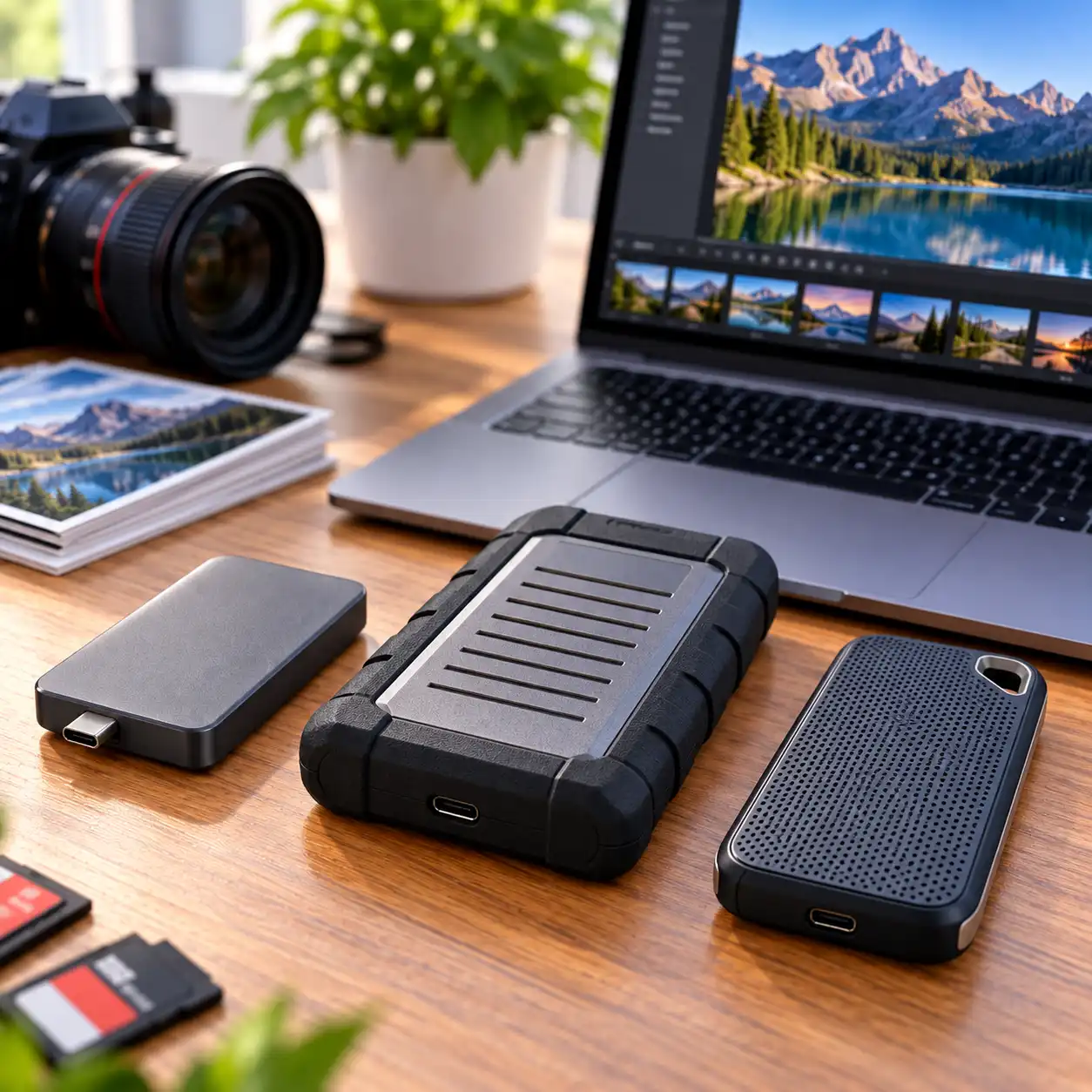
The three drives here represent different approaches: a highly compact 2TB SSD, a rugged 5TB HDD for larger archives, and a 2TB portable SSD designed around transfer performance and durability.
📦 Seagate Ultra Compact SSD 2TB – Best Compact Option
The Seagate Ultra Compact SSD is designed to provide portable solid-state storage in a particularly small form factor.
Seagate specifies transfer speeds up to 1,000MB/s. The drive connects directly through USB-C, eliminating the need for a separate cable during compatible use.
Its 2TB capacity provides space for photo collections, active projects, RAW files, and other media while maintaining a compact design.
Seagate also specifies IP54 dust and rain resistance and drop protection from heights up to three meters under its stated testing conditions.
The direct USB-C design can be particularly convenient for photographers who carry a laptop, camera, lenses, and other equipment and want to minimize additional cables.
For users prioritizing compact dimensions and direct connectivity, the Seagate Ultra Compact provides 2TB of portable SSD storage with specified transfer speeds up to 1,000MB/s.
📦 SanDisk Professional G-Drive ArmorATD 5TB – Best for High-Capacity Photo Storage
The SanDisk Professional G-Drive ArmorATD takes a different approach by using a conventional mechanical HDD rather than solid-state storage.
Its main advantage in this comparison is capacity. The 5TB configuration provides substantially more space than either of the 2TB SSDs.
That additional capacity can be useful for maintaining large photo libraries, completed projects, older RAW files, and secondary backups.
The ArmorATD is also designed around portable use. Its protective enclosure provides additional physical protection compared with a conventional unprotected portable hard drive.
Because it uses mechanical storage, however, the ArmorATD does not provide the same transfer performance as the SSD options in this comparison.
This makes it better suited to capacity-focused storage and archives than workflows where maximum transfer speed is the priority.
For photographers accumulating large libraries over several years, 5TB provides considerably more room before another storage device becomes necessary.
📦 Crucial X9 Pro SSD 2TB – Best Portable SSD for Photo Projects
The Crucial X9 Pro combines 2TB of solid-state storage with compact dimensions and USB-C connectivity.
Crucial specifies sequential read speeds up to 1,050MB/s and sustained write performance up to 975MB/s.
These transfer specifications allow large collections of photos to be moved more quickly than with a conventional portable HDD when the computer, connection, cable, and workload support the available performance.
The X9 Pro measures approximately 65 × 50 mm and uses an anodized aluminum enclosure with a rubberized base.
Crucial also specifies IP55 water and dust resistance and drop protection from heights up to two meters.
These characteristics make the drive relevant for photographers who frequently move photo libraries between a laptop, desktop computer, or different work locations.
Mac users specifically looking for this capacity can also see our Best 2TB SSD External Hard Drive for Mac comparison for three 2TB portable SSD options.
🔍 SSD vs HDD for Photo Storage
The Seagate Ultra Compact and Crucial X9 Pro use solid-state storage, while the G-Drive ArmorATD uses a mechanical hard drive.
SSDs contain no moving mechanical components and generally provide higher transfer speeds. This can reduce the time required to transfer large batches of RAW files, edited photos, and project folders.
Portable HDDs generally emphasize capacity and lower cost per gigabyte rather than maximum transfer performance.
For active photography projects, an SSD can therefore be useful when files are transferred or accessed frequently.
For older photo collections and archives, a higher-capacity HDD can provide more economical storage.
Some users may benefit from using both: an SSD for current projects and a larger HDD for completed work and backups.
🔍 How Much Storage Do You Need for Photos?
The appropriate capacity depends on image resolution, file format, shooting volume, and how long files remain on the drive.
JPEG files generally require less space than RAW files. Photographers who retain both RAW originals and edited exports can therefore consume storage considerably faster.
A 2TB SSD can provide substantial capacity for active photo libraries and projects.
A 5TB HDD provides more room for long-term collections and may be preferable when maintaining several years of photographs in one location.
Regardless of capacity, an external drive should not be the only location containing important photographs.
🔍 External Drives for RAW Photo Files
RAW files retain considerably more image data than compressed formats such as JPEG and therefore require more storage capacity.
Large batches of RAW images can also take longer to transfer.
The Seagate Ultra Compact’s specified speeds up to 1,000MB/s and the Crucial X9 Pro’s specified read speeds up to 1,050MB/s make these SSDs relevant when transfer performance is important.
The 5TB ArmorATD sacrifices SSD-level transfer performance in exchange for substantially more storage capacity.
The appropriate choice therefore depends on whether the drive will hold active RAW projects or primarily serve as an archive.
🔍 Using an External Drive for Photo Editing
An external SSD can store active Lightroom, Photoshop, or other photography project files without consuming as much internal laptop storage.
Higher transfer speeds allow large files to be moved more quickly between compatible storage devices.
Actual editing performance depends on more than the external drive. The laptop’s processor, memory, software, interface, file sizes, and project complexity can all affect performance.
For this reason, manufacturer transfer specifications are more useful for comparing the drives than making guarantees about editing performance.
🔍 Photo Backups and Long-Term Storage
An external drive can form one part of a photo backup strategy, but important images should not exist on only one device.
A drive can fail, become damaged, or be lost regardless of whether it uses SSD or HDD technology.
Maintaining multiple copies of important photo libraries reduces dependence on a single storage device.
For example, an SSD can hold active projects while a larger HDD stores another copy of completed work. Cloud or off-site storage can provide an additional backup location.
The appropriate backup arrangement depends on the value of the files and how difficult they would be to replace.
🔍 Portability and Durability
Photographers who frequently travel with storage should consider both physical dimensions and enclosure protection.
The Seagate Ultra Compact emphasizes minimum size and direct USB-C connectivity. Seagate also specifies IP54 protection and drop resistance up to three meters.
The Crucial X9 Pro provides an IP55 rating and specified drop resistance up to two meters.
The G-Drive ArmorATD uses a protective enclosure designed around rugged portable storage, although its mechanical HDD technology means it should still be protected against unnecessary impacts and movement.
Manufacturer protection ratings describe specific testing conditions and do not make any external drive immune to damage.
🔍 Which External Drive Should You Choose for Photos?
Choose the Seagate Ultra Compact SSD 2TB if minimum size and direct USB-C connectivity are priorities. It provides 2TB capacity and manufacturer-specified transfer speeds up to 1,000MB/s.
Choose the SanDisk Professional G-Drive ArmorATD 5TB if storage capacity is more important than SSD-level transfer performance. Its 5TB capacity provides substantially more room for large photo archives and backups.
Choose the Crucial X9 Pro SSD 2TB if you want a compact SSD with up to 1,050MB/s specified read speeds, up to 975MB/s sustained write performance, and IP55 protection.
The appropriate option depends primarily on whether you prioritize compact dimensions, transfer performance, ruggedness, or total storage capacity.
📌 Key Takeaways
- Seagate Ultra Compact provides 2TB capacity and specified transfer speeds up to 1,000MB/s.
- Its direct USB-C design eliminates the need for a separate drive cable during compatible use.
- G-Drive ArmorATD provides 5TB of HDD storage for larger photo libraries and archives.
- Crucial X9 Pro provides 2TB capacity and specified read speeds up to 1,050MB/s.
- Crucial specifies IP55 protection and drop resistance up to two meters for the X9 Pro.
- SSDs generally prioritize transfer performance and portability.
- HDDs can provide more capacity per dollar for large archives.
- Important photo libraries should be maintained in more than one location.
🟢 FAQs
Q: What is the best external hard drive for storing photos?
The appropriate option depends on how the drive will be used. Seagate Ultra Compact emphasizes compact SSD storage, G-Drive ArmorATD provides 5TB of HDD capacity, and Crucial X9 Pro combines portable SSD storage with up to 1,050MB/s specified read speeds.
Q: Is an SSD or HDD better for storing photos?
An SSD generally provides higher transfer speeds, smaller dimensions, and no moving mechanical components. An HDD generally provides more storage capacity for the money, making it useful for larger archives and backups.
Q: Is 2TB enough for photo storage?
For many users, 2TB provides substantial capacity, but the amount of storage required depends on image resolution, file format, shooting volume, and whether RAW originals and edited copies are both retained.
Q: Is 5TB better for a large photo library?
A 5TB drive provides more storage capacity than a 2TB drive and can therefore hold a larger photo collection. Whether that additional capacity is necessary depends on the size and growth rate of your library.
Q: Can I edit photos directly from an external SSD?
Photo-editing applications can access files stored on compatible external SSDs. Performance depends on the SSD, connection, laptop hardware, software, file sizes, and project complexity.
Q: Are portable SSDs suitable for photographers who travel?
Portable SSDs have no moving mechanical components and are available in compact enclosures. Some models also include manufacturer-specified protection against dust, water, and drops.
Q: Should I keep all my photos on one external drive?
Important photographs should not rely on a single storage device. Maintaining additional copies on another drive, computer, cloud service, or off-site location reduces dependence on one device.
✅ Conclusion
The best external hard drive for storing photos depends on whether capacity, transfer performance, or portability matters most. The Seagate Ultra Compact SSD 2TB combines direct USB-C connectivity with up to 1,000MB/s specified transfer speeds, the SanDisk Professional G-Drive ArmorATD 5TB prioritizes capacity for larger photo libraries and archives, and the Crucial X9 Pro SSD 2TB provides up to 1,050MB/s specified read performance in a compact IP55-rated enclosure. Comparing these characteristics with the size of your photo library and how frequently you transfer files can help determine which storage format better fits your workflow.