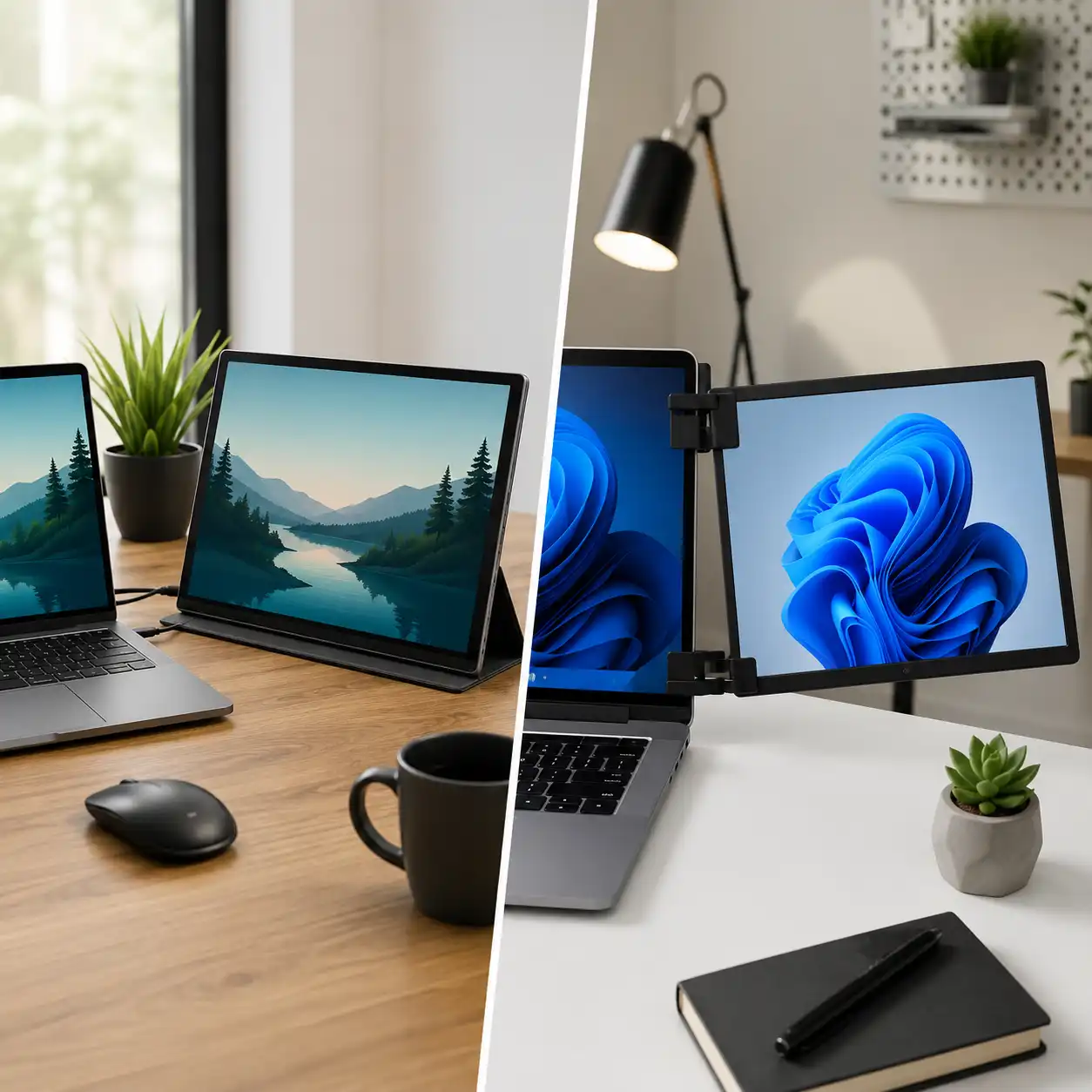
Portable Monitor vs Laptop Screen Extender – Which Setup Works Better?
Disclosure: This post contains affiliate links. LaptopVoyager.com participates in the Amazon Associates Program and may earn commissions on qualifying purchases, at no extra cost to you.
Last Updated: April 2026
Expanding your laptop screen is one of the easiest ways to improve productivity, whether you’re working remotely, studying, or multitasking across apps. Two common options are portable monitors and laptop screen extenders, but they offer very different experiences.
This guide explains the differences between portable monitors and laptop screen extenders based on design, usability, and real-world setups, helping you choose the right option for your workflow.
👉 For a complete overview of all accessories, see best laptop accessories
📌 Key Takeaways
- Portable monitors are designed for flexibility and standalone use
- Screen extenders attach directly to the laptop for compact setups
- Monitors offer better display quality and positioning
- Extenders are more portable but less versatile
🔍 What Is a Portable Monitor?
A portable monitor is an external display that connects to your laptop via USB-C or HDMI. Based on specifications, most models include built-in stands or covers for flexible positioning.
This allows you to place the screen independently, creating a more ergonomic and customizable workspace.
Portable monitors are commonly used in desk setups, travel environments, and hybrid work scenarios.
👉 For product options and configurations, see best portable monitor for laptop
🔍 What Is a Laptop Screen Extender?
A laptop screen extender is designed to attach directly to your laptop, typically mounting on the back of the display. According to manufacturer descriptions, these devices slide or fold out to create additional screens.
This creates a compact dual-screen setup without requiring extra desk space.
Screen extenders are designed for users who prioritize portability and quick setup.
🔍 Display Quality and Viewing Experience
Portable monitors are generally equipped with larger panels and higher resolution options.
Based on specifications:
- many support Full HD or 4K resolution
- larger screen sizes improve readability
- adjustable positioning improves viewing angles
Screen extenders, by contrast, are typically smaller and fixed in position. This can limit viewing comfort during long sessions.
🔍 Portability and Setup Differences
Both options are designed for mobility, but in different ways.
- Portable monitors require a separate device and cable
- Screen extenders attach directly to the laptop
- Extenders reduce setup time and desk footprint
Portable monitors offer more flexibility, while extenders focus on convenience.
🔍 Use Cases and Workflow
Choosing between these options depends on how you work.
Portable monitors are designed for:
- extended desk setups
- creative work requiring larger displays
- flexible positioning
Screen extenders are designed for:
- travel and mobile work
- quick setup in limited space
- compact dual-screen use
👉 For a broader workspace setup, see laptop desk setup accessories
🔍 Connectivity and Compatibility
Portable monitors typically support:
- USB-C for power and display
- HDMI for wider compatibility
Screen extenders may require specific ports or drivers depending on the model.
Compatibility varies based on laptop specifications, including USB-C capabilities and operating system support.
🟢 FAQs
Q: Are portable monitors better than screen extenders?
Neither option is universally better—it depends on whether you prioritize flexibility or portability.
Q: Do screen extenders work with all laptops?
Compatibility depends on port support and system requirements defined by the manufacturer.
Q: Are portable monitors good for travel?
Yes, especially lightweight models designed for mobile setups.
Q: Can I use both together?
Some setups allow combining both, but this depends on hardware capabilities and available ports.
✅ Conclusion
Portable monitors and laptop screen extenders serve different purposes. Based on specifications and design, portable monitors offer better flexibility and display quality, while extenders provide a compact and travel-friendly solution.
Choosing the right option depends on your workspace, portability needs, and how you plan to use your setup.