Laptop Thermal Paste Replacement – When and How to Replace It
Disclosure: This post contains affiliate links. LaptopVoyager.com participates in the Amazon Associates Program and may earn commissions on qualifying purchases, at no extra cost to you.
Last Updated: September 2026
Thermal paste helps transfer heat between a laptop’s CPU or GPU and its cooling system. Over time, the condition of the thermal interface material can change, making replacement one possible maintenance step when investigating unusually high temperatures or servicing the cooling system.
This guide explains when laptop thermal paste replacement may be appropriate, how the process works, and what precautions to consider before opening your laptop.
👉 For a complete overview of thermal paste, see Laptop Thermal Paste Guide.
📌 Key Takeaways
- Thermal paste transfers heat between processors and their cooling assemblies.
- Laptop thermal paste does not have one universal replacement interval.
- Removing a heatsink generally means the thermal interface should be inspected and restored according to manufacturer guidance.
- High temperatures do not automatically mean the thermal paste needs replacing.
- Laptop-specific service documentation should take priority over generic application instructions.
- Thermal pads and thermal paste serve different purposes and should not automatically be substituted for each other.
🔍 What Does Thermal Paste Do in a Laptop?
Thermal paste fills microscopic gaps between a processor or graphics chip and the heatsink mounted above it.
These surfaces may appear smooth, but small imperfections can reduce direct contact. Thermal interface material is designed to improve heat transfer between the chip and heatsink so the cooling system can dissipate heat more effectively.
Laptops may use conventional thermal paste, thermal pads, phase-change materials, or other thermal interface solutions depending on the manufacturer and model.
🔍 When Should You Replace Laptop Thermal Paste?
There is no universal replacement schedule for laptop thermal paste. How long it remains effective depends on the compound, laptop design, operating temperatures, installation, and manufacturer specifications.
Replacement may be worth considering when:
- The laptop is several years old and thermal performance has noticeably changed
- The heatsink has been removed during maintenance or repair
- Existing paste appears dry or poorly distributed after disassembly
- The cooling system has already been cleaned but unusually high temperatures persist
- The manufacturer or service documentation specifies replacement during heatsink servicing
Thermal paste should not automatically be assumed to be the cause of high temperatures. Dust buildup, restricted airflow, fan problems, demanding workloads, and cooling-system design can also affect operating temperatures.
👉 For more detail on replacement intervals, see How Long Does Thermal Paste Last?.
🔍 Before Replacing Thermal Paste
Opening a laptop is considerably different from applying thermal paste to a desktop CPU.
Internal layouts vary between manufacturers and models, and reaching the CPU or GPU may require removing the bottom cover, battery connection, fans, heat pipes, or other components.
Before beginning, check the service manual or manufacturer documentation for your specific laptop. Opening the chassis or removing the cooling assembly may also affect warranty coverage depending on the manufacturer and region.
If the laptop uses thermal pads or another specialized thermal interface material, verify the original material and required dimensions before replacing anything.
🔍 How to Replace Thermal Paste on a Laptop
The exact procedure varies by laptop, so the manufacturer’s service documentation should take priority. A typical replacement follows these general steps.
1. Shut Down and Disconnect the Laptop
Turn the laptop off completely and disconnect the charger and external peripherals.
If the laptop design allows it, disconnect the internal battery according to the manufacturer’s service instructions before working around internal components.
2. Access the Cooling System
Remove the bottom cover using the procedure specified for your laptop.
Locate the cooling assembly, which typically consists of fans, heat pipes, and a heatsink positioned over the CPU and, on laptops with discrete graphics, the GPU.
3. Remove the Heatsink
Cooling assemblies commonly use numbered or specifically positioned screws to maintain appropriate mounting pressure.
Follow the manufacturer’s specified loosening sequence rather than removing screws randomly.
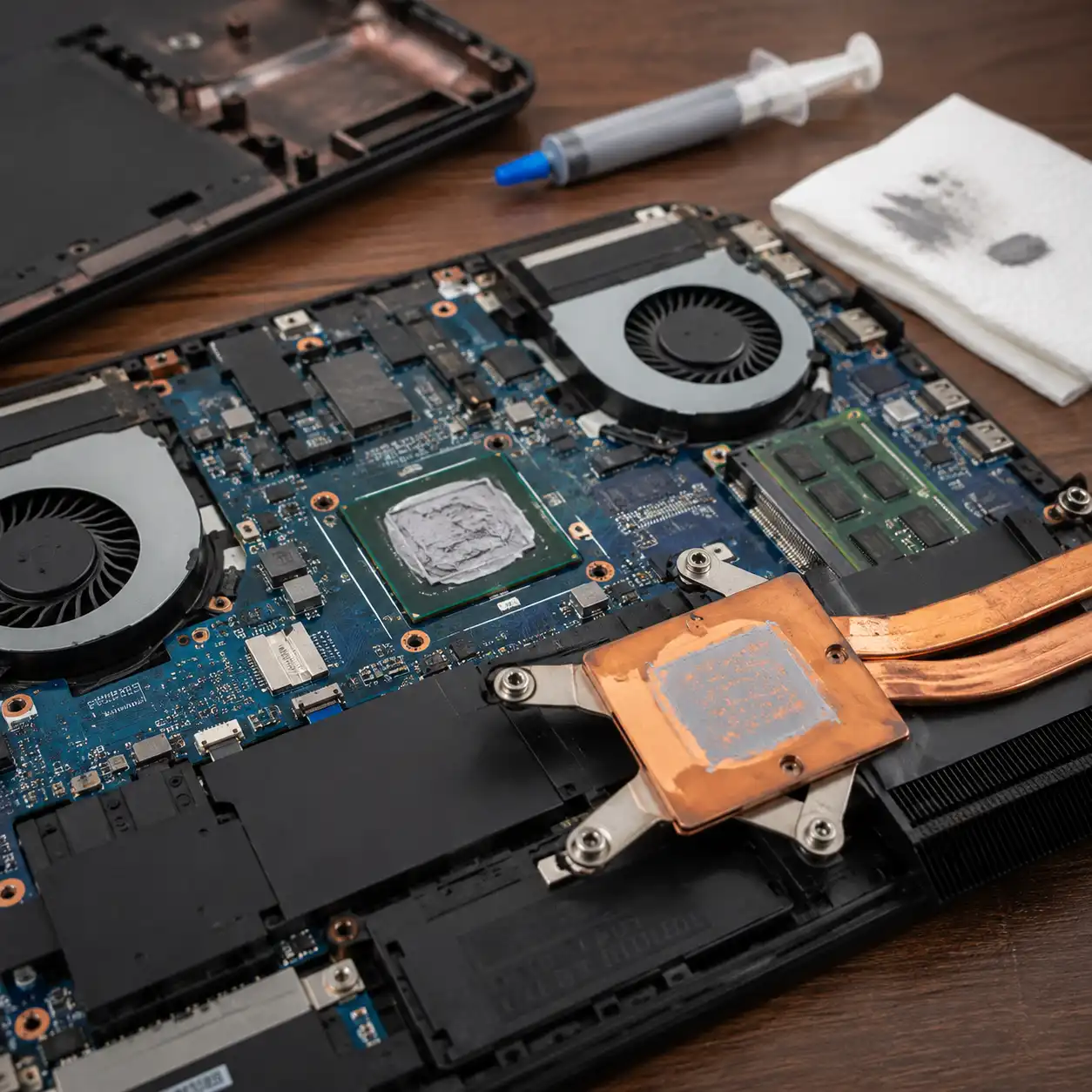
4. Remove the Existing Thermal Paste
Once the heatsink is removed, the existing compound can be cleaned from the processor and heatsink contact surfaces.
Use an appropriate electronics-safe cleaning method and avoid damaging surrounding components.
5. Apply the Replacement Thermal Paste
Apply the thermal compound according to the paste manufacturer’s instructions and any guidance provided for your laptop.
Using excessive paste does not automatically improve cooling. The goal is to create an appropriate thermal interface between the chip and heatsink rather than adding a thick layer of compound.
6. Reinstall the Cooling Assembly
Carefully reposition the heatsink and tighten its screws according to the manufacturer’s specified sequence.
Reconnect any components removed during disassembly, reconnect the battery when applicable, and reinstall the bottom cover.
🔍 How Much Thermal Paste Should You Use?
The correct amount depends on the processor surface, thermal compound, heatsink design, and application method.
Rather than relying on a universal amount, follow the thermal paste manufacturer’s application instructions and any laptop-specific service guidance available.
Too little compound can leave incomplete coverage, while excessive application may spread material beyond the intended contact area.
🔍 Thermal Paste vs Thermal Pads
Thermal paste and thermal pads are not automatically interchangeable.
Thermal paste is commonly used where two surfaces are designed to make very close contact. Thermal pads can bridge larger gaps and are often used around components such as memory modules and voltage-regulation hardware.
Replacing a thermal pad with ordinary paste can therefore change the intended spacing between components and the heatsink.
👉 For a detailed comparison, see Thermal Pad vs Thermal Paste.
🔍 Should You Replace Laptop Thermal Paste Yourself?
Replacing thermal paste can be reasonable for users familiar with laptop disassembly, but the difficulty varies considerably between models.
Some laptops provide relatively straightforward access to the cooling assembly, while others require extensive disassembly. There is also a risk of damaging connectors, screws, thermal pads, or other internal components.
If the manufacturer’s service procedure appears beyond your experience level, professional servicing may be the more appropriate option.
🟢 FAQs
Q: How often should laptop thermal paste be replaced?
There is no universal schedule. Replacement depends on the thermal material, laptop design, operating conditions, and manufacturer guidance.
Q: Can replacing thermal paste lower laptop temperatures?
Replacing degraded or improperly applied thermal paste can improve thermal transfer, but temperature changes depend on the condition of the existing material and the rest of the cooling system.
Q: Should I replace thermal paste every time I remove the heatsink?
The thermal interface should be restored correctly after heatsink removal. Follow the laptop and thermal-material manufacturer’s instructions for whether fresh material is required.
Q: Can I use desktop CPU thermal paste in a laptop?
Some conventional thermal compounds are compatible with both applications, but laptop cooling designs vary. Check the compound specifications and your laptop manufacturer’s service guidance before use.
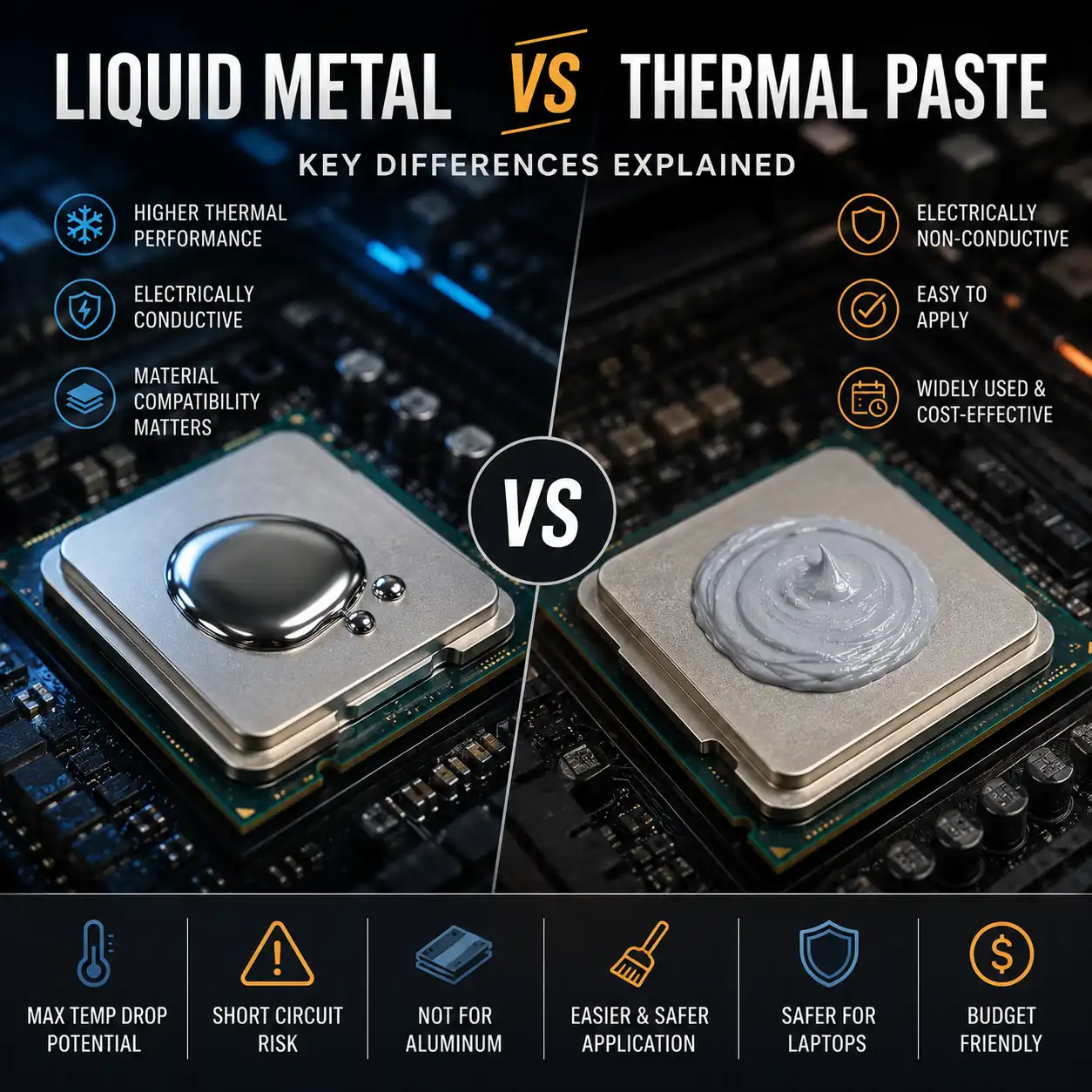
Q: Is liquid metal suitable for laptops?
Liquid metal requires additional precautions because it is electrically conductive and can be incompatible with certain materials. It should only be used where the laptop design and manufacturer guidance support it.
✅ Conclusion
Laptop thermal paste replacement can be a useful maintenance procedure when the existing thermal interface has deteriorated or the cooling assembly has been removed for servicing. It should not, however, be treated as an automatic solution for every laptop that runs warm.
Before replacing the compound, check your laptop’s cooling system, manufacturer documentation, and original thermal interface materials. Using the correct material and following the appropriate disassembly and installation procedure is more important than replacing thermal paste on a fixed schedule.