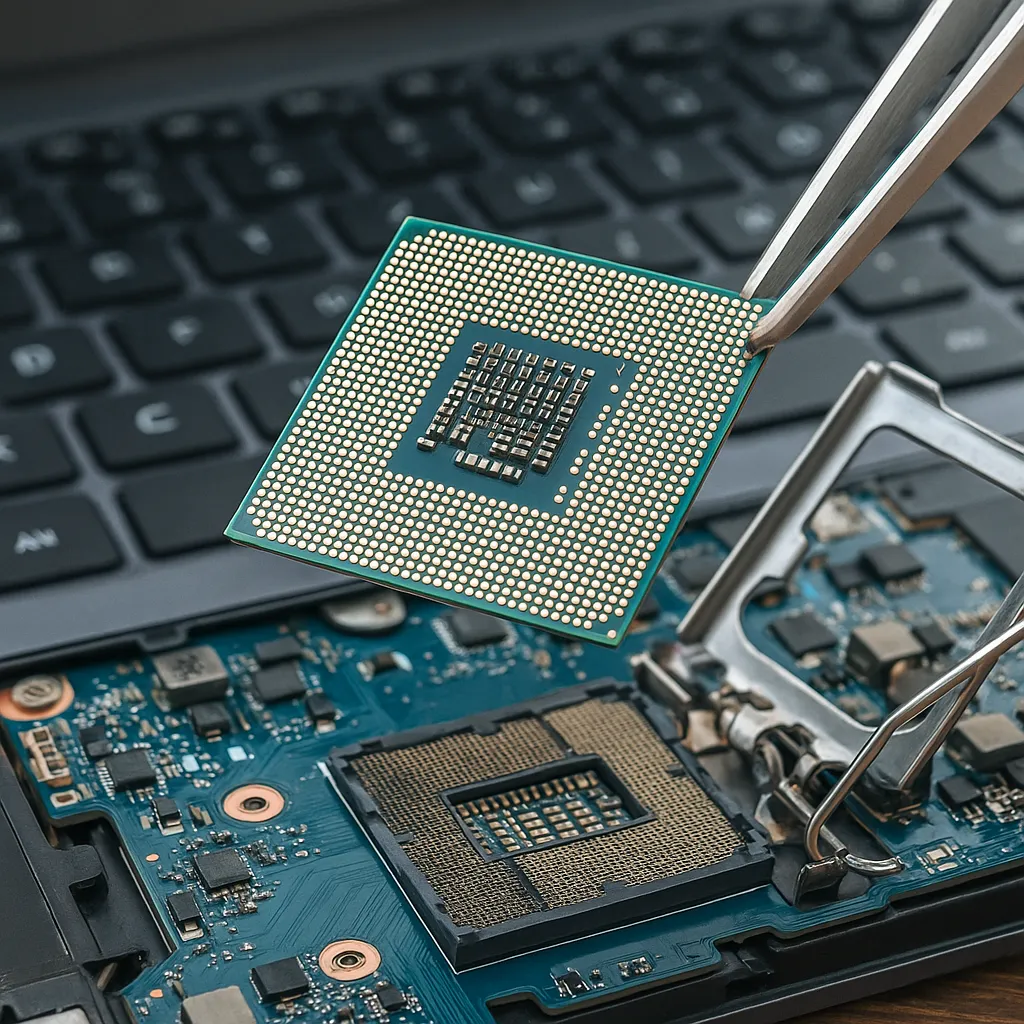
Can You Change a Laptop CPU? Upgradeability Explained
Disclosure: This post contains affiliate links. LaptopVoyager.com participates in the Amazon Associates Program and may earn commissions on qualifying purchases, at no extra cost to you.
Last Updated: September 2026
Upgrading a processor can extend the useful life of a desktop computer, but laptops are designed differently. In most modern laptops, you cannot change the CPU because the processor is soldered directly to the motherboard.
Some older or specialized laptops use socketed processors that can technically be replaced, but compatibility, cooling, BIOS support, and power requirements can make CPU upgrades difficult.
This guide explains how laptop CPUs are installed, how to determine whether yours is replaceable, and which upgrades may be more practical.
📌 Key Takeaways
- Most modern laptop CPUs are soldered to the motherboard and cannot be replaced individually.
- Some older laptops use socketed processors that may support CPU upgrades.
- CPU compatibility involves the socket, chipset, BIOS, cooling system, and power requirements.
- Replacing the entire motherboard may technically provide a CPU upgrade on some laptop models.
- RAM and SSD upgrades are usually more practical ways to improve an upgradeable laptop.
🔍 Can You Change a Laptop CPU?
Usually, no. Most current laptop processors are permanently attached to the motherboard using a BGA (Ball Grid Array) package.
With BGA packaging, the processor is soldered directly to the motherboard rather than installed in a removable socket. Replacing one requires specialized rework equipment and is not comparable to swapping a socketed desktop processor.
Some older laptops, particularly certain workstation, gaming, and performance-oriented models, used socketed CPUs. These systems may allow processor replacement if a compatible CPU is available.
🔍 Why Are Most Laptop CPUs Soldered?
Laptop manufacturers have increasingly adopted soldered processors because portable computers prioritize compact dimensions, power efficiency, and integrated thermal designs.
A soldered CPU can help manufacturers design thinner motherboards and cooling systems around a specific processor configuration. The trade-off is substantially reduced processor upgradeability compared with traditional desktop computers.
🔍 How Can You Tell If Your Laptop CPU Is Upgradeable?
Start by identifying the exact laptop model and processor. You can then check the laptop manufacturer’s service manual or technical documentation for information about the motherboard and processor configuration.
The CPU’s package specification is particularly important. A processor listed with a BGA package is soldered, while some older processors use removable socket designs such as PGA.
Disassembly guides and manufacturer service manuals can also show whether the processor is a separate removable component. Avoid opening the laptop solely to check unless you are comfortable working with internal components.
🔍 What Do You Need to Check Before Replacing a Laptop CPU?
Finding a removable processor does not automatically mean that any compatible-looking CPU will work.
Several factors need to match:
CPU socket: The replacement processor must use the socket supported by the motherboard.
Chipset compatibility: The laptop’s chipset must support the processor generation and model.
BIOS support: The laptop firmware needs to recognize and support the replacement CPU.
Power requirements: A higher-performance processor may require more power than the motherboard was designed to provide.
Cooling capacity: Laptop cooling systems are designed around specific thermal limits. A processor with higher power or thermal requirements could exceed the cooling system’s capabilities.
Because laptop designs are model-specific, manufacturer documentation should take priority over general CPU compatibility information.
🔍 Can You Upgrade a Soldered Laptop CPU?
Technically, specialized repair facilities can remove and replace certain BGA chips using professional rework equipment. However, this is not a conventional laptop upgrade.
The replacement processor must be electrically and firmware compatible, and the procedure involves significant risk to the motherboard. For a typical laptop owner, replacing a soldered CPU is generally impractical.
🔍 Can You Replace the Motherboard to Upgrade the CPU?
On some laptop families, different configurations share a similar chassis but use motherboards equipped with different processors.
In these cases, replacing the entire motherboard with a compatible higher-specification version can effectively upgrade the CPU. However, compatibility may extend beyond physical dimensions to the cooling assembly, display connections, power adapter, RAM configuration, firmware, and other components.
The cost of a motherboard replacement can also make buying another laptop more practical.
👉 If you’re deciding whether a major repair or upgrade makes financial sense, see Is It Worth Repairing an Old Laptop?.
🔍 What Laptop Components Are Easier to Upgrade?
If the CPU is soldered, other components may provide more practical upgrade opportunities.
SSD: Replacing a compatible storage drive can increase capacity and, particularly when moving from an HDD to an SSD, improve system responsiveness.
RAM: Some laptops have removable SO-DIMM memory modules that allow additional or higher-capacity RAM. Other models use soldered memory, so compatibility should be checked first.
Wi-Fi card: Certain laptops use removable wireless cards, although compatibility varies by model.
Battery: Many laptop batteries can be replaced even when they are installed internally, provided a compatible replacement is available.
For storage upgrades, see our Laptop SSD Upgrade Guide for SSD types, compatibility, capacity, and installation.
🔍 Is Upgrading a Laptop CPU Worth It?
For the relatively small number of laptops with socketed processors, a CPU upgrade can make sense when a compatible processor is inexpensive and the laptop supports it.
For modern laptops with soldered CPUs, attempting a processor replacement is rarely a practical upgrade path. A motherboard replacement can also become expensive enough that replacing the laptop deserves consideration.
Before investing in a major upgrade, compare the cost and expected improvement with the value and specifications of the existing laptop.
📌 What Should You Do If Your CPU Isn’t Upgradeable?
A non-upgradeable CPU does not necessarily mean the laptop needs to be replaced.
Increasing RAM, installing faster or larger storage, cleaning the cooling system, or reinstalling unnecessary software may help an older system remain useful, depending on its current configuration and workload.
If the laptop no longer meets your needs and upgrading is impractical, see What to Do With Old Laptop Computers for options including reuse, resale, donation, and recycling.
🟢 FAQs
Q: Can I upgrade the processor in my laptop?
Most modern laptops do not support CPU upgrades because their processors are soldered to the motherboard. Some older laptops with socketed processors may allow replacement.
Q: How do I know if my laptop CPU is soldered?
Check the processor’s package specification and your laptop manufacturer’s technical or service documentation. CPUs using BGA packaging are soldered directly to the motherboard.
Q: Can a soldered CPU be replaced?
Specialized technicians can replace some BGA processors using professional rework equipment, but this is a complex motherboard repair rather than a conventional user upgrade.
Q: Can I replace a Core i5 laptop CPU with a Core i7?
Only on systems with a replaceable processor and appropriate socket, chipset, BIOS, power, and cooling support. The Core i5 and Core i7 branding alone does not establish compatibility.
Q: Is it better to upgrade RAM or the CPU in a laptop?
For most modern laptops, the CPU cannot be upgraded. If the laptop has replaceable RAM and the current memory capacity is limiting performance, a RAM upgrade can be a more practical option.
Q: Can I upgrade my laptop CPU by replacing the motherboard?
Potentially. Some laptop families have compatible motherboard variants with different processors, but physical, electrical, cooling, firmware, and component compatibility must be verified.
✅ Conclusion
In most modern laptops, you cannot change the CPU because it is soldered directly to the motherboard. Replaceable processors are mainly found in some older or specialized laptop designs.
Before considering a CPU replacement, check the exact laptop model, processor package, service documentation, BIOS support, cooling requirements, and motherboard compatibility. For most laptops, upgrading components such as the SSD or RAM—or eventually replacing the system—is a more practical approach.