Best External SSD for Gaming Laptops – Fast Portable Storage for Modern Titles
Disclosure: This post contains affiliate links. LaptopVoyager.com participates in the Amazon Associates Program and may earn commissions on qualifying purchases, at no extra cost to you.
Last Updated: February 2026
The best external SSD for gaming laptops helps expand storage without opening your device. Modern game installs can exceed 100GB, and internal SSD space fills up quickly.
This guide compares three high-speed portable SSDs based on manufacturer specifications, rated speeds, capacity options, and suitability for gaming workloads.
👉 If you’re also considering upgrading internal storage, see our complete guide to the best laptop ssd upgrade.
💰 Check Price & Availability
View on Amazon – Samsung T9 Portable SSD 1TB (Up to 2,000MB/s)
View on Amazon – WD_BLACK P50 Game Drive 2TB (Up to 2,000MB/s)
View on Amazon – Crucial X10 Pro 2TB (Up to 2,100MB/s)
📋 Quick-View Comparison List
Best Overall Performance: Crucial X10 Pro 2TB for highest rated speeds
Best Gaming-Focused Design: WD_BLACK P50 Game Drive 2TB for durable build
Best Compact Option: Samsung T9 Portable SSD 1TB for portability and balance
🔍 What to Look for in an External SSD for Gaming Laptops
Gaming laptops benefit from fast external storage when internal capacity is limited. USB 3.2 Gen 2×2 and USB-C interfaces offer significantly higher transfer speeds than traditional USB 3.0.
Rated read speeds above 1,000MB/s reduce game loading times compared to older external HDDs. While external SSDs won’t match internal PCIe NVMe performance, they still provide strong responsiveness for large titles.
If you’re unsure how SSDs compare to hard drives, our guide on laptop ssd vs hdd explains the core differences.
Capacity also matters. Many modern AAA games exceed 80–150GB per install, so 2TB models offer longer-term flexibility.
🔍 Is External SSD Storage Good for Gaming?
External SSDs are suitable for storing and running many modern games, particularly when connected through high-speed USB-C ports.
According to manufacturer speed ratings, these drives can reach up to 2,000MB/s or more under optimal conditions. That’s significantly faster than traditional external hard drives.
For competitive gaming or ultra-fast load times, internal NVMe drives still offer higher theoretical speeds. If gaming performance is your priority, our guide to the best ssd for laptop gaming covers internal options.
📦 Samsung T9 Portable SSD 1TB – Compact and Fast
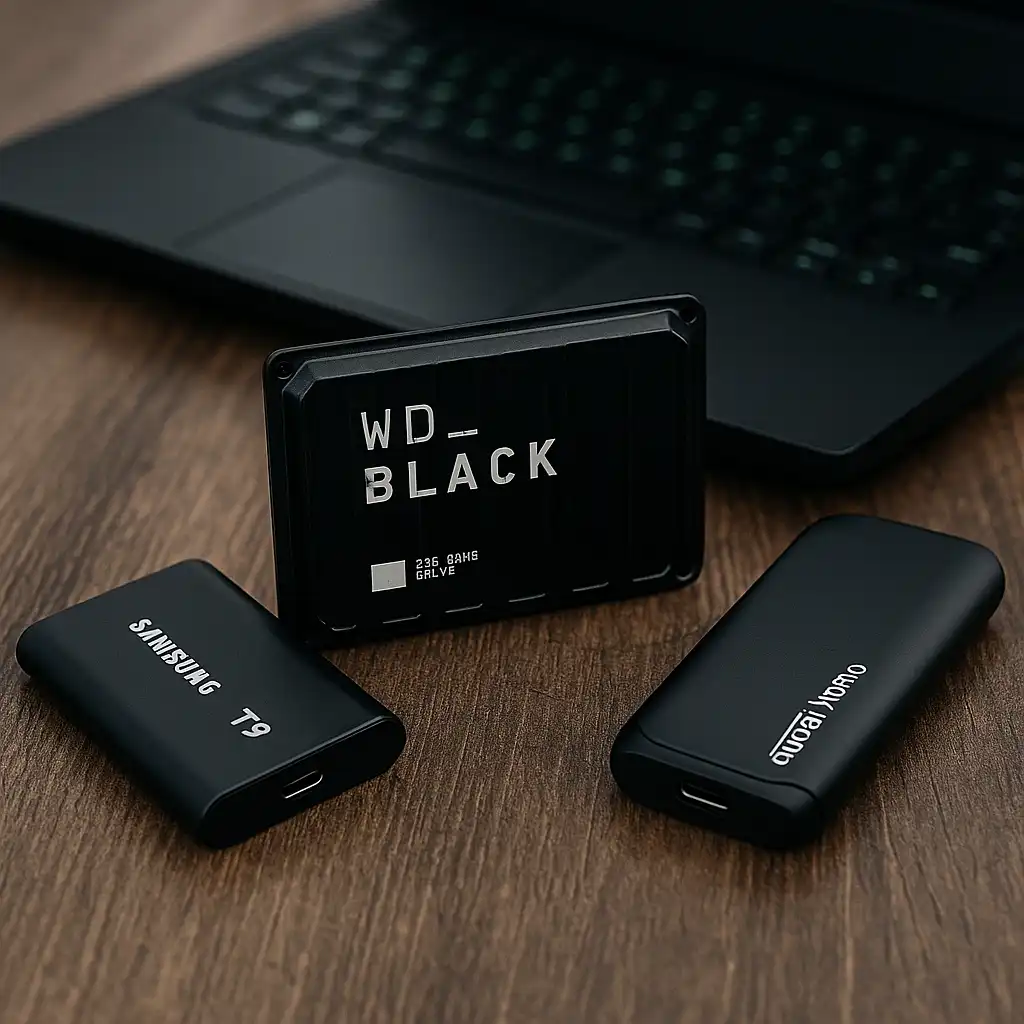
The Samsung T9 Portable SSD is rated for up to 2,000MB/s transfer speeds based on manufacturer specifications. It uses USB 3.2 Gen 2×2 and includes USB-C connectivity.
Its compact design makes it practical for students and gamers who frequently move between locations. The 1TB capacity supports multiple large game installations while maintaining portability.
Samsung positions the T9 for content creators and high-speed file transfers, which aligns well with gaming laptops that support high-bandwidth USB ports.
📦 WD_BLACK P50 Game Drive 2TB – Gaming-Focused Design
The WD_BLACK P50 Game Drive is rated up to 2,000MB/s according to manufacturer data. It’s designed with a durable, heat-dissipating enclosure aimed at gaming setups.
The 2TB capacity provides strong long-term storage flexibility for large game libraries. WD markets this drive specifically toward gaming systems, including laptops and consoles.
For users who want expanded space without replacing internal hardware, this model aligns well with high-capacity gaming needs.
📦 Crucial X10 Pro 2TB – Highest Rated Speeds in This Group
The Crucial X10 Pro is rated for up to 2,100MB/s transfer speeds based on manufacturer specifications. It uses USB-C connectivity and supports modern high-speed interfaces.
With 2TB of storage, it supports extensive game libraries and large media files. The slightly higher rated peak speed may appeal to users prioritizing maximum external throughput.
This drive suits gamers and creators who need both speed and expanded capacity in a portable format.
📌 Key Takeaways
- External SSDs are significantly faster than external HDDs
- 2TB models provide better long-term flexibility for large game libraries
- USB 3.2 Gen 2×2 drives can reach up to 2,000MB/s+ rated speeds
- Internal NVMe SSDs still offer higher theoretical speeds
- External SSDs are ideal for storage expansion without opening your laptop
🟢 FAQs
Q: Will games load slower from an external SSD?
Compared to internal NVMe drives, external SSDs may have slightly lower peak speeds. However, they are substantially faster than traditional external HDDs.
Q: Is 1TB enough for gaming?
It can be sufficient for a moderate game library. Larger AAA titles may fill 1TB quickly, making 2TB a more flexible long-term option.
Q: Do gaming laptops support these drives?
Most modern gaming laptops with USB-C or USB 3.2 ports support high-speed external SSDs. Always verify your port specifications before purchasing.
Q: Can I use an external SSD for both gaming and file storage?
Yes. These drives can store games, media, and general files simultaneously, depending on available capacity.
✅ Conclusion
The best external SSD for gaming laptops depends on your capacity needs and interface support. The Samsung T9 offers portability and strong rated speeds, the WD_BLACK P50 provides gaming-focused durability with 2TB capacity, and the Crucial X10 Pro delivers the highest rated transfer speeds in this comparison.
Choosing the right model means balancing storage size, interface compatibility, and long-term library growth.