Best Laptop Audio Gear – Headsets, Microphones, and AirPods Explained
Disclosure: This post contains affiliate links. LaptopVoyager.com participates in the Amazon Associates Program and may earn commissions on qualifying purchases, at no extra cost to you.
Last Updated: February 2026
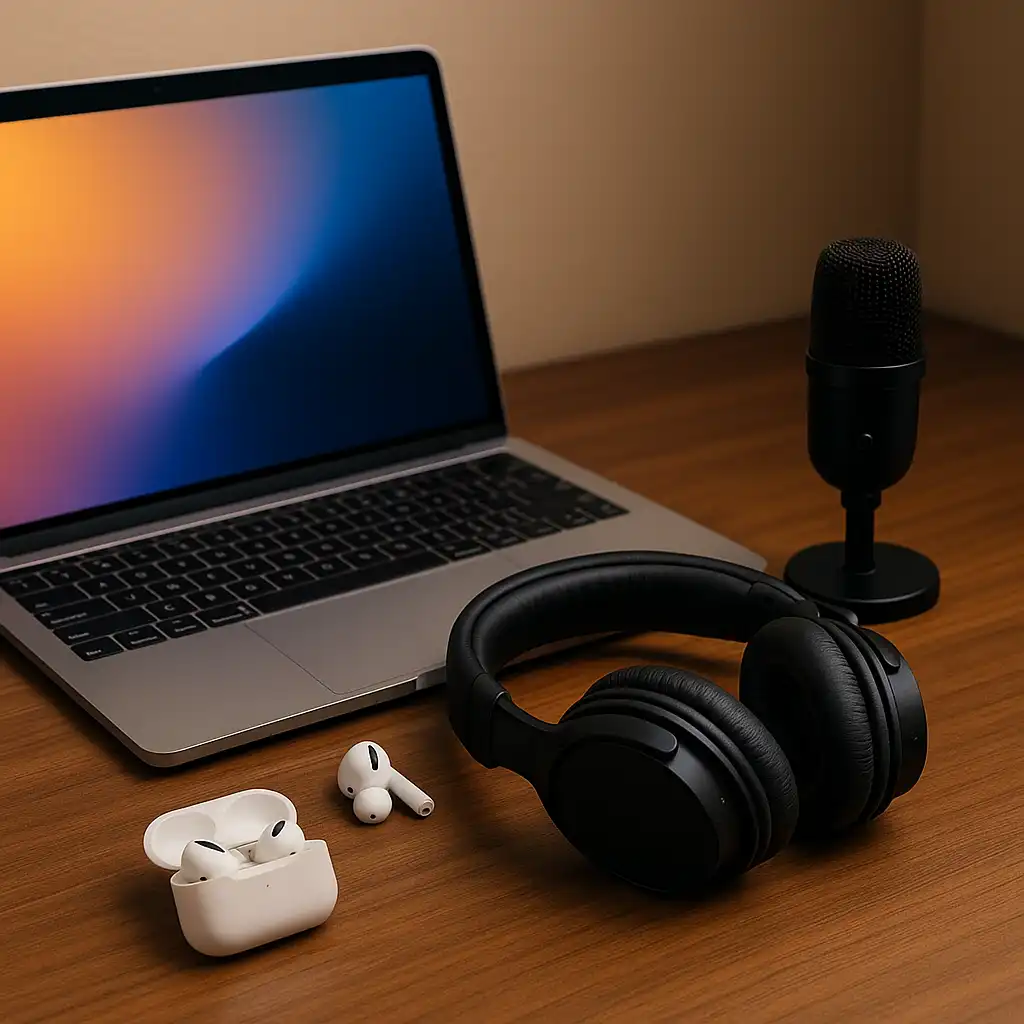
Choosing the best laptop audio gear isn’t just about brand names or price tags. Sound quality, microphone clarity, connection type, and comfort all affect how your laptop performs for work, gaming, streaming, or travel.
This hub organizes all LaptopVoyager audio coverage in one place. Instead of ranking products randomly, it groups guides by use case, connection type, brand comparisons, and practical buying decisions.
Whether you’re recording podcasts, joining video meetings, gaming competitively, or pairing AirPods with Android, this page helps you navigate step by step.
🔍 Understanding What Makes Good Laptop Audio Gear
Before comparing specific models, it helps to understand what separates quality audio equipment from basic accessories.
- What Makes a Good Laptop Headset – Key Features That Matter Most
- Wired vs Wireless Headset for Laptop – Key Differences Explained
- How to Choose a Good PC Gaming Headset – Features and Setup Guide
These guides explain driver size, microphone pickup patterns, latency differences, USB vs Bluetooth connectivity, and comfort considerations.
🔍 USB Microphones for Laptop Recording and Streaming
If you record podcasts, stream, or want clearer voice capture than built-in laptop microphones, USB mics offer a major upgrade.
This guide compares dynamic and condenser options, pickup patterns, and upgrade flexibility for future audio setups.
🔍 Headsets for Work, Calls, and Multi-Device Use
For video meetings and remote work, microphone clarity and stable connections matter more than flashy features.
- Best Bluetooth Headset for Laptop Calls – Clear Communication Options
- Best Headset for Laptop Conference Calls – Work Meeting Picks Compared
- Best USB Headset With Mic for Laptop – Top Wired Picks Compared
- Best Headset for Laptop and Phone – Dual Device Compatibility
- Best Bluetooth Headset for Dell Laptop – Wireless Options Explained
- Best Headset for HP Laptop – Wired and USB Picks Compared
These pages focus on microphone isolation, dual-device pairing, USB stability, and everyday call clarity.
🔍 Gaming Headsets and Brand Comparisons
Gaming audio requires precise directional sound and stable communication. Build quality and tuning also vary by brand.
- Alienware Wired Gaming Headset AW520H Review – Design, Audio, and Gaming Performance
- ASUS TUF Gaming Headset Review – Design and Audio Overview
- Audeze Gaming Headset Review – Premium Planar Audio Breakdown
These reviews analyze specifications, driver configurations, connection types, and comfort from a design-focused perspective.
🔍 Apple AirPods and Laptop Compatibility
AirPods are widely used with laptops, but compatibility, water resistance, and battery features vary.
- Best Apple AirPods for Noise Cancelling – Model Comparison Guide
- Are AirPods Pro 2 Waterproof? – Water Resistance Explained for Everyday Use
- Are Apple AirPods Pro 2 Good for Running? – Fit and Sweat Considerations
- Do AirPods Pro 2 Work With Android? – Compatibility Guide
- Do AirPods Pro Have Wireless Charging? – Case and Battery Details
- How to Connect AirPods Pro Max to Laptop – Step-by-Step Setup Guide
These guides cover practical ownership questions, cross-platform pairing, and everyday use considerations.
📌 Key Takeaways
- The best laptop audio gear depends on how you use your laptop
- USB microphones improve voice clarity for recording and streaming
- Work headsets prioritize microphone isolation and connection stability
- Gaming headsets focus on directional audio and low latency
- AirPods offer convenience but vary in compatibility and features
🟢 FAQs
Q: Is a USB microphone better than a headset mic?
In most cases, yes. USB microphones generally provide clearer voice capture and better noise control compared to integrated headset microphones.
Q: Is wired audio better than wireless for laptops?
Wired connections eliminate battery concerns and reduce latency, while wireless options offer portability and multi-device flexibility.
Q: Can AirPods replace a dedicated headset for work?
They can work for casual calls, but dedicated work headsets often provide stronger microphone isolation and more stable connections.
Q: Do gaming headsets work for meetings?
Yes, but some gaming models prioritize sound immersion over microphone clarity for professional calls.
✅ Conclusion
The best laptop audio gear isn’t defined by a single product category. It depends on your primary use case — recording, gaming, remote work, travel, or multi-device pairing.
This hub connects all LaptopVoyager audio guides so you can move from foundational knowledge to detailed comparisons with clarity and confidence.