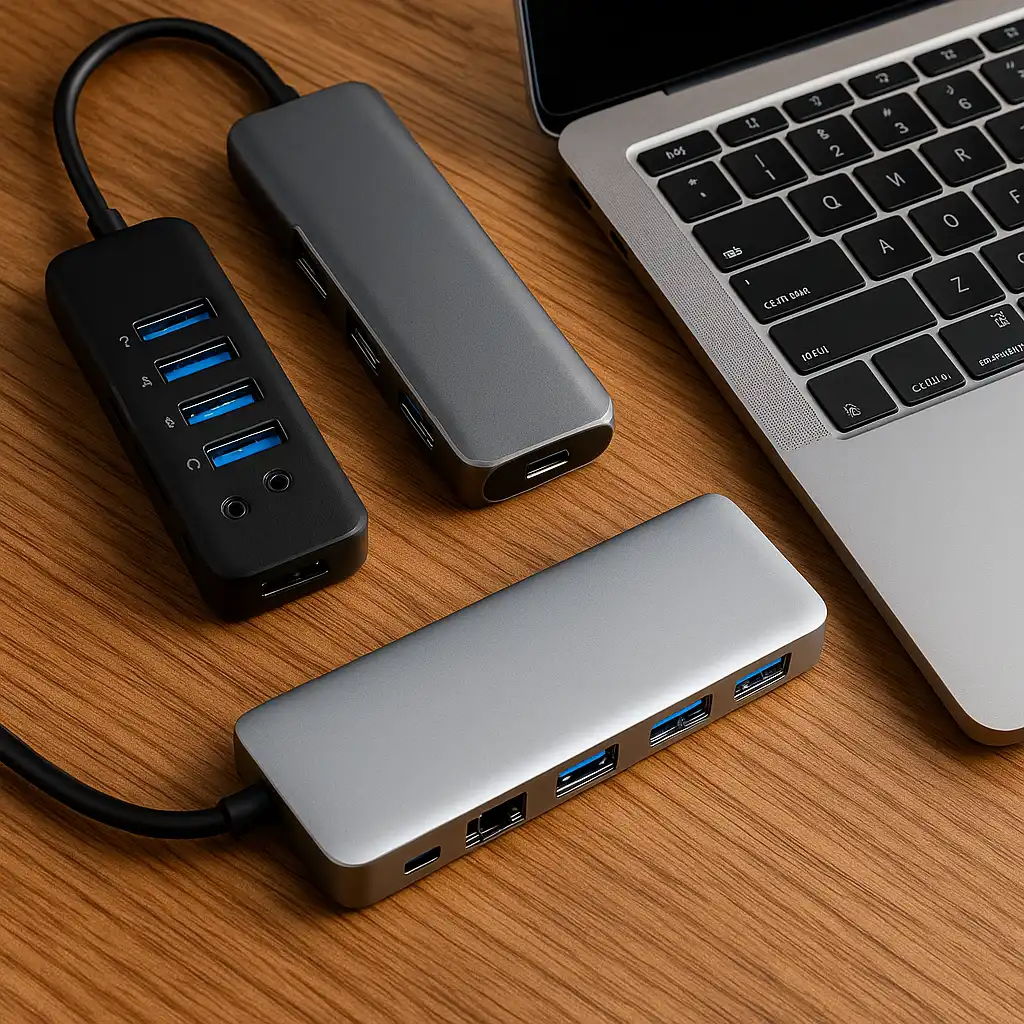
Best USB-C Hubs That Expand Ports Without Slowing Your Laptop
Disclosure: This post contains affiliate links. LaptopVoyager.com participates in the Amazon Associates Program and may earn commissions on qualifying purchases, at no extra cost to you.
Last Updated: January 2026
Modern laptops look cleaner and perform better than ever, but that usually comes with a familiar tradeoff: fewer ports. Running a monitor, charging your laptop, and connecting accessories through a single USB-C port can quickly become frustrating in daily use.
A good USB-C hub removes that limitation by expanding connectivity in a simple, reliable way. Whether you’re working from home, studying, or traveling, the right hub can make your laptop feel far more flexible without adding clutter to your setup.
👉 If you’re building a complete setup, our best laptop accessories guide covers other upgrades that improve comfort, performance, and everyday usability.
💰 Check Price & Availability
View on Amazon – Herfair USB-C Hub USB Splitter 8-in-1 USB Extender
View on Amazon – Anker USB-C Hub, 4-Port USBC Adapter with 100W PD & 10Gbps Transfer
View on Amazon – Kensington UH1400P 8-in-1 USB-C Hub with 85W PD & 4K HDMI
📋 Quick-View Comparison List
Best Budget USB-C Hub for Everyday Use: Herfair USB-C Hub 8-in-1
Best Compact High-Speed USB-C Hub: Anker USB-C Hub 4-Port with 100W PD
Best Premium USB-C Hub for Work Setups: Kensington UH1400P 8-in-1
🔍 Why USB-C Hubs Matter More Than Ever
Laptop manufacturers continue to prioritize thinner designs, and ports are often the first thing to go.
That usually means fewer USB-A ports, missing HDMI, and limited ways to connect accessories. A USB-C hub restores those connections, letting you plug in monitors, external drives, keyboards, and chargers through a single cable.
For many users, a hub turns a minimal laptop into a far more practical workstation.
🔍 Power Delivery and Data Speeds Explained
Not all USB-C hubs work the same way.
Some simply add extra ports, while others support higher power delivery and faster data transfer. If you charge your laptop through the hub or regularly work with large files, power limits and transfer speeds matter just as much as the number of ports.
Choosing a hub that matches your laptop’s charging needs helps avoid slow charging and performance bottlenecks.
🔍 Port Selection and Desk Comfort
A good USB-C hub should simplify your setup, not make it messier.
Well-spaced ports make accessories easier to connect and reduce cable clutter. Compact hubs work better for travel, while larger multi-port hubs are a better fit for home office setups where everything stays plugged in.
The right size depends on how often you move your laptop.
📦 Herfair USB-C Hub 8-in-1 – Best Budget USB-C Hub
The Herfair USB-C Hub is a practical option for users who want a wide range of ports without spending much.
Its selection of connections covers everyday needs like peripherals, flash drives, and external displays. It’s a solid choice for students and casual users who want flexibility without paying for premium features.
This hub works best for simple setups where value matters most.
📦 Anker USB-C Hub 4-Port – Best Compact High-Speed USB-C Hub
The Anker USB-C Hub focuses on speed and reliability in a compact design.
Fast data transfer and high-wattage power delivery make it a strong choice for users who rely on external storage or want dependable charging through one port. Its small footprint also makes it easy to carry in a backpack or laptop sleeve.
This is an excellent option if you want performance without bulk.
📦 Kensington UH1400P 8-in-1 – Best Premium USB-C Hub for Work
The Kensington UH1400P is built for desk-based and professional workflows.
With strong power delivery support and reliable display output, it’s designed for users who dock their laptop daily. The sturdy build and broad port selection make it a dependable centerpiece for a home office or work desk.
This hub makes the most sense if your setup stays mostly in one place.
🔍 Which USB-C Hub Should You Choose?
The best USB-C hub depends on how you actually use your laptop.
If you want an affordable all-around option, the Herfair hub is a safe choice. If speed and charging performance matter most, the Anker hub delivers consistent results. For desk-based workflows that need reliability and strong power delivery, the Kensington UH1400P stands out.
Matching the hub to your real-world usage helps avoid unnecessary compromises.
📌 Key Takeaways
- USB-C hubs expand connectivity on laptops with limited ports
- Power delivery and data speeds matter as much as port count
- Compact hubs are better for travel and mobile setups
- Larger hubs fit home office and desk-based workflows
- Choosing the right hub prevents charging and performance issues
🟢 FAQs
Q: Do USB-C hubs slow down laptops?
No. A quality USB-C hub won’t slow your laptop when it supports proper power delivery and data speeds.
Q: Can I charge my laptop through a USB-C hub?
Yes, as long as the hub provides enough power delivery for your laptop.
Q: Are USB-C hubs better than docking stations?
USB-C hubs are more portable, while docking stations are better for permanent desk setups.
Q: Will a USB-C hub work with any laptop?
Most modern laptops support USB-C hubs, but features depend on the laptop’s USB-C or Thunderbolt capabilities.
✅ Conclusion
The best USB-C hubs make modern laptops easier to live with by restoring missing ports and simplifying connectivity. Whether you need a budget-friendly hub for everyday use, a compact high-speed option for travel, or a reliable hub for a desk-based workflow, choosing the right USB-C hub can noticeably improve how your laptop fits into daily use.