Best External Webcams for Laptops – Clear Video for Meetings, Streaming, and Content Creation
Disclosure: This post contains affiliate links. LaptopVoyager.com participates in the Amazon Associates Program and may earn commissions on qualifying purchases, at no extra cost to you.
Last Updated: June 2026
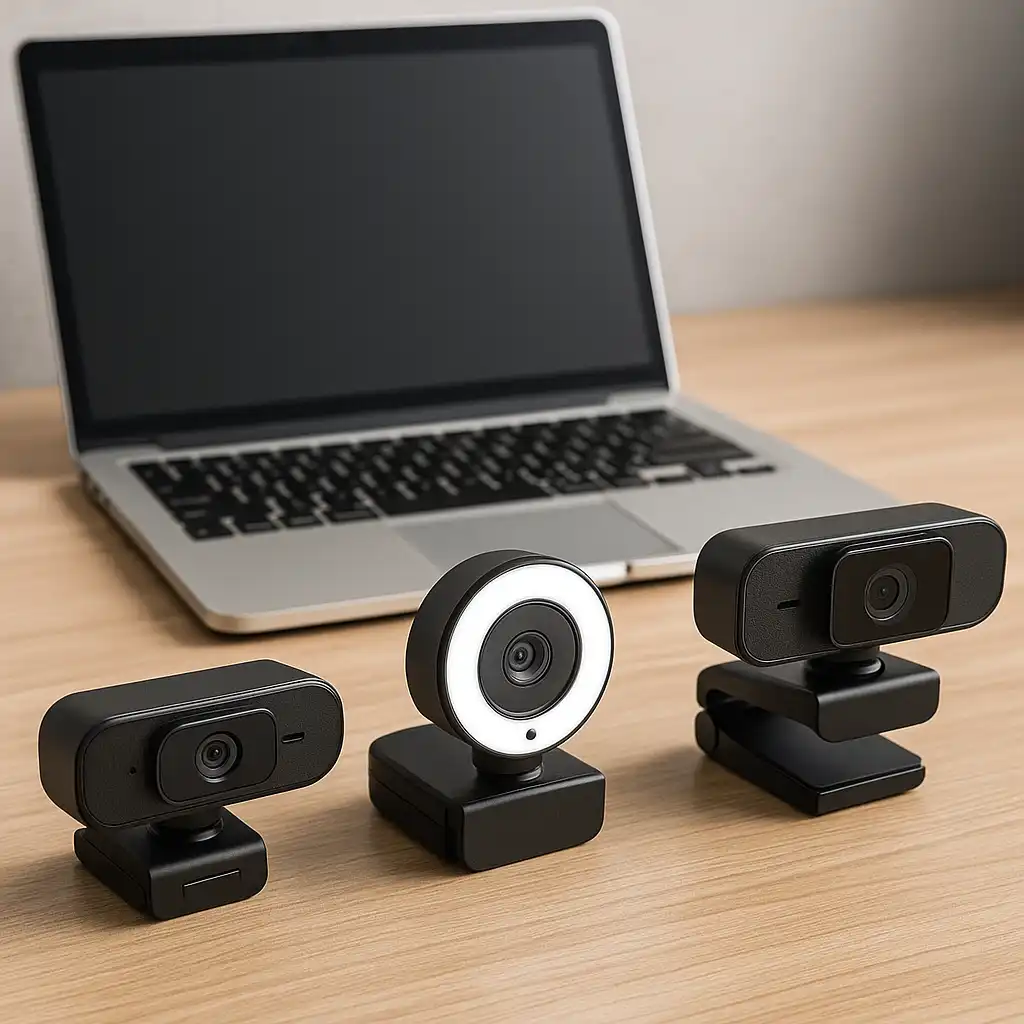
External webcams offer different specifications and designs compared to most built-in laptop cameras. Whether you’re attending meetings, taking online classes, streaming, or creating content, external webcams provide options like adjustable optics, larger sensors, and flexible positioning that fixed laptop cameras cannot offer.
This guide compares three popular external webcams based on specifications, video quality, microphone performance, and intended use cases.
👉 For a complete overview of accessories, see Best Laptop Accessories
💰 Check Price & Availability
View on Amazon – Logitech C920x HD Pro Webcam
View on Amazon – Logitech MX Brio 4K Webcam
View on Amazon – Razer Kiyo Pro Webcam
📋 Quick-View Comparison List
Best All-Rounder: Logitech C920x HD Pro Webcam
Best Premium 4K Webcam: Logitech MX Brio 4K Webcam
Best for Streaming and Low-Light Use: Razer Kiyo Pro Webcam
🔍 Why Upgrade from a Built-In Laptop Webcam?
Most laptop webcams prioritize compact design rather than image quality.
External webcams are equipped with larger sensors, improved optics, and better microphones. Based on manufacturer specifications, they often provide sharper video, improved low-light performance, and more flexible positioning options.
This can make a noticeable difference during meetings, online classes, and content creation.
🔍 Resolution and Frame Rate Explained
Resolution affects image detail, while frame rate affects motion smoothness.
For most users, 1080p remains the practical standard for video calls and remote work. Higher resolutions such as 4K provide additional detail and flexibility for content creation, while higher frame rates can make movement appear smoother during streaming and presentations.
👉 If you’re building a complete workspace, see Best Home Office Accessories for Laptops
📦 Logitech C920x HD Pro Webcam – Best All-Rounder
The Logitech C920x remains one of the most popular webcams for laptop users.
According to Logitech specifications, it supports Full HD 1080p video at 30fps, dual stereo microphones, HD light correction, and a 78-degree field of view. It is compatible with major platforms including Zoom, Microsoft Teams, and Google Meet.
This option suits students, remote workers, and professionals looking for dependable video quality without moving into premium pricing tiers.
📦 Logitech MX Brio 4K Webcam – Best Premium 4K Webcam
The Logitech MX Brio focuses on image quality and advanced features.
Based on manufacturer specifications, it supports Ultra HD 4K video at 30fps, Full HD video at 60fps, AI-enhanced image processing, dual noise-reducing microphones, Show Mode functionality, and a built-in privacy shutter.
This webcam makes sense for professionals, content creators, and users who spend significant time on camera.
📦 Razer Kiyo Pro Webcam – Best for Streaming and Low-Light Use
The Razer Kiyo Pro is designed for users who need strong performance in challenging lighting conditions.
According to Razer specifications, it supports Full HD 1080p video at 60fps, HDR capability, an adaptive light sensor, adjustable field of view settings, and a wide f/1.7 aperture.
This combination makes it well suited for streaming, gaming, and environments where lighting conditions vary throughout the day.
🔍 Built-In Microphones vs Dedicated Audio Devices
Many external webcams include integrated microphones. For users who regularly attend meetings or record content, dedicated audio devices are commonly paired with webcams to optimize voice quality and reduce background noise.
Users who regularly attend meetings or record content may benefit from a separate headset or microphone. Dedicated audio solutions can help reduce background noise and improve speech clarity.
👉 For audio-focused setups, see Best USB Headset with Mic for Laptop Use
📌 Key Takeaways
- External webcams typically offer better image quality than laptop cameras
- The Logitech C920x is a strong all-around choice for everyday use
- The Logitech MX Brio targets professionals and creators who need 4K quality
- The Razer Kiyo Pro focuses on streaming and low-light performance
- Dedicated microphones can improve audio quality beyond built-in webcam mics
🟢 FAQs
Q: Are external webcams better than laptop webcams?
Yes. External webcams are typically equipped with larger sensors and improved optics designed to deliver higher-quality video.
Q: Is 1080p enough for video calls?
Yes. Full HD 1080p remains the standard for most meetings, classes, and video conferencing applications.
Q: Do I need a 4K webcam?
Not necessarily. A 4K webcam is most beneficial for content creation, professional presentations, and users who want maximum image detail.
Q: Can external webcams work with both Windows and Mac laptops?
Most modern webcams support both Windows and macOS through plug-and-play connectivity.
✅ Conclusion
The best external webcam for a laptop depends on how you use your camera. The Logitech C920x delivers dependable everyday performance, the Logitech MX Brio focuses on premium image quality and advanced features, and the Razer Kiyo Pro is designed for streaming and low-light environments.
Choosing the right webcam comes down to balancing image quality, microphone performance, and your typical workflow.