Best Gaming Laptop Accessories: Performance, Comfort, and Competitive Edge
Disclosure: This post contains affiliate links. LaptopVoyager.com participates in the Amazon Associates Program and may earn commissions on qualifying purchases, at no extra cost to you.
Last Updated: January 2026
Gaming on a laptop is always a trade-off between power and portability. You get strong performance in a compact machine, but heat, limited ports, and tight controls can quickly become limiting. The right accessories don’t try to turn a laptop into a desktop. Instead, they help it run cooler, feel more comfortable, and perform more consistently during long sessions.
The best gaming laptop accessories focus on cooling, connectivity, control, and immersion. Each option below is chosen specifically to improve gaming on a laptop, whether you’re playing at a desk, moving between rooms, or traveling.
👉 If you want a broader overview beyond gaming, you can explore our guide to best laptop accessories.
💰 Check Price & Availability
View on Amazon – ChillCore RGB Cooling Pad
View on Amazon – Razer Thunderbolt 5 Dock Chroma
View on Amazon – Xbox Wireless Controller (2025)
View on Amazon – Razer DeathAdder V3 Pro Mouse
View on Amazon – Samsung T9 Portable SSD 4TB
View on Amazon – ASUS ZenScreen 15.6” Portable Monitor
View on Amazon – SteelSeries Arctis Nova 7 Headset
View on Amazon – Corsair K100 RGB Gaming Keyboard
📋 Quick-View Comparison List
ChillCore RGB Cooling Pad
Strengths: Nine fans, adjustable stand, improved cooling during long sessions
Best For: Gamers, students, and heavy multitaskers
Price Range: Budget
Limitation: Bulkier than ultra-slim cooling pads
Razer Thunderbolt 5 Dock Chroma
Strengths: Multiple 4K display support, fast ports, clean single-cable setup
Best For: Power users, streamers, and professionals
Price Range: Premium
Limitation: Higher price compared to standard docking stations
Razer DeathAdder V3 Pro Mouse
Strengths: Ultra-lightweight design, precise sensor, travel-friendly
Best For: Gamers on the go, students, frequent travelers
Price Range: Mid-range
Limitation: Lacks extra programmable productivity buttons
Samsung T9 Portable SSD (4TB)
Strengths: Up to 2,000MB/s transfer speeds, compact storage for large game libraries
Best For: Gamers, students, and video editors
Price Range: Premium
Limitation: Higher cost per gigabyte than traditional HDDs
ASUS ZenScreen 15.6″ Portable Monitor
Strengths: Slim design, sharp display, easy portable second screen
Best For: Remote workers, students, and multitaskers
Price Range: Premium
Limitation: Requires USB-C power from the laptop or adapter
SteelSeries Arctis Nova 7 Headset
Strengths: Wireless connection, clear audio, long battery life
Best For: Gamers, streamers, and hybrid workers
Price Range: Mid-range
Limitation: Noise isolation is weaker than fully noise-canceling headsets
Corsair K100 RGB Gaming Keyboard
Strengths: Fast mechanical switches, premium build quality, extensive customization
Best For: Gamers, typists, and RGB enthusiasts
Price Range: Premium
Limitation: Expensive compared to standard mechanical keyboards
Xbox Wireless Controller (2025)
Strengths: Wide game compatibility, ergonomic design, responsive controls
Best For: Casual gamers, laptop users, and cross-platform play
Price Range: Mid-range
Limitation: Rechargeable battery pack sold separately
🔍 What Matters Most in Gaming Laptop Accessories
Gaming laptops squeeze powerful components into tight spaces, which makes heat management and comfort especially important.
Cooling accessories help laptops sustain performance instead of throttling under load. External mice, keyboards, and controllers offer better precision and ergonomics than built-in inputs. Docking and display accessories make it easier to expand a setup without giving up portability.
The goal isn’t to add clutter. It’s to remove friction from the gaming experience.
🔍 Cooling, Connectivity, and Control
Heat is one of the biggest performance killers for gaming laptops. As temperatures rise, clock speeds often drop to protect internal components.
A cooling pad improves airflow and helps keep temperatures more stable. A docking station reduces cable juggling and adds useful ports. Dedicated peripherals provide more consistent control than laptop keyboards and trackpads.
Together, these upgrades help gaming laptops perform the way they’re meant to.
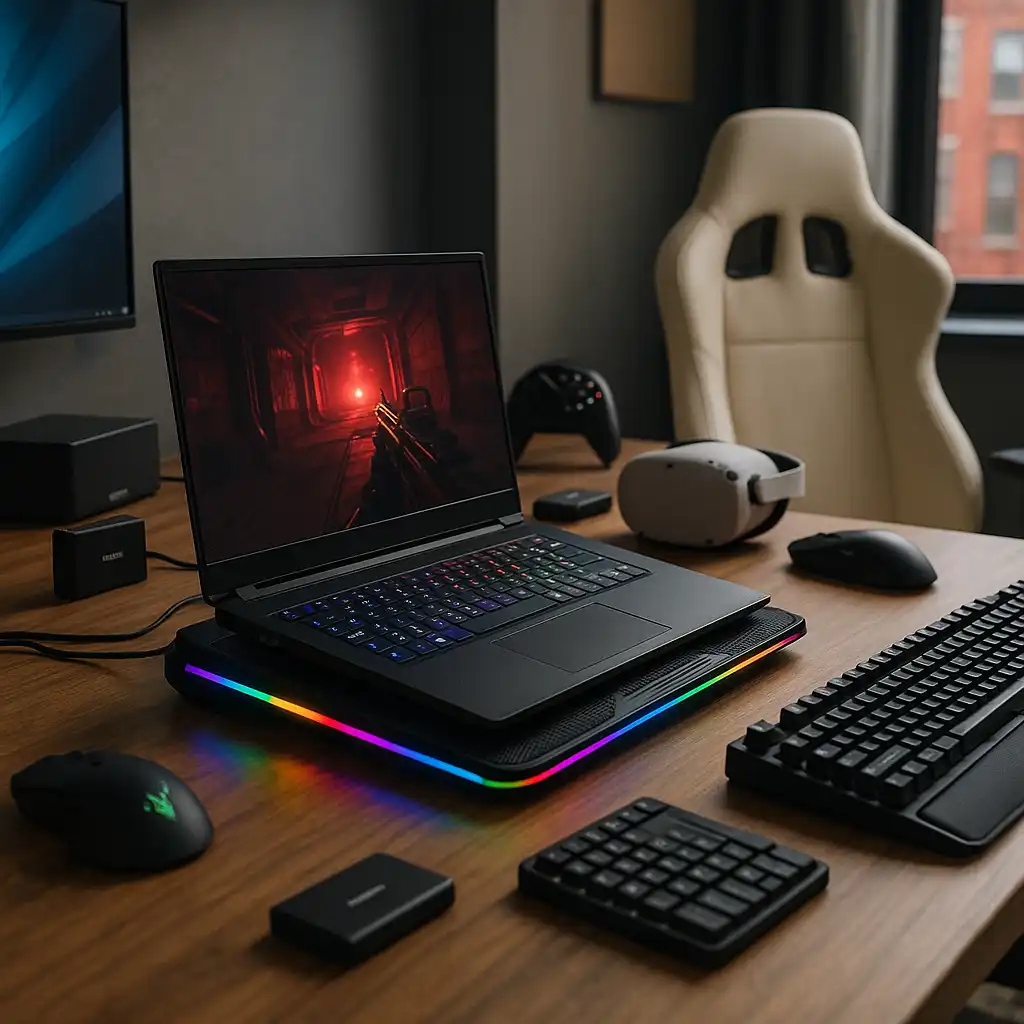
📦 ChillCore RGB Cooling Pad
The ChillCore RGB Cooling Pad is designed to support gaming laptops during extended sessions.
Its multi-fan layout improves airflow across the underside of the laptop, while the elevated angle encourages better ventilation. This can help reduce thermal throttling when games push hardware for long periods.
It’s larger than ultra-slim pads, but the cooling benefits make that trade-off worthwhile.
📦 Razer Thunderbolt 5 Dock Chroma
The Razer Thunderbolt 5 Dock Chroma simplifies desk setups by handling multiple connections through a single cable.
It supports fast data transfer, external displays, and power delivery, making it easy to connect monitors, storage, and peripherals at once. This works especially well for gamers who dock their laptop at a desk but still want quick portability.
It’s a premium option, but one that keeps setups clean and efficient.
📦 Xbox Wireless Controller (2025)
The Xbox Wireless Controller remains one of the easiest controllers to use with gaming laptops.
It pairs smoothly with Windows and is widely supported across PC games. For genres like racing, sports, and action titles, a controller often feels more natural than a keyboard and mouse.
It’s optional, but a useful addition for controller-friendly games.
📦 Razer DeathAdder V3 Pro Mouse
The Razer DeathAdder V3 Pro is built for speed, accuracy, and comfort.
Its lightweight design and precise sensor make a noticeable difference in fast-paced games. Wireless performance is reliable, keeping desk setups clean without sacrificing responsiveness.
Compared to trackpads or basic mice, the improvement is immediate.
📦 Samsung T9 Portable SSD
The Samsung T9 Portable SSD offers a simple way to expand storage without opening your laptop.
Fast transfer speeds help reduce load times and make moving large game libraries easier. It’s especially useful for laptops with limited internal storage or gamers who switch between systems.
The compact design fits easily into a laptop bag.
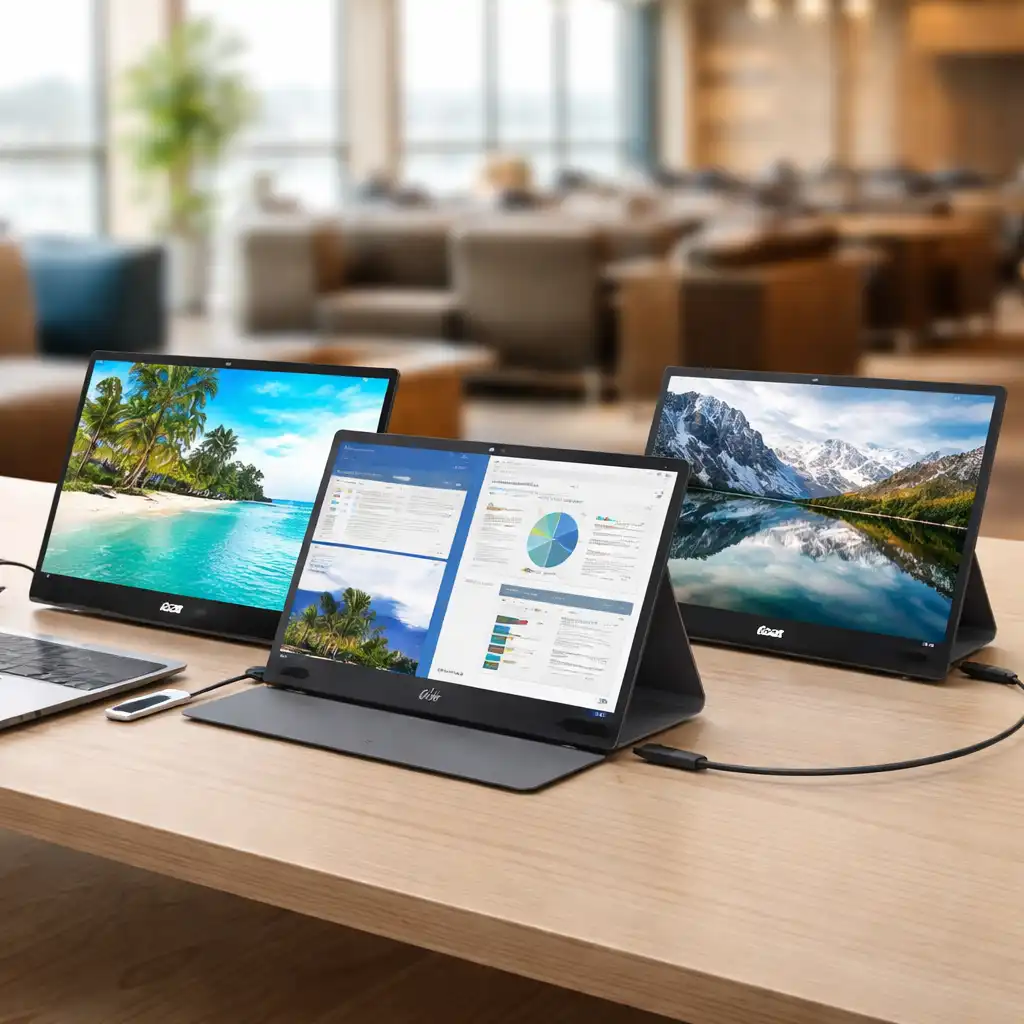
📦 ASUS ZenScreen 15.6″ Portable Monitor
The ASUS ZenScreen adds extra screen space without locking you into a fixed desk setup.
It’s useful for monitoring chats, walkthroughs, or streaming tools while gaming. For laptops with smaller displays, a second screen can make multitasking far more comfortable.
It’s a flexible upgrade for both gaming and everyday use.
📦 SteelSeries Arctis Nova 7 Headset
The SteelSeries Arctis Nova 7 delivers clear audio in a wireless design well suited to laptops.
Comfortable ear cups make long sessions easier, while the balanced sound profile works well for both competitive and casual play. Wireless connectivity also keeps cable clutter to a minimum.
It’s a strong all-around choice for laptop gamers.
📦 Corsair K100 RGB Gaming Keyboard
The Corsair K100 RGB is a premium mechanical keyboard built for serious setups.
Fast switches and responsive input offer better control than laptop keyboards, especially in competitive games. Customization options add flexibility without affecting performance.
This keyboard makes the most sense for gamers who regularly play at a desk.
📌 Key Takeaways
- Gaming laptop accessories should improve cooling, control, and comfort
- Cooling pads help laptops maintain stable performance
- Docking stations and portable monitors expand setups cleanly
- Dedicated peripherals improve accuracy and responsiveness
- Portable storage keeps large game libraries manageable
🟢 FAQs
Q: Do gaming laptops really need accessories?
Not strictly, but accessories can significantly improve comfort, control, and performance stability.
Q: Is a cooling pad worth it for gaming laptops?
Yes. Cooling pads can help reduce heat buildup and limit thermal throttling during long sessions.
Q: Are external keyboards and mice better than laptop controls?
For gaming, yes. Dedicated peripherals offer better ergonomics and faster response.
Q: Can a gaming laptop replace a desktop with accessories?
With the right accessories, a gaming laptop can closely match a desktop experience while staying portable.
✅ Conclusion
The best gaming laptop accessories don’t change what a laptop is — they help it perform at its best. Cooling pads manage heat, docking stations simplify connectivity, and dedicated peripherals improve control and immersion. With the right setup, a gaming laptop can deliver a smooth, flexible experience whether you’re gaming at a desk or on the move.