How to Reduce Wrist Pain When Using a Laptop – Practical Setup and Ergonomic Tips
Disclosure: This post contains affiliate links. LaptopVoyager.com participates in the Amazon Associates Program and may earn commissions on qualifying purchases, at no extra cost to you.
Last Updated: April 2026
Wrist discomfort is a common issue for people who spend long hours on a laptop, especially in desk setups where typing position isn’t optimized. Because the keyboard and screen are attached, it’s often harder to maintain a neutral wrist angle compared to a full workstation.
Small adjustments to your setup can make a noticeable difference. This guide explains how to reduce wrist strain using positioning, accessories, and simple ergonomic principles based on common workstation recommendations.
👉 For a full posture overview, see our guide to laptop ergonomics and posture
📌 Key Takeaways
- Keeping wrists in a neutral, flat position helps reduce strain
- External keyboards allow better hand positioning than built-in keyboards
- Desk height and typing angle play a major role in comfort
- Small adjustments to setup can improve long-session usability
🔍 Why Wrist Pain Happens with Laptop Use
Laptop keyboards are fixed to the screen, which limits how you can position your hands. When the laptop sits too high or too low, your wrists may bend upward or downward while typing.
According to ergonomic guidelines, repeated typing in non-neutral positions can increase strain over time. This is especially relevant for users working long hours on writing, spreadsheets, or coding tasks.
🔍 Keep Your Wrists in a Neutral Position
A neutral wrist position means your hands are level with your forearms, without bending up or down. This alignment helps reduce unnecessary pressure during typing.
To achieve this:
- Keep your keyboard at or slightly below elbow height
- Avoid resting wrists on hard edges
- Maintain a flat typing angle rather than a steep incline
This positioning supports a more natural hand posture during extended use.
🔍 Use an External Keyboard for Better Alignment
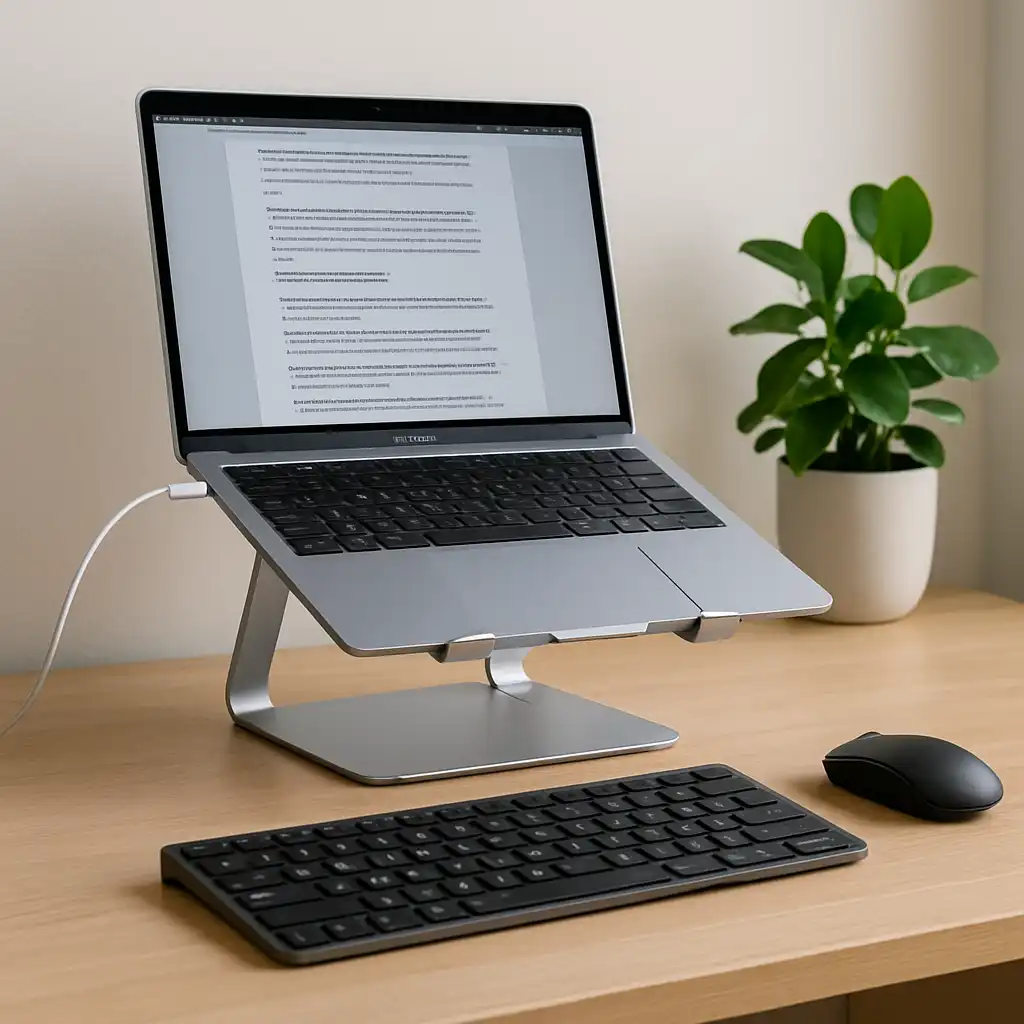
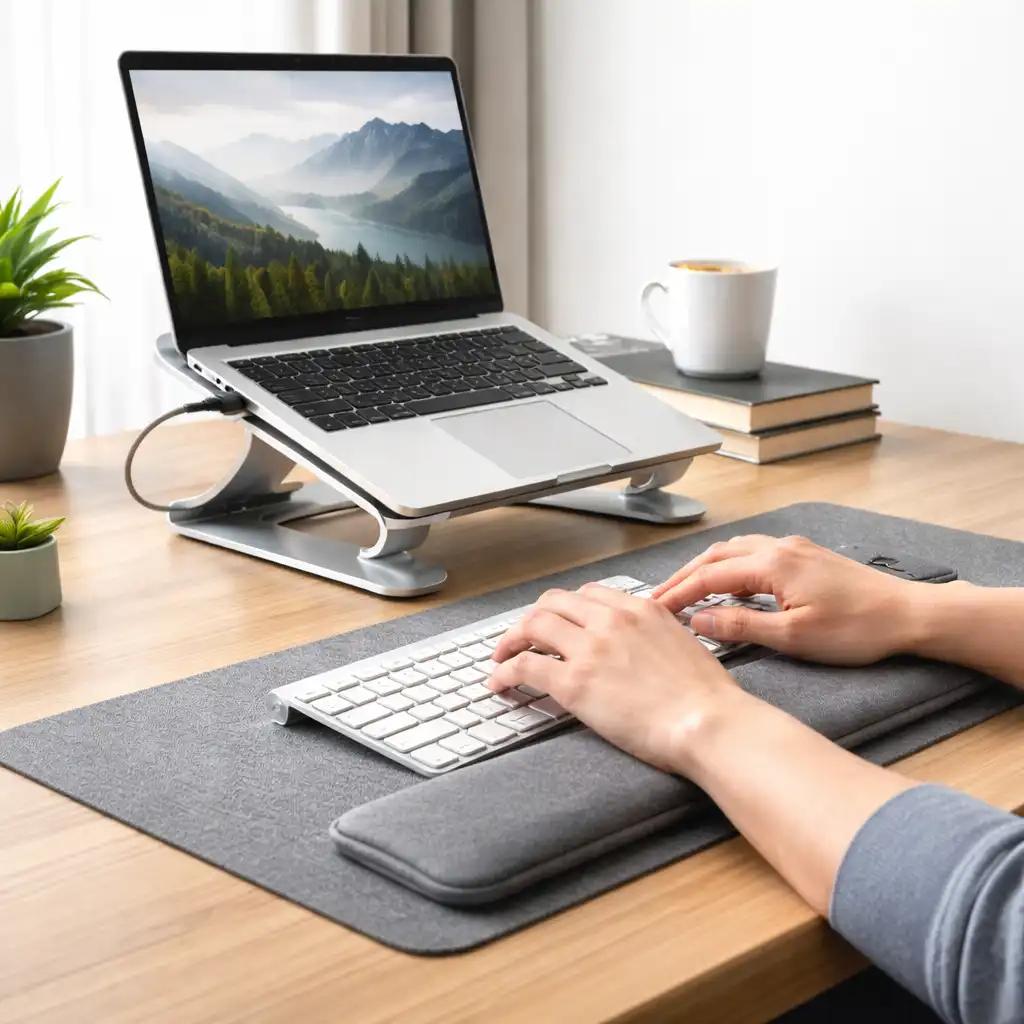
An external keyboard allows you to separate typing position from screen height. This is one of the most effective ways to improve wrist comfort in a laptop setup.
👉 Learn more in external keyboard for laptop ergonomics
With an external keyboard:
- The screen can be raised to eye level
- The keyboard stays at a comfortable typing height
- Wrists remain in a flatter, more neutral position
Based on typical workstation setups, this separation is a key part of ergonomic desk design.
🔍 Adjust Desk Height and Seating Position
Your desk and chair setup directly affect wrist positioning. If your desk is too high, your wrists may angle upward. If it’s too low, they may bend downward.
General setup guidance includes:
- Elbows positioned at roughly a 90-degree angle
- Forearms parallel to the floor
- Shoulders relaxed, not raised
These adjustments help create a stable typing posture that reduces strain over time.
🔍 Avoid Excessive Laptop Tilt
Many laptop stands tilt the keyboard upward, which can improve screen visibility but may increase wrist angle. This can make typing less comfortable if used for long periods.
For typing-focused setups:
- Use flat or minimally angled surfaces
- Prioritize wrist alignment over steep viewing angles
- Combine stands with external keyboards when possible
This approach balances screen positioning with typing comfort.
🔍 Take Breaks and Vary Your Position
Even with an optimized setup, staying in the same position for long periods can increase discomfort. Short breaks and small movements help reduce continuous strain.
Common recommendations include:
- Brief breaks every 30–60 minutes
- Light hand and wrist movement between sessions
- Alternating between tasks when possible
These habits support overall comfort during extended laptop use.
🟢 FAQs
Q: Can a laptop cause wrist pain?
Yes, fixed keyboard positioning can lead to non-neutral wrist angles, especially during long typing sessions.
Q: Is an external keyboard necessary?
Not always, but it helps improve wrist positioning when using a laptop at a desk.
Q: Are laptop stands good for wrist comfort?
They can help with screen height, but steep angles may affect typing posture unless paired with an external keyboard.
Q: What is the best wrist position for typing?
A flat, neutral position aligned with your forearms is commonly recommended in ergonomic guidelines.
✅ Conclusion
Reducing wrist pain when using a laptop comes down to improving typing position and minimizing strain. Based on ergonomic principles, keeping wrists neutral, adjusting desk height, and using external input devices can make a noticeable difference in long-term comfort.
Small setup changes often provide the biggest improvements, especially for users who spend extended hours working at a desk.