Best Ergonomic Laptop Stand for Desk – Height, Stability, and Setup Guide
Disclosure: This post contains affiliate links. LaptopVoyager.com participates in the Amazon Associates Program and may earn commissions on qualifying purchases, at no extra cost to you.
Last Updated: March 2026
Choosing the best ergonomic laptop stand for desk use isn’t just about lifting your screen. The right stand should help align your screen with eye level while keeping your overall setup stable and comfortable for long sessions.
Laptop stands vary in adjustability, build quality, and usability. Understanding how these features affect posture and desk setup helps you choose an option that fits your workflow.
👉 For a broader setup guide, see laptop ergonomics and posture
💰 Check Price & Availability
Tounee Telescopic Laptop Stand for Desk with 360° Swivel Base – View on Amazon
BESIGN LS03 Aluminum Laptop Stand – View on Amazon
Amazon Basics Sturdy and Portable Ergonomic Laptop Stand for Desk – View on Amazon
This guide highlights three laptop stands designed for desk setups, focusing on adjustability, stability, and everyday usability.
💰 Check Price & Availability
View on Amazon – Tounee Telescopic Laptop Stand for Desk with 360° Swivel Base
View on Amazon – BESIGN LS03 Aluminum Laptop Stand
View on Amazon – Amazon Basics Sturdy and Portable Ergonomic Laptop Stand for Desk
📋 Quick-View Comparison List
Best Adjustable Option: Tounee Telescopic Laptop Stand with 360° swivel for flexible height and positioning
Best Stability: BESIGN LS03 Aluminum Laptop Stand for solid build and consistent support
Best Budget Option: Amazon Basics Ergonomic Laptop Stand for simple and practical desk use
🔍 What Makes a Laptop Stand Ergonomic for Desk Use
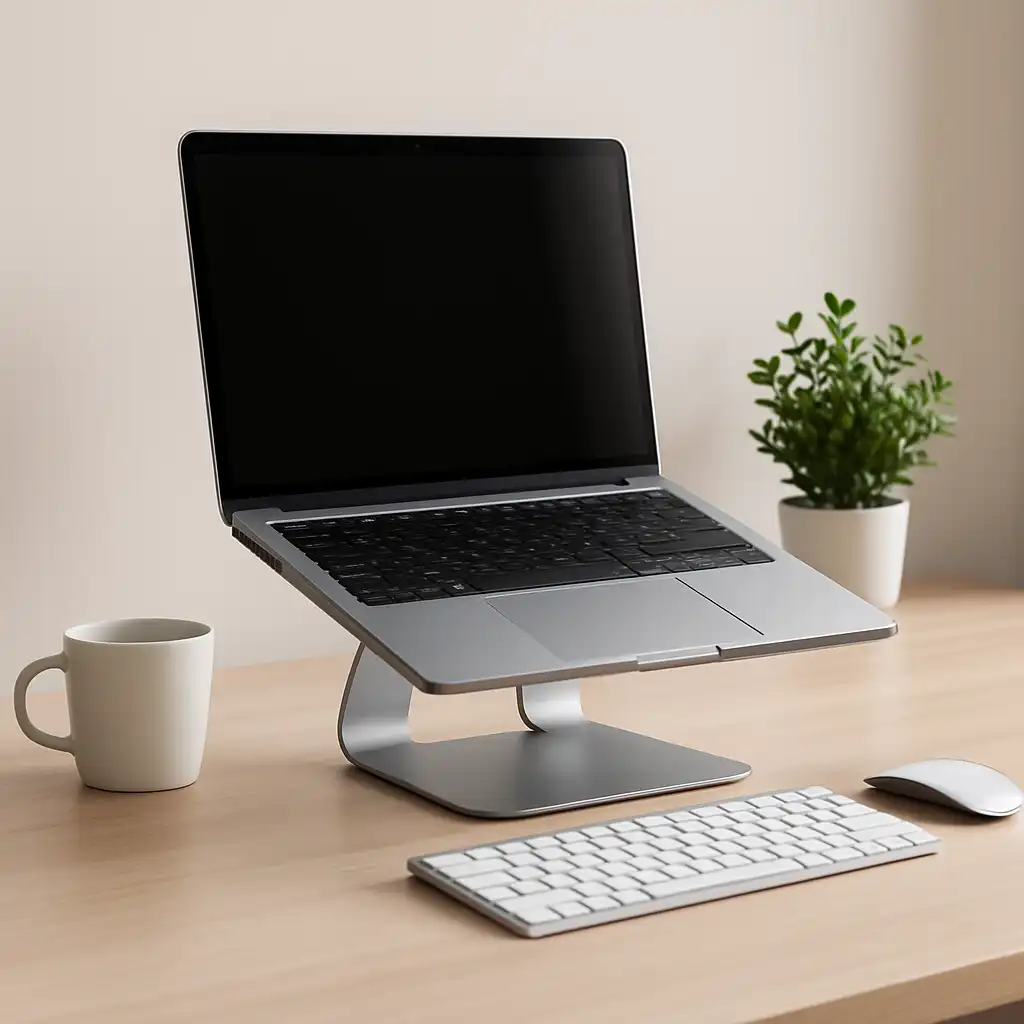
An ergonomic laptop stand is designed to improve screen positioning while maintaining stability during use.
Key factors include:
- Height adjustment for eye-level alignment
- Stable base to prevent wobble
- Compatible angle for typing and viewing
According to ergonomic guidelines, raising the screen closer to eye level helps reduce neck strain, especially during long desk sessions.
👉 For more detail, see laptop screen height for proper posture
📦 Best Adjustable – Tounee Telescopic Laptop Stand with 360° Swivel
The Tounee telescopic stand is designed for users who want flexible positioning. Its adjustable height and swivel base allow the screen to be aligned more precisely with eye level.
Based on manufacturer specifications, the telescopic mechanism supports a wide range of height adjustments, while the swivel base makes it easier to reposition the laptop without moving the entire setup.
This type of design suits users working at different desk heights or switching between sitting and standing positions.
📦 Best Stability – BESIGN LS03 Aluminum Laptop Stand
The BESIGN LS03 focuses on stability and simplicity. Its fixed aluminum design provides a solid platform with minimal movement.
According to manufacturer specifications, the angled design improves airflow while keeping the laptop securely in place. While it lacks height adjustment, it offers consistent positioning for standard desk setups.
This makes it a practical option for users who want a stable, no-adjustment solution.
📦 Best Budget – Amazon Basics Ergonomic Laptop Stand
The Amazon Basics stand is designed as a simple, accessible option for improving screen height.
Based on product specifications, it provides a fixed elevation that helps lift the screen closer to eye level. Its lightweight design makes it easy to move or store when needed.
This type of stand suits users looking for a straightforward upgrade without additional features.
🔍 Adjustable vs Fixed Laptop Stands
Laptop stands generally fall into two categories: adjustable and fixed.
Adjustable stands:
Allow height and angle changes, offering more flexibility for different desk setups.
Fixed stands:
Provide a consistent height and angle, which can be sufficient if your desk setup is already well-aligned.
According to product specifications, adjustable stands are more versatile, while fixed stands prioritize simplicity and stability.
🔍 How to Use a Laptop Stand Correctly
Using a stand effectively depends on how the rest of your setup is arranged.
A typical ergonomic setup includes:
- Screen aligned close to eye level
- Keyboard positioned at elbow height
- Wrists kept in a neutral position
Without adjusting typing position, raising the laptop alone may not fully improve posture.
📌 Key Takeaways
- Adjustable stands offer more flexibility for different setups
- Fixed stands provide stable, consistent positioning
- Raising the screen helps reduce neck strain
- Full ergonomic setups often include external keyboards
🟢 FAQs
Q: What is the best type of laptop stand for posture?
Adjustable stands provide more flexibility for aligning screen height with your desk setup.
Q: Are fixed laptop stands enough?
They can work well if their height matches your seating position.
Q: Do laptop stands improve ergonomics?
They improve screen height, which helps with posture when combined with proper setup.
Q: Should I use a keyboard with a laptop stand?
Using an external keyboard helps maintain a more natural typing position when the laptop is elevated.
✅ Conclusion
The best ergonomic laptop stand for desk use depends on how much adjustability and stability you need. Based on specifications, adjustable stands offer greater flexibility, while fixed designs provide simplicity and reliability.
Choosing the right stand—and pairing it with a balanced setup—helps create a more comfortable workspace for long sessions.