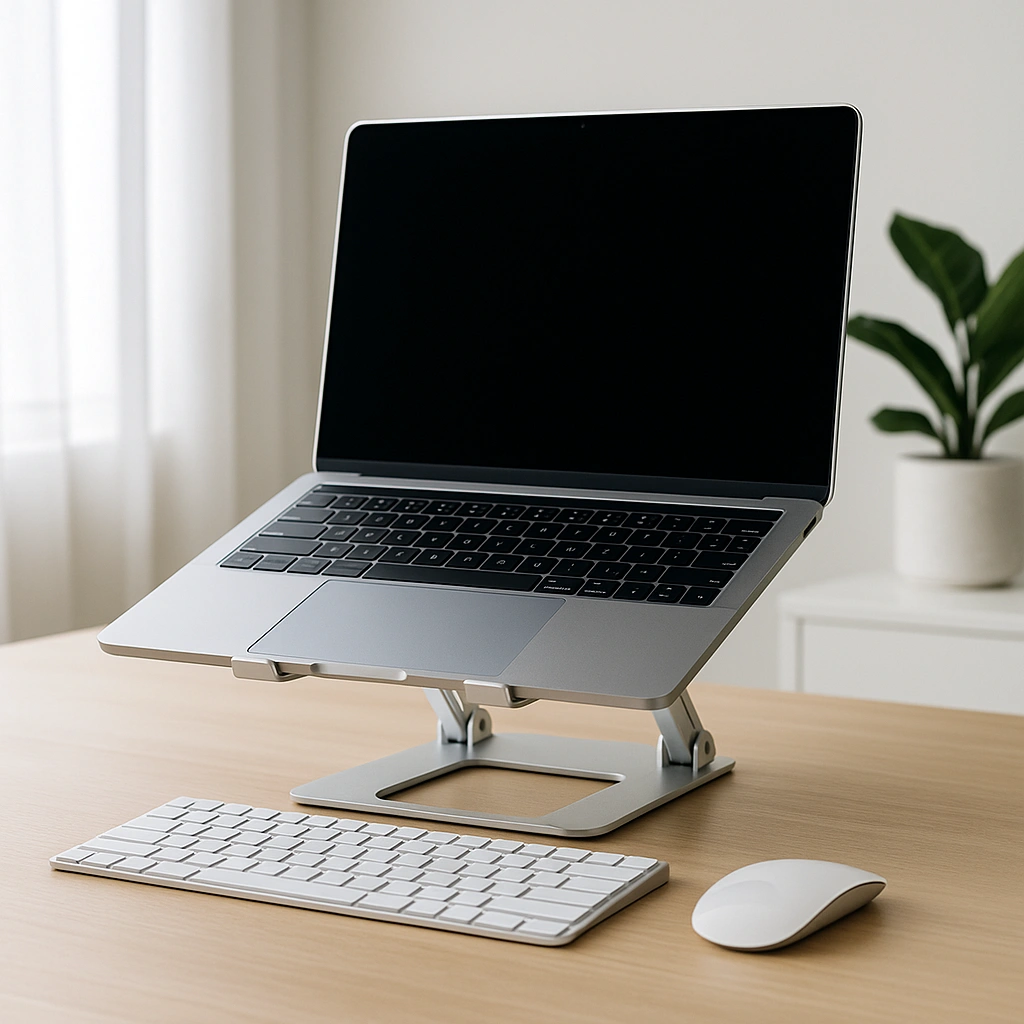
Are Laptop Stands Good for Posture – Benefits, Limitations, and When They Help
Disclosure: This post contains affiliate links. LaptopVoyager.com participates in the Amazon Associates Program and may earn commissions on qualifying purchases, at no extra cost to you.
Last Updated: March 2026
Laptop stands are often used to improve screen height, but their impact on posture depends on how they’re used. Since laptops combine the screen and keyboard, raising one part can affect the other.
A well-designed setup can support better alignment, while a poorly balanced one may create new issues. This guide explains how laptop stands affect posture based on common ergonomic principles.
👉 For a full setup overview, see our guide to laptop ergonomics and posture
📌 Key Takeaways
- Laptop stands help raise the screen closer to eye level
- Better screen height can reduce neck strain
- Typing comfort may decrease without external accessories
- Stands work best as part of a full desk setup
🔍 How Laptop Stands Improve Posture
Laptop stands are designed to elevate the screen, which can help align it closer to eye level. According to ergonomic workstation guidelines, this reduces the need to look downward for long periods.
By improving screen position, stands can support a more neutral head and neck posture. This is especially useful for desk setups where the laptop would otherwise sit too low.
🔍 The Trade-Off: Screen Height vs Typing Position
Raising a laptop improves viewing angle, but it also lifts the keyboard. This can create a less comfortable typing position if used on its own.
When the keyboard sits too high:
- Wrists may bend upward
- Shoulders may lift slightly
- Long typing sessions may feel less comfortable
This trade-off is why stands are often combined with external input devices.
🔍 Using a Stand with an External Keyboard
A common ergonomic setup includes a laptop stand paired with an external keyboard and mouse. This separates screen height from typing position.
👉 Learn more in external keyboard for laptop ergonomics
Based on typical workstation setups:
- The screen stays at eye level
- The keyboard stays at elbow height
- Wrists remain in a more neutral position
This combination allows each part of the setup to be adjusted independently.
🔍 Adjustable vs Fixed Laptop Stands
Laptop stands come in different designs, and their adjustability affects how well they support posture.
Adjustable stands:
Allow you to change height and angle, making it easier to match your desk setup.
Fixed stands:
Provide a set height, which may work well if it matches your seating position.
According to manufacturer specifications, adjustable designs offer more flexibility for different users and workspaces.
🔍 When Laptop Stands Work Best
Laptop stands are most effective in structured desk setups where positioning can be controlled.
They work well for:
- Home office or desk work
- Long typing or productivity sessions
- Users combining laptop and external accessories
They are less effective when:
- Used on soft surfaces like beds or sofas
- Used without adjusting typing position
- Used for short, casual sessions where setup changes aren’t practical
🟢 FAQs
Q: Do laptop stands improve posture?
They can improve screen height, which helps reduce neck strain when used correctly.
Q: Are laptop stands enough on their own?
Not always. They work best when combined with external keyboards and proper desk setup.
Q: Can a laptop stand cause wrist pain?
It can if the keyboard is too high and forces wrists into an awkward angle.
Q: What type of stand is best for posture?
Adjustable stands are generally more flexible because they allow better alignment with your workspace.
✅ Conclusion
Laptop stands can support better posture by raising the screen closer to eye level. Based on ergonomic guidelines, their effectiveness depends on how the full setup is arranged.
When combined with proper typing position and desk alignment, a laptop stand becomes a useful part of a more balanced workspace.