Are Laptops Bad for Posture – What Actually Causes Discomfort and How to Fix It
Disclosure: This post contains affiliate links. LaptopVoyager.com participates in the Amazon Associates Program and may earn commissions on qualifying purchases, at no extra cost to you.
Last Updated: March 2026
Laptops are designed for portability, but that design can make proper posture harder to maintain during long sessions. Because the screen and keyboard are attached, it’s difficult to position both at ideal ergonomic levels at the same time.
That doesn’t mean laptops are inherently bad for posture. In most cases, discomfort comes from how the device is used rather than the device itself.
👉 For a full setup breakdown, see our guide to laptop ergonomics and posture
This guide explains why laptops can affect posture and how to adjust your setup to reduce strain.
📌 Key Takeaways
- Laptops can lead to poor posture due to fixed screen and keyboard positioning
- Neck strain often comes from looking down at the screen
- External accessories help improve alignment in desk setups
- Proper setup matters more than the device itself
🔍 Why Laptops Can Affect Posture
Laptop design prioritizes compactness and mobility. The screen sits low when placed on a desk, which encourages users to tilt their head downward.
According to ergonomic workstation guidelines, this repeated downward angle can increase strain on the neck and upper back over time. At the same time, raising the laptop to eye level can make typing less comfortable.
This trade-off is the main reason posture issues are often linked to laptop use.
🔍 Common Posture Problems with Laptops
Several posture habits are commonly associated with laptop use:
- Leaning forward toward the screen
- Looking down for extended periods
- Typing with wrists at an awkward angle
- Working without proper desk support
These positions are not caused by the laptop itself, but by how it’s positioned during use.
🔍 Screen Height and Neck Position
One of the biggest factors is screen height. When the display sits below eye level, users naturally adjust their head position downward.
👉 For more detail, see laptop screen height for proper posture
Based on ergonomic recommendations, the top of the screen should be close to eye level, allowing a slight downward viewing angle without bending the neck excessively.
🔍 Typing Position and Wrist Alignment
When the laptop is placed flat on a desk, typing position may not align well with your arms and wrists. This can lead to extended periods of non-neutral wrist positioning.
Using a laptop without adjusting keyboard height or angle can increase strain during long typing sessions, especially for work that involves continuous input.
🔍 How to Improve Laptop Posture
Improving posture with a laptop typically involves adjusting how each part of your setup is positioned.
Common approaches include:
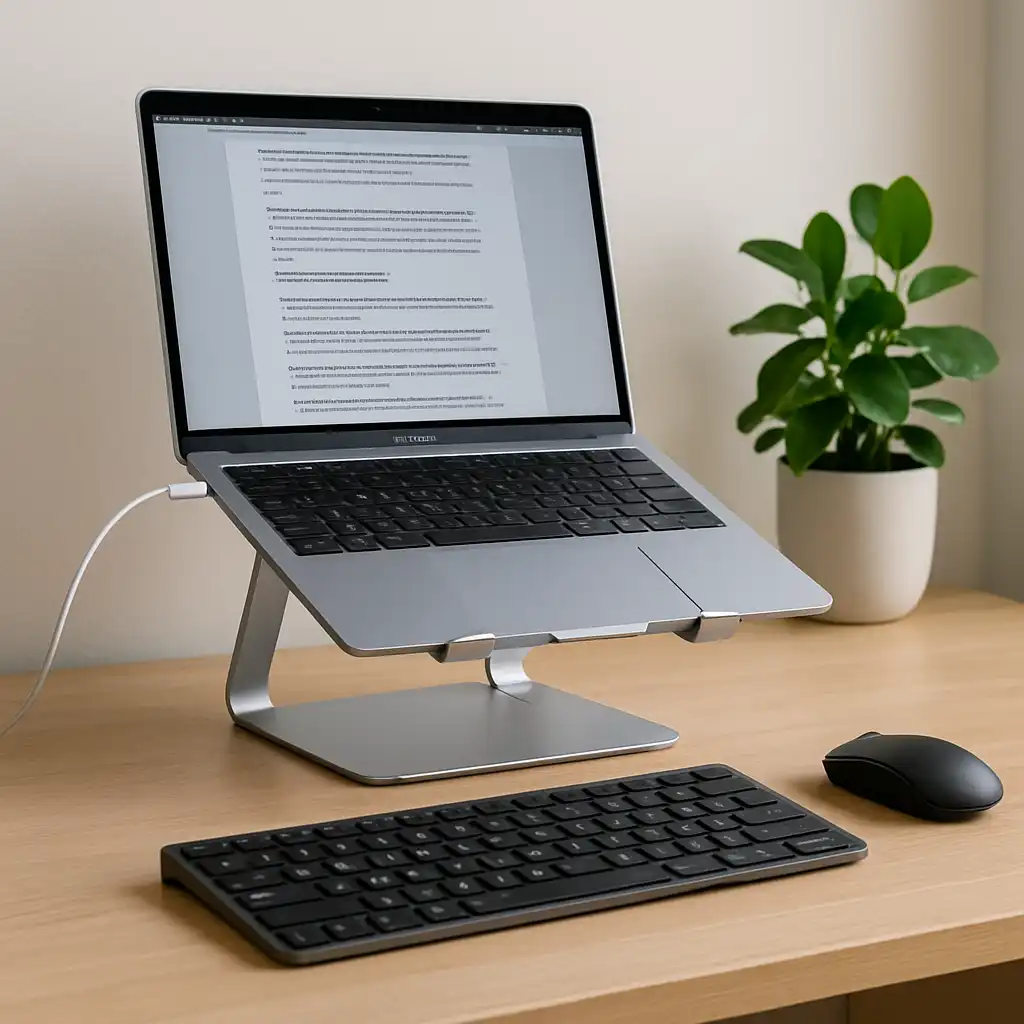
- Raising the screen using a stand
- Using an external keyboard and mouse
- Adjusting chair and desk height
- Keeping elbows at a natural angle
According to workstation setup guidelines, separating screen height from typing position helps create a more balanced setup.
🔍 Laptop vs Full Ergonomic Setup
A laptop-only setup is convenient but limited in adjustability. A more complete desk setup allows better control over posture.
Laptop-only use:
Best suited for short sessions or mobile work.
Ergonomic desk setup:
Designed for longer sessions where comfort and alignment are more important.
This difference highlights why accessories are often used to improve posture rather than replacing the laptop itself.
🟢 FAQs
Q: Are laptops bad for your posture?
Laptops can contribute to poor posture if used without adjustments, mainly due to screen height and keyboard positioning.
Q: Can you use a laptop ergonomically?
Yes. Using a stand, external keyboard, and proper desk setup can improve alignment.
Q: Why does my neck hurt when using a laptop?
Looking down at a low screen for extended periods can increase strain on the neck.
Q: Is a laptop stand enough to fix posture?
A stand helps with screen height, but combining it with external input devices improves overall setup.
✅ Conclusion
Laptops are not inherently bad for posture, but their design can make proper positioning more challenging. Based on ergonomic guidelines, improving screen height, typing position, and desk setup can significantly reduce strain.
With the right adjustments, a laptop can be used comfortably for both short and long work sessions.