Laptop Thermal Paste Guide: Everything You Need to Know
Disclosure: This post contains affiliate links. LaptopVoyager.com participates in the Amazon Associates Program and may earn commissions on qualifying purchases, at no extra cost to you.
Last Updated: September 2026
Thermal paste is a small but important part of a laptop’s cooling system. Positioned between a processor and its cooling assembly, it helps transfer heat away from components such as the CPU and GPU.
Over time, laptop owners may encounter questions about replacing thermal paste, choosing a suitable compound, using thermal pads or PTM7950, or deciding whether liquid metal is appropriate.
This guide explains the basics and connects you to our more detailed laptop thermal paste resources.
🔍 What Is Thermal Paste?
Thermal paste is a type of thermal interface material, often shortened to TIM. Its purpose is to improve heat transfer between a heat-producing component and the cooling surface placed against it.
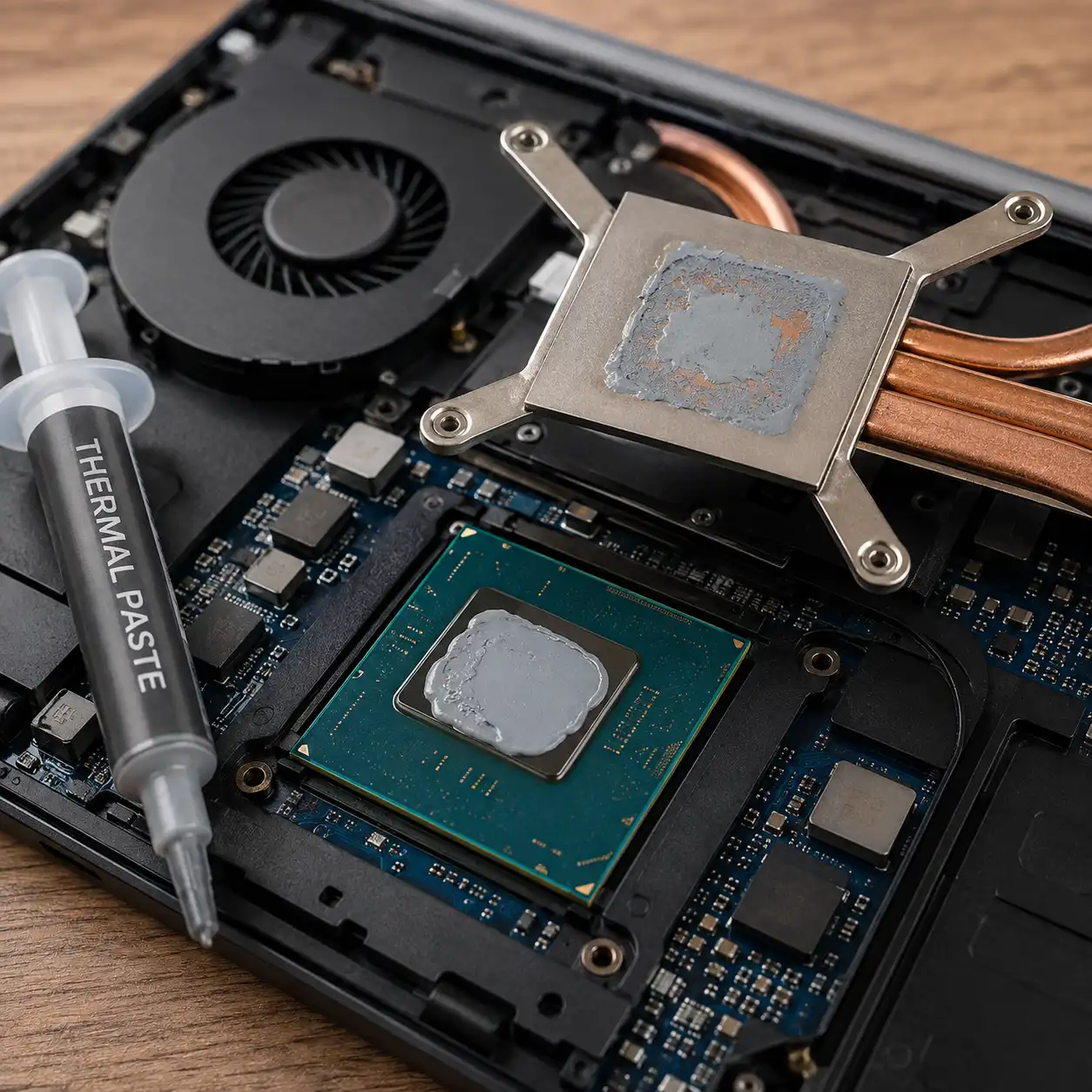
Although these surfaces may appear smooth, microscopic imperfections can leave tiny air gaps between them. Thermal interface material fills those gaps and creates more effective thermal contact. Intel describes this same principle when explaining the role of TIM between a processor and its cooling solution.
In a laptop, the cooling assembly typically uses heat pipes, heatsinks, fans, or a combination of these components to move heat away from the processor.
🔍 Why Do Laptops Need Thermal Paste?
Modern laptop processors can produce substantial heat while handling demanding workloads. Because laptops have limited internal space compared with desktop PCs, efficient transfer of that heat into the cooling system is particularly important.
Thermal paste helps create the thermal connection between the processor and heatsink. It does not actively cool the processor by itself; instead, it allows the cooling assembly to transfer heat more effectively.
Poor thermal contact can contribute to higher operating temperatures. When processor temperatures reach their thermal limits, the system may reduce performance to control heat, a process commonly known as thermal throttling.
🔍 Where Is Thermal Paste Used in a Laptop?
Thermal paste is commonly associated with the laptop’s:
- CPU
- GPU or discrete graphics processor
The exact cooling design varies by laptop. Some systems use a shared heatsink and heat-pipe assembly for the CPU and GPU, while others use different thermal interface materials on different components.
Memory chips, voltage-regulation components, and other parts that require larger gaps to be bridged may use thermal pads instead of conventional paste.
This distinction matters because thermal paste and thermal pads are not automatically interchangeable.
👉 Learn more in our guide to thermal pad vs thermal paste.
🔍 What Thermal Paste Should You Use for a Laptop?
A suitable laptop thermal paste should provide effective heat transfer while remaining stable through repeated heating and cooling cycles.
Electrical conductivity is another important consideration. Some conventional thermal compounds are specifically designed to be electrically non-conductive. For example, Noctua specifies that NT-H1 and NT-H2 are non-conductive and non-corroding.
The ideal choice also depends on the laptop design, processor, cooling assembly, and the thermal interface material originally specified by the manufacturer.
👉 See our complete guide to thermal paste for laptop for the main options and what to consider before choosing one.
🔍 Does Laptop Thermal Paste Need to Be Replaced?
Not necessarily on a fixed schedule.
Thermal compounds can remain effective for years, and their useful lifespan varies with the compound, operating conditions, cooling design, and thermal cycling. As one manufacturer example, Noctua specifies an expected CPU usage time of up to five years for NT-H1 and NT-H2.
Intel also advises replacing thermal interface material when a processor or heatsink is reinstalled rather than simply adding new material over the old TIM.
A noticeable increase in temperatures can be one reason to investigate the cooling system, but thermal paste is only one possible cause. Dust accumulation, restricted airflow, fan problems, high ambient temperatures, or demanding workloads can also affect laptop temperatures.
👉 For a closer look at lifespan and replacement intervals, see how long does thermal paste last.
🔍 How Do You Replace Thermal Paste in a Laptop?
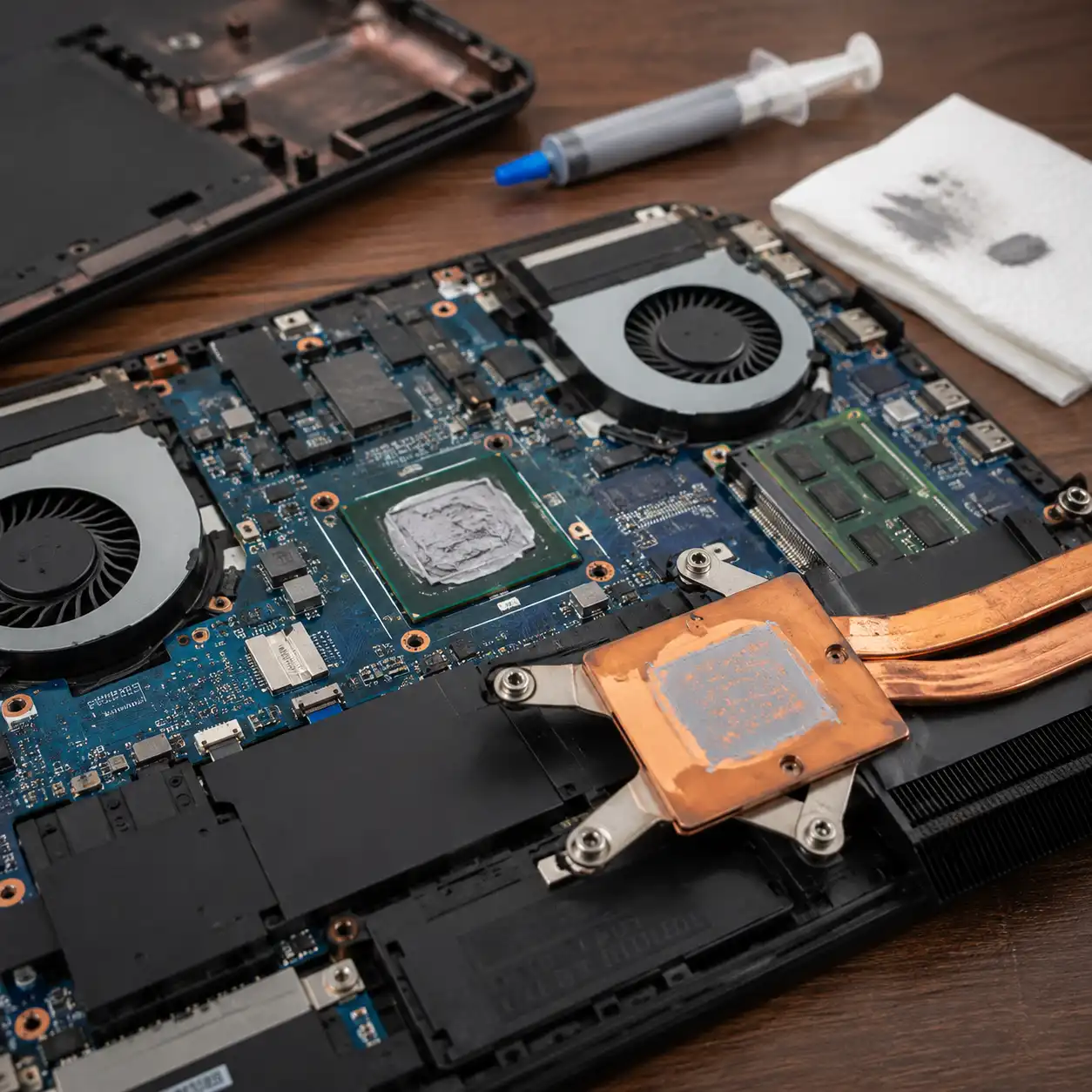
Replacing laptop thermal paste generally involves opening the laptop, disconnecting power where appropriate, removing the cooling assembly, cleaning the existing thermal interface material, applying the replacement material, and correctly reinstalling the heatsink.
The exact procedure can vary considerably between laptop models. Some machines provide relatively straightforward access to their cooling assemblies, while others require more extensive disassembly.
Manufacturer service documentation should therefore take priority over generic instructions for the removal sequence, screw order, thermal material specifications, and reassembly procedure.
Intel’s general TIM guidance also specifies removing old material rather than placing fresh TIM on top of used material.
👉 Follow our detailed laptop thermal paste replacement guide for the complete process and important precautions.
🔍 Thermal Paste vs Thermal Pads
Thermal paste and thermal pads both help transfer heat, but they are designed for different types of interfaces.
Paste forms a very thin thermal layer between closely contacting surfaces. Conventional thermal pads can bridge larger physical gaps, making them useful for components that do not sit directly against the cooling assembly.
That is why opening a laptop may reveal paste on the CPU or GPU while pads are positioned over other components.
Replacing a thermal pad with paste simply because both are thermal interface materials can therefore create improper contact.
👉 Our thermal pad vs thermal paste comparison explains where each material makes sense.
🔍 What About PTM7950?
Honeywell PTM7950 belongs to a different category from ordinary thermal grease. It is a phase-change thermal interface material that changes its physical characteristics as temperatures rise.
This makes comparisons between PTM7950 and conventional thermal paste particularly relevant for laptops, where repeated heating and cooling cycles can place different demands on the thermal interface.
PTM7950 should also not be confused with the thicker conventional thermal pads commonly used to bridge gaps over components such as VRAM and power-delivery hardware.
👉 See PTM7950 vs thermal paste for a dedicated comparison.
🔍 Liquid Metal vs Thermal Paste
Liquid metal is another thermal interface option, but it differs significantly from conventional paste.
Its potential advantage is high thermal conductivity. The major drawback is that liquid-metal compounds are electrically conductive and can create serious problems if they reach surrounding electronic components.
Material compatibility also matters. Gallium-based liquid metal should not be treated like ordinary paste, particularly around aluminum surfaces.
Some performance-oriented laptops use liquid metal as part of their factory cooling design, but that does not mean it is an appropriate replacement material for every laptop.
👉 Read liquid metal vs thermal paste before considering it for a laptop.
🔍 Does Unused Thermal Paste Expire?
Thermal paste stored in a tube or syringe can have a different lifespan from paste already installed inside a laptop.
Storage temperature, whether the container has been opened, and the formulation all affect how long a product remains usable. Manufacturer specifications should therefore be checked rather than assuming that every thermal compound has the same shelf life.
For example, Noctua states that opened NT-H1 and NT-H2 can be used for up to two years when stored appropriately and recommends keeping the container tightly closed and away from extreme temperatures and direct sunlight.
👉 If you have an older tube or syringe, see our guide: Does Thermal Paste Expire.
📌 Key Takeaways
- Thermal paste helps transfer heat from a laptop processor into its cooling assembly by filling microscopic gaps between contacting surfaces.
- Conventional thermal paste is only one type of thermal interface material. Depending on the laptop design, you may also encounter thermal pads, phase-change materials such as PTM7950, or liquid metal.
- Thermal paste does not automatically need replacement every year. Its lifespan depends on the material and operating conditions, and increasing temperatures should be investigated rather than immediately attributed to old paste.
- When replacing thermal interface material, the laptop manufacturer’s service information and original thermal design should take priority whenever available.
🟢 Frequently Asked Questions
Do all laptops use thermal paste?
Most laptops require some form of thermal interface material between major heat-producing components and the cooling assembly, but the exact material varies. A laptop may use conventional paste, phase-change material, liquid metal, thermal pads, or several different materials in the same cooling system.
Can I use desktop CPU thermal paste on a laptop?
Some conventional CPU thermal compounds can be suitable for both desktop and laptop processors, but compatibility and long-term behavior should be checked. Laptop cooling designs can place different demands on the thermal interface, so the manufacturer’s specifications should be considered before choosing a replacement.
Does replacing thermal paste make a laptop faster?
Thermal paste does not directly increase processor performance. If poor thermal contact is contributing to excessive temperatures and thermal throttling, restoring effective heat transfer may help the processor maintain its intended operating performance.
How often should laptop thermal paste be changed?
There is no universal replacement interval. Some compounds are designed to remain effective for several years, and replacement may be appropriate when temperatures deteriorate or when the heatsink is removed.
Can I put new thermal paste over old paste?
Old thermal interface material should normally be removed before fresh paste is applied. Intel specifically advises replacing used TIM rather than adding new TIM over it.
Is liquid metal better than thermal paste for laptops?
Liquid metal can provide higher thermal conductivity, but it also introduces electrical-conductivity and material-compatibility risks. Whether it is appropriate depends on the laptop’s cooling design and manufacturer specifications.
Are thermal pads and thermal paste interchangeable?
Generally, no. Conventional thermal pads can bridge gaps that paste is not designed to fill, while paste is normally used for very thin interfaces between closely contacting surfaces.
✅ Conclusion
Thermal paste may be a small part of a laptop, but it plays an important role in transferring heat from processors to the cooling system.
Choosing or replacing thermal interface material requires more than simply selecting the compound with the highest advertised thermal conductivity. Laptop design, material compatibility, electrical conductivity, long-term stability, and the manufacturer’s original cooling configuration all matter.
Use this guide as the starting point for the LaptopVoyager thermal paste series, then follow the dedicated guides above for choosing thermal paste, repasting a laptop, understanding lifespan and storage, and comparing alternative thermal interface materials.