Best Thermal Paste for Laptop: 3 Top Options
Disclosure: This post contains affiliate links. LaptopVoyager.com participates in the Amazon Associates Program and may earn commissions on qualifying purchases, at no extra cost to you.
Last Updated: September 2026
A quality thermal paste helps transfer heat from your laptop’s CPU or GPU to its cooling system. Whether you’re repasting an older laptop, maintaining a gaming laptop, or replacing dried thermal compound, choosing the right paste can help support effective and consistent cooling.
This guide compares three thermal pastes based on manufacturer specifications, electrical safety, durability, and suitability for laptop cooling systems to help you choose the right option.
👉 For a complete overview of laptop thermal compounds and cooling materials, see Laptop Thermal Paste Guide.
💰 Check Price & Availability
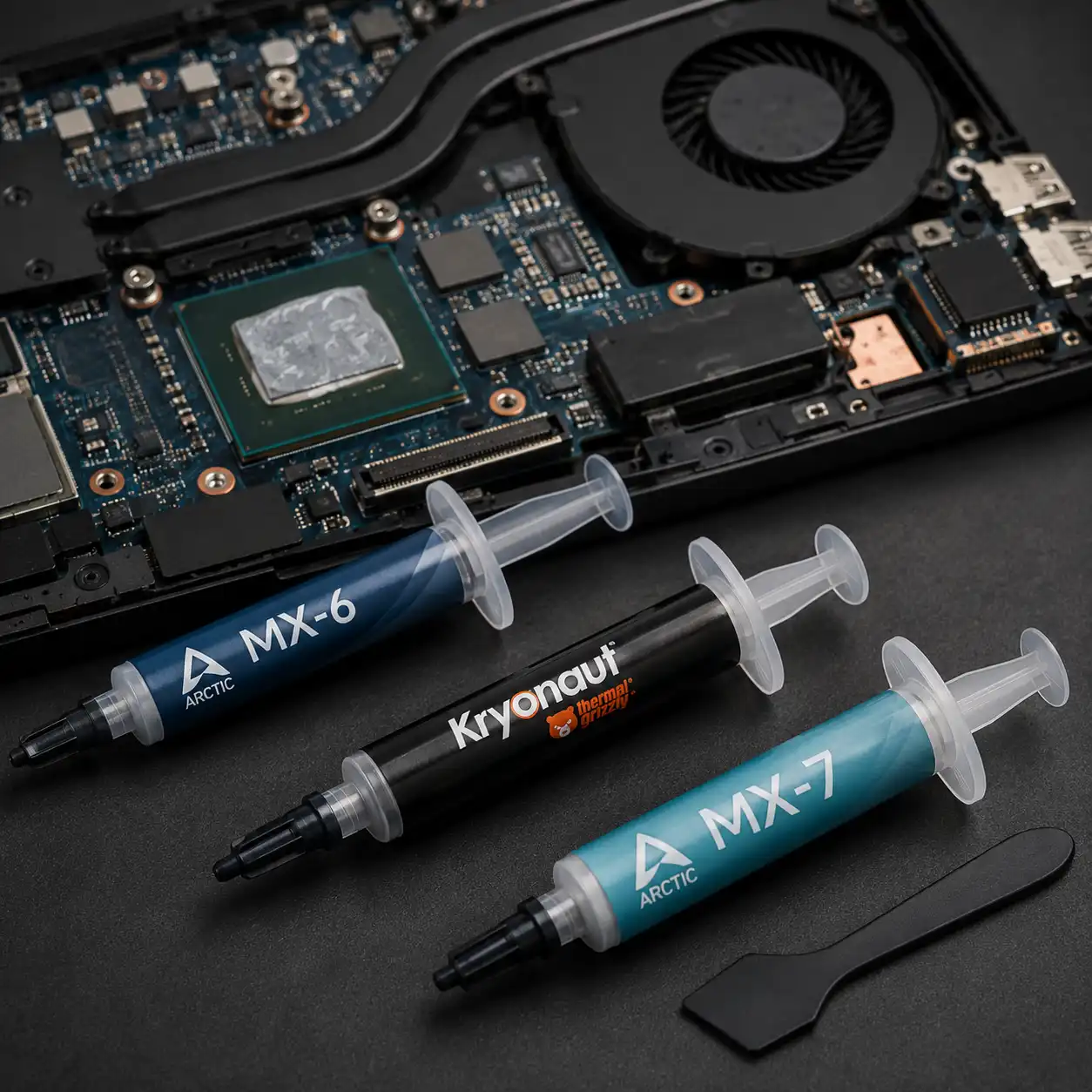
View on Amazon – ARCTIC MX-6 (non-conductive, pump-out resistant)
View on Amazon – Thermal Grizzly Kryonaut (high-performance, non-conductive)
View on Amazon – ARCTIC MX-7 (high-viscosity, long-term stability)
📋 Quick-View Comparison List
Best Overall: ARCTIC MX-6
Best Premium Pick: Thermal Grizzly Kryonaut
Best for Long-Term Stability: ARCTIC MX-7
🔍 What Makes a Good Thermal Paste for a Laptop?
Laptop thermal paste should provide effective heat transfer while remaining stable through repeated heating and cooling cycles.
Based on manufacturer specifications, features such as electrical non-conductivity, resistance to drying, suitable viscosity, and resistance to pump-out can make a thermal compound particularly useful in compact laptop cooling systems.
👉 If you’re planning to repaste your laptop, see Laptop Thermal Paste Replacement.
📦 ARCTIC MX-6 – Best Overall
ARCTIC MX-6 is a strong all-around option for users looking for a balance of thermal performance, electrical safety, and durability.
According to ARCTIC, MX-6 is electrically non-conductive and non-capacitive. Its high-viscosity formulation also provides non-drying and non-bleeding properties and is designed to resist leakage caused by the pump-out effect.
ARCTIC specifies that MX-6 can be used for direct-die cooling applications. The manufacturer also reports up to 20% lower thermal resistance compared with MX-4 based on its own testing.
These characteristics make MX-6 a practical option for a wide range of laptop repasting applications.
📦 Thermal Grizzly Kryonaut – Best Premium Pick
Thermal Grizzly Kryonaut is designed for users who prioritize thermal performance, particularly in systems operating under demanding workloads.
According to Thermal Grizzly, Kryonaut is designed for high-performance and overclocking applications. Its formulation is electrically non-conductive, requires no curing, and is designed for long-term durability.
The manufacturer also states that Kryonaut uses a carrier structure designed to resist drying at temperatures up to 80°C.
For gaming laptops and other performance-oriented systems, Kryonaut provides an alternative to general-purpose thermal compounds without the electrical conductivity associated with liquid metal.
📦 ARCTIC MX-7 – Best for Long-Term Stability
ARCTIC MX-7 is designed for users who prioritize stability through repeated heating and cooling cycles.
According to ARCTIC, MX-7 uses a dense, high-viscosity formulation with high cohesion. This is designed to prevent cracking and leakage caused by the pump-out effect during repeated thermal cycles.
ARCTIC also specifies that MX-7 is electrically non-conductive and non-capacitive and is suitable for CPUs, GPUs, laptops, and console processors.
Its emphasis on resistance to drying and pump-out makes MX-7 particularly interesting for laptops that regularly move between idle and demanding workloads.
👉 To learn how thermal paste lifespan can vary, see How Long Does Thermal Paste Last?.
📌 Key Takeaways
- ARCTIC MX-6 provides a balanced combination of thermal performance, electrical safety, and durability.
- Thermal Grizzly Kryonaut is designed for demanding and performance-oriented cooling applications.
- ARCTIC MX-7 emphasizes long-term stability and resistance to pump-out.
- All three options are electrically non-conductive.
- Check your laptop manufacturer’s specifications before replacing the original thermal interface material.
🟢 FAQs
Q: What is the best thermal paste for a laptop?
ARCTIC MX-6 is a strong all-around choice based on its non-conductive formulation, direct-die suitability, and resistance to drying and pump-out. The best option can still depend on the laptop’s cooling design and original thermal interface material.
Q: Is ARCTIC MX-6 good for laptops?
MX-6 has characteristics that suit laptop applications, including electrical non-conductivity, high viscosity, pump-out resistance, and suitability for direct-die cooling.
Q: Is Thermal Grizzly Kryonaut good for gaming laptops?
Kryonaut is designed for demanding cooling and overclocking applications. Its electrically non-conductive formulation can make it suitable for performance-oriented laptop cooling when conventional thermal paste is appropriate.
Q: Is ARCTIC MX-7 suitable for laptops?
Yes. ARCTIC specifically lists laptops among the applications for MX-7 and describes the compound as electrically non-conductive and resistant to pump-out during repeated thermal cycles.
Q: How much thermal paste does a laptop need?
The amount depends on the processor surface, cooling assembly, and application method specified for the compound. Using excessive paste does not automatically improve cooling performance.
Q: Can I use desktop CPU thermal paste on a laptop?
Many conventional thermal pastes can be used in both desktop and laptop applications, but compatibility depends on the cooling design. Some laptops use phase-change materials or liquid metal instead of conventional paste.
✅ Conclusion
The best thermal paste for a laptop depends on the cooling system and how the laptop is used. ARCTIC MX-6 offers a balanced option for most conventional repasting applications, while Thermal Grizzly Kryonaut targets demanding cooling applications and ARCTIC MX-7 focuses on long-term stability.
Before replacing the original thermal interface material, check what the laptop manufacturer specifies. Some laptops use conventional thermal paste, while others may use phase-change materials or liquid metal.