Best Wireless Mouse for Laptops: Everyday Comfort, Ergonomics, and Precision
Disclosure: This post contains affiliate links. LaptopVoyager.com participates in the Amazon Associates Program and may earn commissions on qualifying purchases, at no extra cost to you.
Last Updated: January 2026
Choosing a wireless mouse for a laptop isn’t about chasing features you’ll never use. It’s about picking something that feels comfortable in your hand, works reliably wherever you open your laptop, and doesn’t slow you down during everyday tasks.
Laptop users often work in tighter spaces—shared desks, cafés, libraries, or while traveling. That makes comfort, portability, and consistent tracking far more important than flashy extras. Some people prioritize ergonomics, others want lightweight precision, and many just want a mouse that works every time they pull it out of their bag.
👉 If you’re still building your setup, this guide to best laptop accessories helps you focus on upgrades that actually improve daily use.
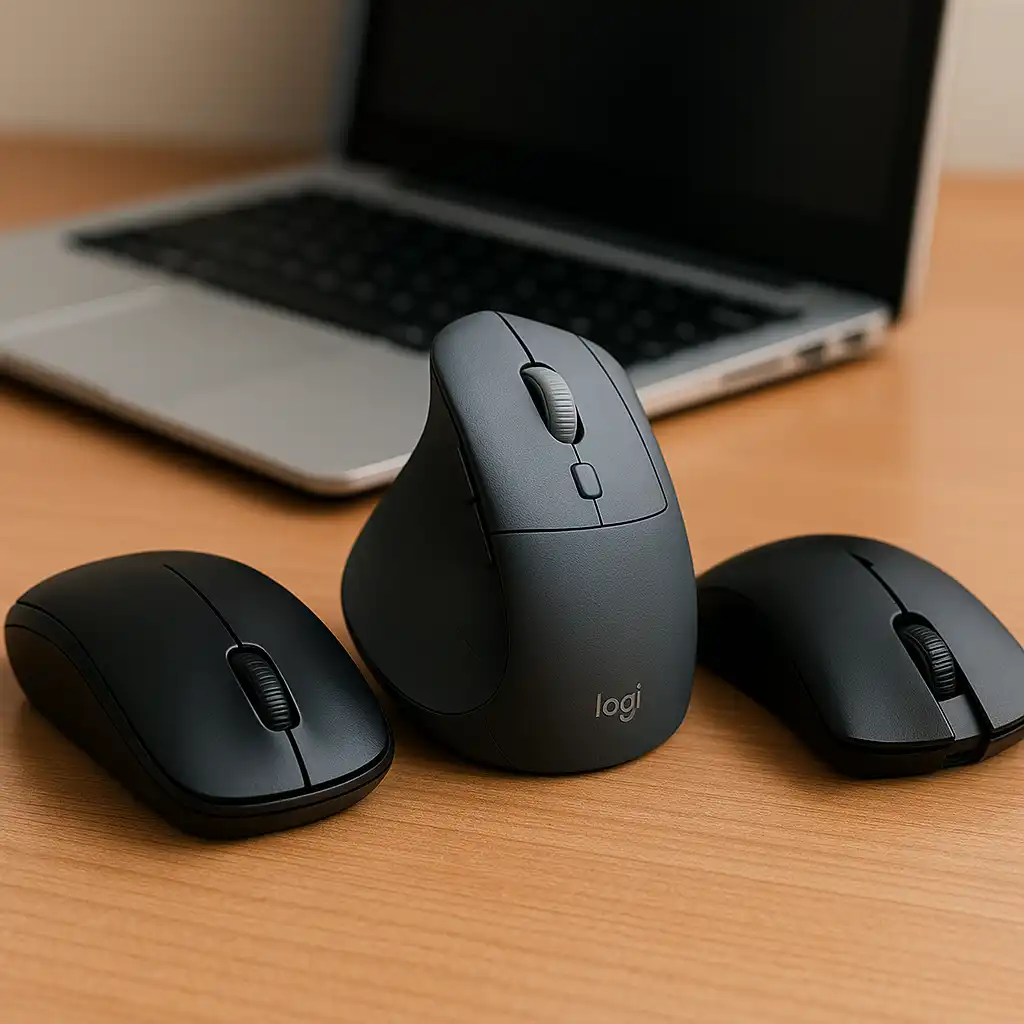
Below are three wireless mice that pair especially well with laptops, each suited to a different style of use.
💰 Check Price & Availability
View on Amazon – Uineer Wireless Mouse, Rechargeable 2.4GHz (Matte Black)
View on Amazon – Logitech Lift Vertical Ergonomic Wireless Mouse (Graphite)
View on Amazon – Razer Viper V2 Pro HyperSpeed Wireless Gaming Mouse (Black)
📋 Quick-View Comparison List
Best Budget Wireless Mouse for Laptops: Uineer Wireless Mouse (Rechargeable, slim, travel-friendly)
Best Ergonomic Wireless Mouse for All-Day Laptop Use: Logitech Lift Vertical Mouse (Vertical design, reduced wrist strain)
Best High-Performance Wireless Mouse for Laptop Gaming: Razer Viper V2 Pro (Ultra-light, high-precision sensor)
🔍 What Matters Most in a Wireless Mouse for Laptops
A good wireless mouse for laptop use should feel natural from the first click.
Laptop setups often involve smaller desks or working on the go, which makes size, weight, and surface compatibility especially important. Battery life also plays a big role—constantly charging a mouse quickly becomes frustrating.
The best wireless mice focus on consistency, comfort, and reliability rather than packing in features you’ll never use.
🔍 Comfort and Ergonomics for Long Laptop Sessions
Comfort becomes more important the longer you stay on your laptop.
Slim travel mice are easy to carry, but they can strain your wrist during extended use. Ergonomic designs encourage a more relaxed hand position, which many users find helps reduce tension over time.
If your laptop is your main work device, choosing a mouse that supports a natural grip can noticeably improve day-to-day comfort.
🔍 Portability and Battery Life on the Go
Wireless mice work especially well with laptops because they eliminate cable clutter.
Rechargeable models remove the need for spare batteries, while long battery life means fewer interruptions during busy days. Compact designs also slide easily into laptop sleeves or backpacks without adding bulk.
For students, travelers, and remote workers, reliability matters more than saving a few grams of weight.
📦 Uineer Wireless Mouse – Best Budget Wireless Mouse for Laptops
The Uineer Wireless Mouse keeps things simple and practical.
Its slim profile makes it easy to carry, and the rechargeable battery helps avoid constant battery swaps. Tracking is smooth enough for browsing, writing, and everyday productivity.
This mouse makes sense if you want something affordable that works reliably without overthinking it.
📦 Logitech Lift Vertical Ergonomic Wireless Mouse – Best Ergonomic Choice for Laptop Users
The Logitech Lift focuses on comfort rather than compact size.
Its vertical design supports a more natural hand position, which many users find helps reduce wrist strain during long work sessions. Wireless connectivity stays stable, and tracking remains consistent across different surfaces.
If your laptop is your primary work machine and comfort is a priority, this is a strong long-term choice.
📦 Razer Viper V2 Pro – Best Performance Wireless Mouse for Laptop Gaming
The Razer Viper V2 Pro is built for speed and precision.
It’s extremely lightweight and highly responsive, making it ideal for fast-paced gaming on a laptop. At the same time, its smooth tracking and low weight also feel great for everyday use.
This mouse is a great fit if you use a gaming laptop or want top-tier performance without switching to a wired setup.
📌 Key Takeaways
- A good wireless mouse improves comfort and control for laptop users
- Budget-friendly options handle everyday tasks without issues
- Ergonomic designs can help reduce wrist strain during long sessions
- Rechargeable batteries are more convenient for mobile use
- High-performance mice suit gaming laptops and precision-focused users
🟢 FAQs
Q: Is a wireless mouse better than a trackpad for laptops?
Yes. A wireless mouse offers better precision and comfort, especially during longer sessions.
Q: Are ergonomic mice worth it for laptop users?
They can be, particularly if you experience wrist or forearm discomfort during long workdays.
Q: Do wireless mice work well on the go?
Yes. Most modern wireless mice are compact, reliable, and travel-friendly.
Q: Can gaming wireless mice be used for everyday laptop work?
Absolutely. Many users enjoy the added precision and smooth tracking even for general tasks.
✅ Conclusion
The best wireless mouse for laptops depends on how you use your device each day. The Uineer Wireless Mouse is a dependable budget option for everyday tasks, the Logitech Lift prioritizes comfort for long work sessions, and the Razer Viper V2 Pro delivers elite precision for gaming and performance-focused users. Choosing the right mouse comes down to comfort, portability, and how much performance you actually need.