External Keyboard for Laptop Ergonomics – Do You Really Need One?
Disclosure: This post contains affiliate links. LaptopVoyager.com participates in the Amazon Associates Program and may earn commissions on qualifying purchases, at no extra cost to you.
Last Updated: April 2026
Using a laptop on its own often forces your screen and keyboard into a fixed position, which can make it harder to maintain a comfortable posture during long sessions. This becomes more noticeable when working at a desk for extended periods.
An external keyboard is commonly recommended in ergonomic setups because it allows you to separate screen height from typing position. This helps create a more flexible and adjustable workspace based on your needs.
👉 For a full posture setup overview, see our guide to laptop ergonomics and posture
This guide explains when an external keyboard makes sense, how it improves ergonomics, and how to choose the right setup based on typical desk use.
📌 Key Takeaways
- External keyboards allow better separation between screen height and typing position
- They support a more neutral wrist and shoulder posture
- Most ergonomic setups combine a laptop stand with an external keyboard
- Compact keyboards are often preferred for limited desk space
🔍 Why Laptop Keyboards Can Limit Ergonomics
Laptop keyboards are built into the device, which means their position is tied to the screen. Raising the laptop to eye level improves neck posture, but it also raises the keyboard to an uncomfortable typing height.
This creates a trade-off:
- Lower laptop → better typing position, worse neck posture
- Higher laptop → better screen position, worse wrist and shoulder alignment
According to ergonomic guidelines and workspace design principles, separating input devices from the display helps reduce strain on multiple areas of the body.
🔍 How an External Keyboard Improves Posture
An external keyboard allows you to position your laptop screen independently from your typing surface. This makes it easier to align the screen at eye level while keeping your hands at a lower, more natural height.
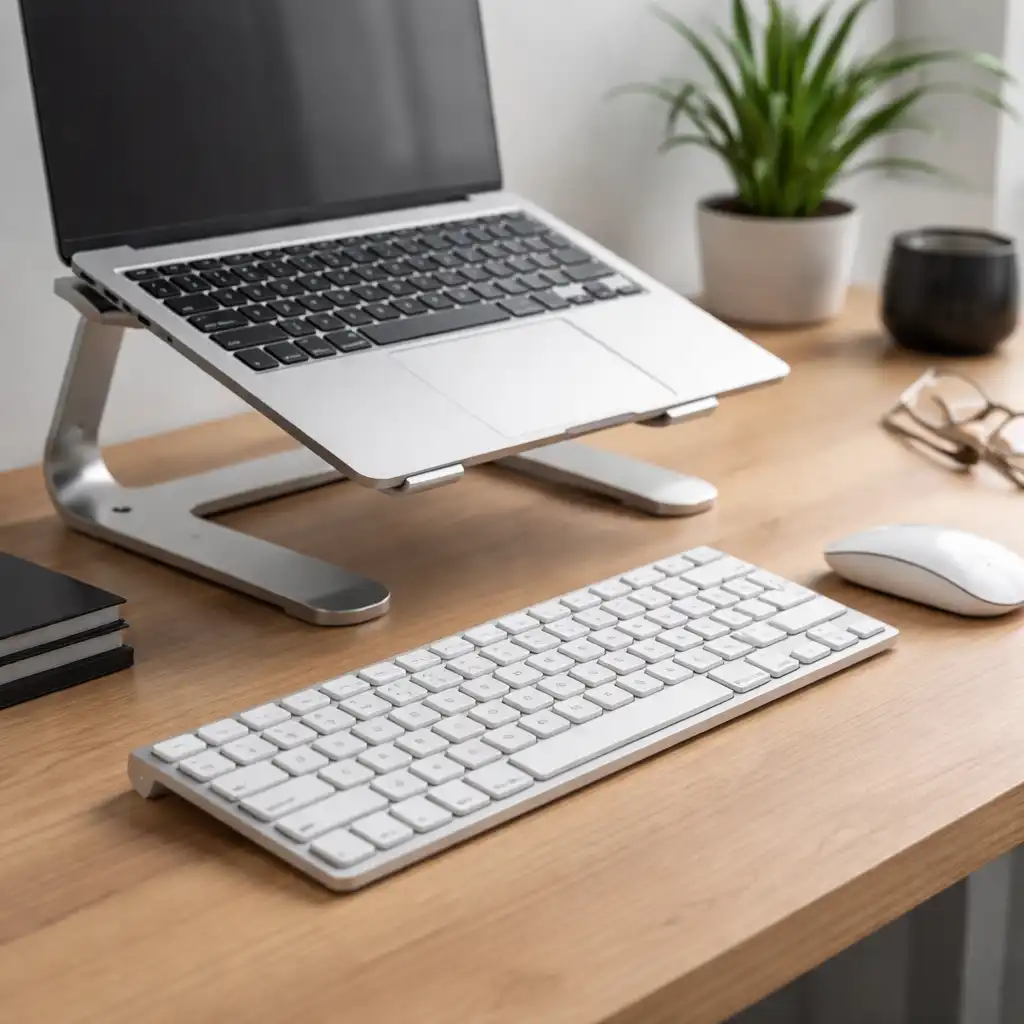
In a typical desk setup:
- The screen is raised to eye level using a stand
- The keyboard is placed at elbow height
- Wrists remain in a neutral, flat position
👉 For a complete setup breakdown, see laptop ergonomics setup for desk work
This separation is a key part of most ergonomic workstation recommendations and is designed to support a more balanced posture during extended use.
🔍 Do You Always Need an External Keyboard?
Not every user requires an external keyboard, but it becomes more important depending on how you use your laptop.
You may benefit from one if:
- You work at a desk for long periods
- You use a laptop stand to raise the screen
- You experience discomfort in your wrists, shoulders, or neck
- You type frequently (writing, coding, office work)
On the other hand, if you mainly use your laptop for short sessions or portable use, the built-in keyboard may be sufficient.
🔍 Types of External Keyboards for Ergonomics
External keyboards come in different formats, each designed for specific use cases.
Full-size keyboards
Include a number pad and full key layout. These are designed for users who need maximum functionality, such as data entry or office work.
Compact (tenkeyless) keyboards
Remove the number pad, allowing the mouse to sit closer to the keyboard. This layout is often preferred in ergonomic setups to reduce shoulder reach.
Low-profile keyboards
Feature shorter key travel and a flatter design, which helps maintain a more neutral wrist position during typing.
Split or ergonomic keyboards
Designed to separate the left and right hand positions. These are built specifically to support natural hand alignment and reduce strain.
According to manufacturer design specifications, ergonomic keyboards are built to support more natural wrist and arm positioning compared to traditional layouts.
🔍 External Keyboard + Laptop Stand Setup
An external keyboard is most effective when combined with a laptop stand.
Typical setup:
- Laptop elevated to eye level
- External keyboard placed directly in front of you
- Mouse positioned close to reduce shoulder movement
This configuration allows each component to be positioned independently, which is the main advantage of using external input devices.
Without a separate keyboard, raising the laptop often leads to uncomfortable wrist angles, which can affect long-term comfort.
🔍 Space, Portability, and Practical Considerations
While external keyboards improve ergonomics, they also add extra equipment to your setup.
Consider:
- Desk space: Compact keyboards help reduce clutter
- Portability: Lightweight or wireless models are easier to carry
- Connectivity: USB and Bluetooth options offer flexibility
Wireless keyboards are commonly used in minimalist setups, while wired options are often chosen for reliability and simplicity.
🟢 FAQs
Q: Do I need an external keyboard if I use a laptop stand?
Yes, in most cases. Raising the laptop improves screen height, but an external keyboard helps maintain a comfortable typing position.
Q: Is a compact keyboard better for ergonomics?
Compact keyboards can reduce shoulder movement by keeping the mouse closer, which supports a more natural arm position.
Q: Can I use a laptop without an external keyboard long term?
It’s possible, but fixed keyboard positioning may limit posture adjustments during extended use.
Q: Are ergonomic keyboards necessary?
Not always. Standard external keyboards can improve posture, while ergonomic designs offer additional adjustments for specific needs.
✅ Conclusion
An external keyboard is a key component in most ergonomic laptop setups because it allows you to separate screen height from typing position. Based on common workstation design principles, this setup helps support a more balanced posture during extended desk use.
For users who work long hours on a laptop, combining a stand with an external keyboard creates a more flexible and comfortable workspace.