Laptop Ergonomics and Posture: Complete Guide for Comfortable Daily Use
Disclosure: This post contains affiliate links. LaptopVoyager.com participates in the Amazon Associates Program and may earn commissions on qualifying purchases, at no extra cost to you.
Last Updated: December 2025
Laptop ergonomics has a bigger impact on daily comfort than most people expect. Neck stiffness, shoulder tension, wrist strain, and poor posture usually don’t appear all at once. They build up slowly, especially when a laptop is used for long hours without any setup changes.
This hub brings together our most useful guides on laptop ergonomics and posture in one place. Like the rest of the practical buying and setup advice you’ll find on LaptopVoyager, it’s built for students, remote workers, and everyday users who want a setup that feels better to use without overcomplicating their space.
🔍 Laptop Posture Basics & Ergonomic Awareness
Laptops are designed for portability, not long-term comfort. The low screen height naturally encourages looking down, while the keyboard and trackpad can pull your arms into awkward positions. Over time, those small habits add up and often lead to discomfort.
The guides below explain how laptop use affects posture and whether common ergonomic tools actually help in everyday setups.
These are a good starting point if you’re trying to figure out whether your laptop setup is causing problems or just needs a few simple adjustments.
🔍 Ergonomic Laptop Stands for Desk Setups
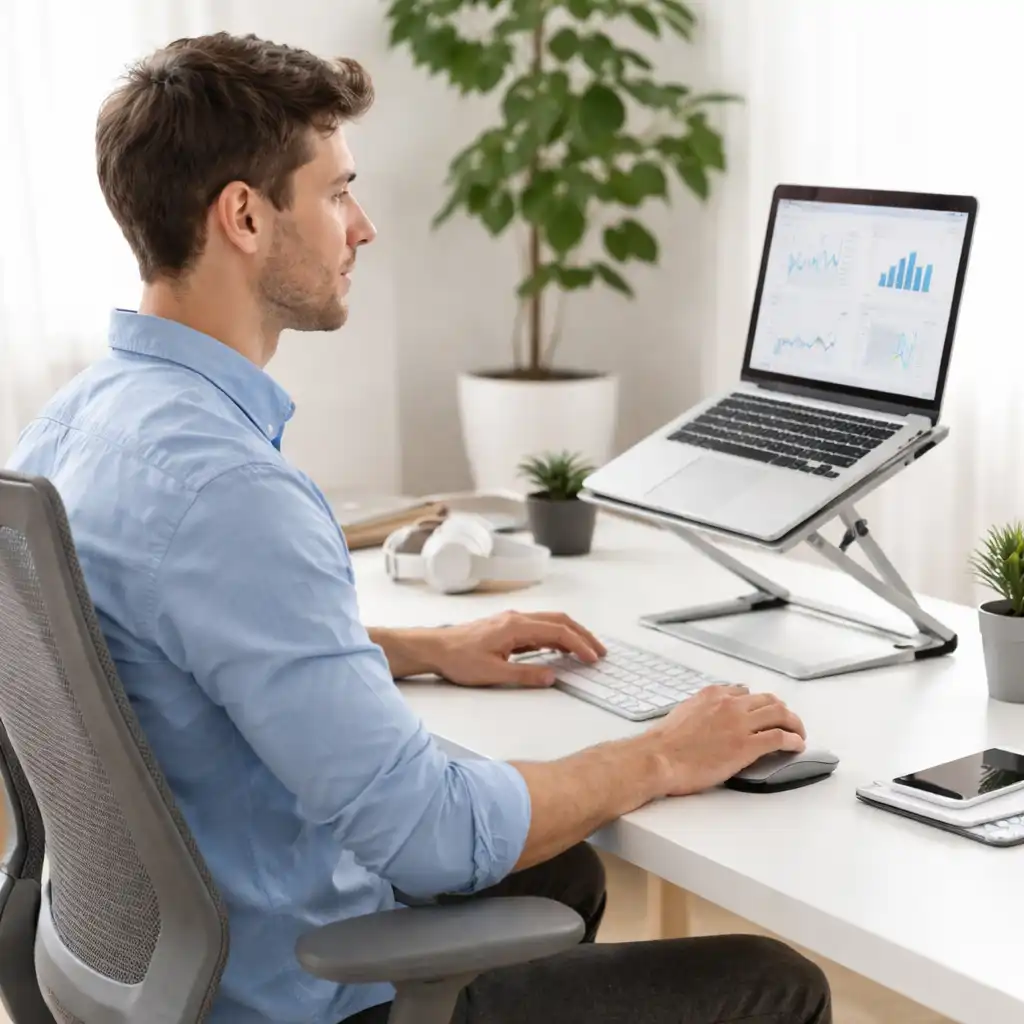
If you use a laptop at a desk for most of the day, ergonomics can noticeably affect how you feel by the end of it. Raising the screen closer to eye level helps reduce neck strain, while better typing angles can ease tension in the shoulders and upper back.
These guides focus on laptop stands designed specifically for desk use, with an emphasis on stability, adjustability, and everyday practicality.
They’re especially helpful if you work from home, spend long hours typing, or move between focused work and video calls throughout the day.
🔍 Laptop Stands for Bed, Sofa & Relaxed Use
Not all laptop use happens at a desk. Many people browse, stream, or even work from the couch or bed, where posture challenges are different and often harder on the neck and shoulders.
The articles below focus on stands designed for relaxed or flexible setups, where comfort and support matter more than perfect alignment.
These guides are useful if space is limited, you share a living area, or you want a setup that feels comfortable without constantly shifting positions.
🔍 Neck, Shoulder & Upper-Body Comfort Solutions
Neck and shoulder discomfort are among the most common issues laptop users experience. In many cases, the problem isn’t just the laptop itself, but how screen height, mouse placement, and arm position work together.
These guides focus on reducing upper-body strain through better positioning and smarter accessory choices.
- Best Laptop Stand for Neck Pain
- How to Avoid Neck Pain While Using a Laptop
- Best Mouse for Shoulder Pain
They’re especially helpful if discomfort has already started and you want to stop it from becoming part of your daily routine.
📌 Key Takeaways
- Laptop posture issues often start with low screen height and poor arm positioning
- Laptop stands are one of the simplest ways to reduce neck and upper-back strain
- Desk, bed, and sofa setups each benefit from different ergonomic solutions
- Mouse choice can influence shoulder comfort more than many users expect
- Small, practical setup changes can noticeably improve comfort over time
🟢 FAQs
Q: Are laptops bad for posture by default?
Laptops aren’t inherently bad, but their compact design often encourages poor posture when used for long periods without adjustments.
Q: Do laptop stands really help with ergonomics?
Yes. Raising the screen closer to eye level and improving typing angles can reduce neck and shoulder strain for many users.
Q: Can you improve laptop ergonomics without a desk?
You can improve comfort on a sofa or bed by using stands designed for those positions, although desk setups are usually easier to optimize.
Q: Does using an external mouse matter for posture?
It can. A mouse that fits your grip and arm position can help reduce shoulder and wrist strain during extended use.
For posture-friendly gear and everyday upgrades that complement these ergonomic setups, you can also explore our full guide to laptop accessories.
✅ Conclusion
Good laptop ergonomics isn’t about creating a perfect setup. It’s about making practical changes that fit how you actually use your laptop day to day. Whether you work at a desk, relax on the couch, or use your laptop in bed, the right combination of screen height, support, and accessories can make daily use feel more comfortable and sustainable. This hub brings everything together so you can understand the issues, compare solutions, and build a setup that genuinely feels better to use.